9100c
9-16 M1207026
9.9 Replace the flowmeter module
1. Bleed all gas pressure from the machine (Section 9.1).
2. Ensure that all cylinder and pipeline gauges read zero before
proceeding.
3. Remove the rear upper panel (Section 9.2.1).
4. Disconnect the tubings at the rear of the flowmeter module.
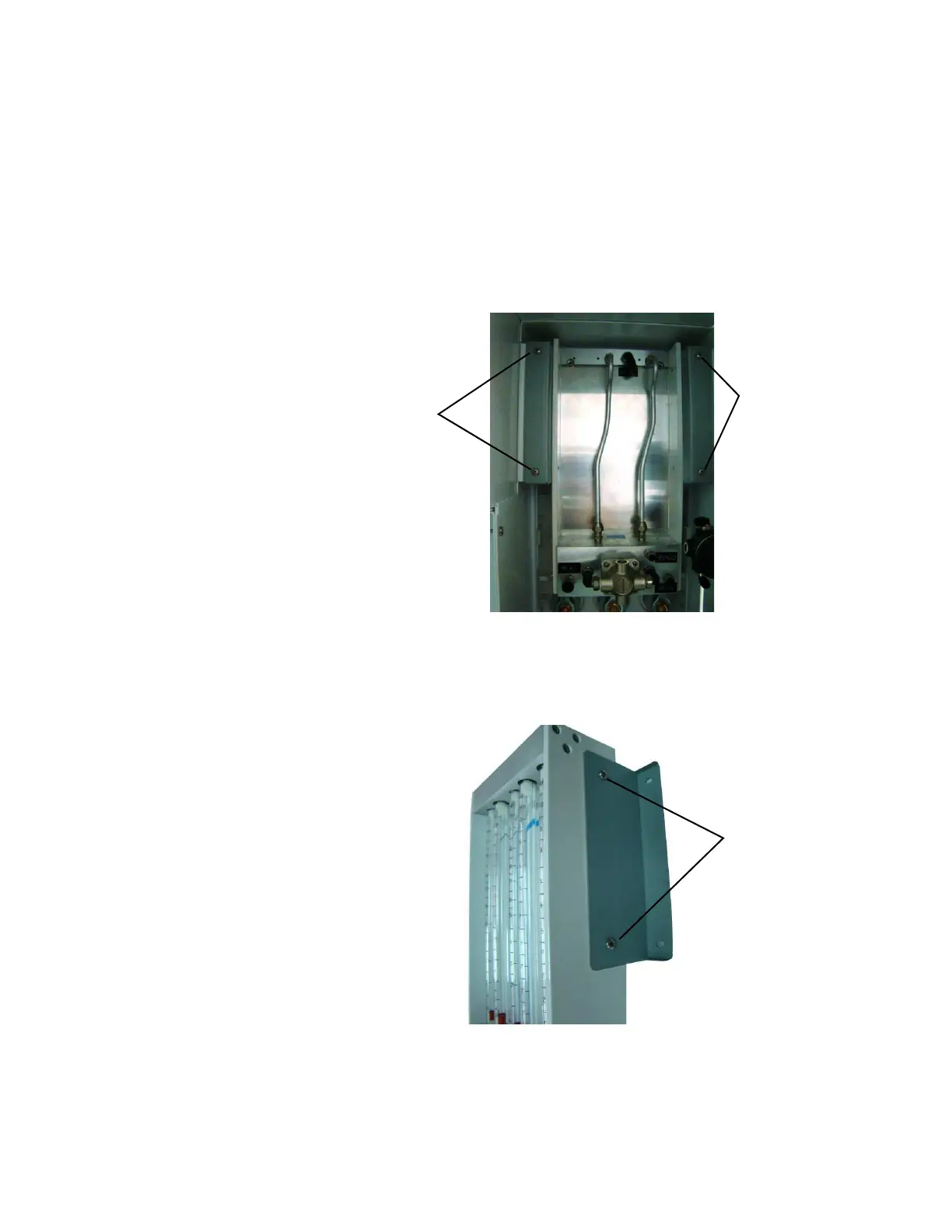
5. Remove the four mounting screws from the manifold.
6. Pull the flowmeter module backward slowly.
7. Remove the four screws from the side panels.
Note: Two screws from each side panel.
8. To reinstall, perform the previous steps in reverse order.
9. Perform the checkout procedure (Section 3).
Mounting
Screw
Mounting
Screw
M1207027 004 MANUAL−DOC, Technical Reference Manual, Technical Reference Manual for 9100c, English−default
Reproduced from the electronic master in MATRIX



 To Next Page