9100c
9-36 M1207026
9.16.3 Front
enclosure with DMB
removed
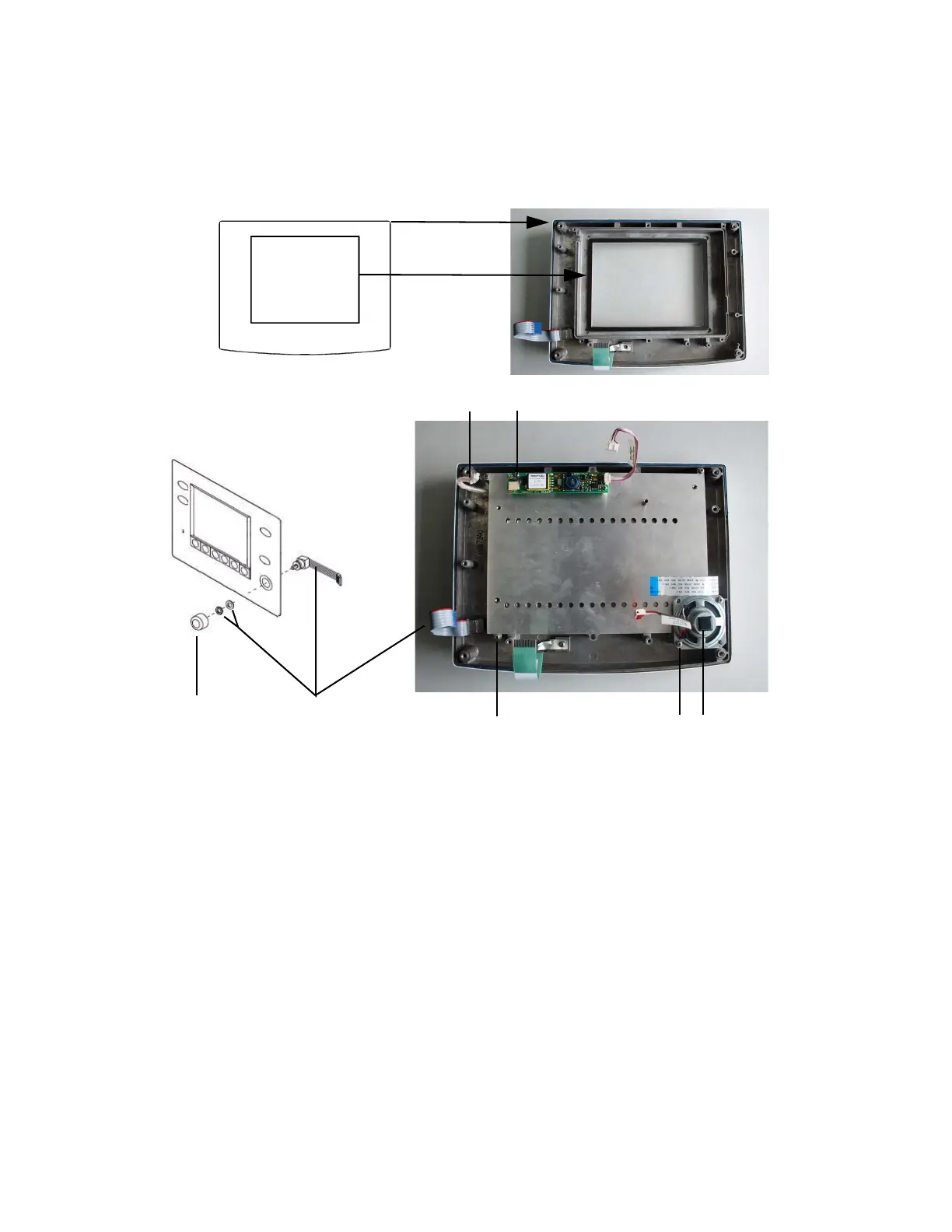
To replace the speaker Remove the two screws (A) that hold the speaker assembly (B) to the
front enclosure.
To replace the backlight
inverter
1. Disconnect the harness (D) to the LCD display.
2. Remove the two screws (C) that hold the back light inverter to the
front enclosure.
3. Replace the back light inverter in reverse order.
To replace the rotary
encoder
1. Pull the knob (E) off the shaft of the encoder (F).
2. Remove the nut and washer that hold the encoder to the
keyboard.
3. Replace the encoder switch in reverse order (note the orientation
of the attached ribbon cable).
M1207027 004 MANUAL−DOC, Technical Reference Manual, Technical Reference Manual for 9100c, English−default
Reproduced from the electronic master in MATRIX



 To Next Page