9 Repair Procedure
M1207026 9-35
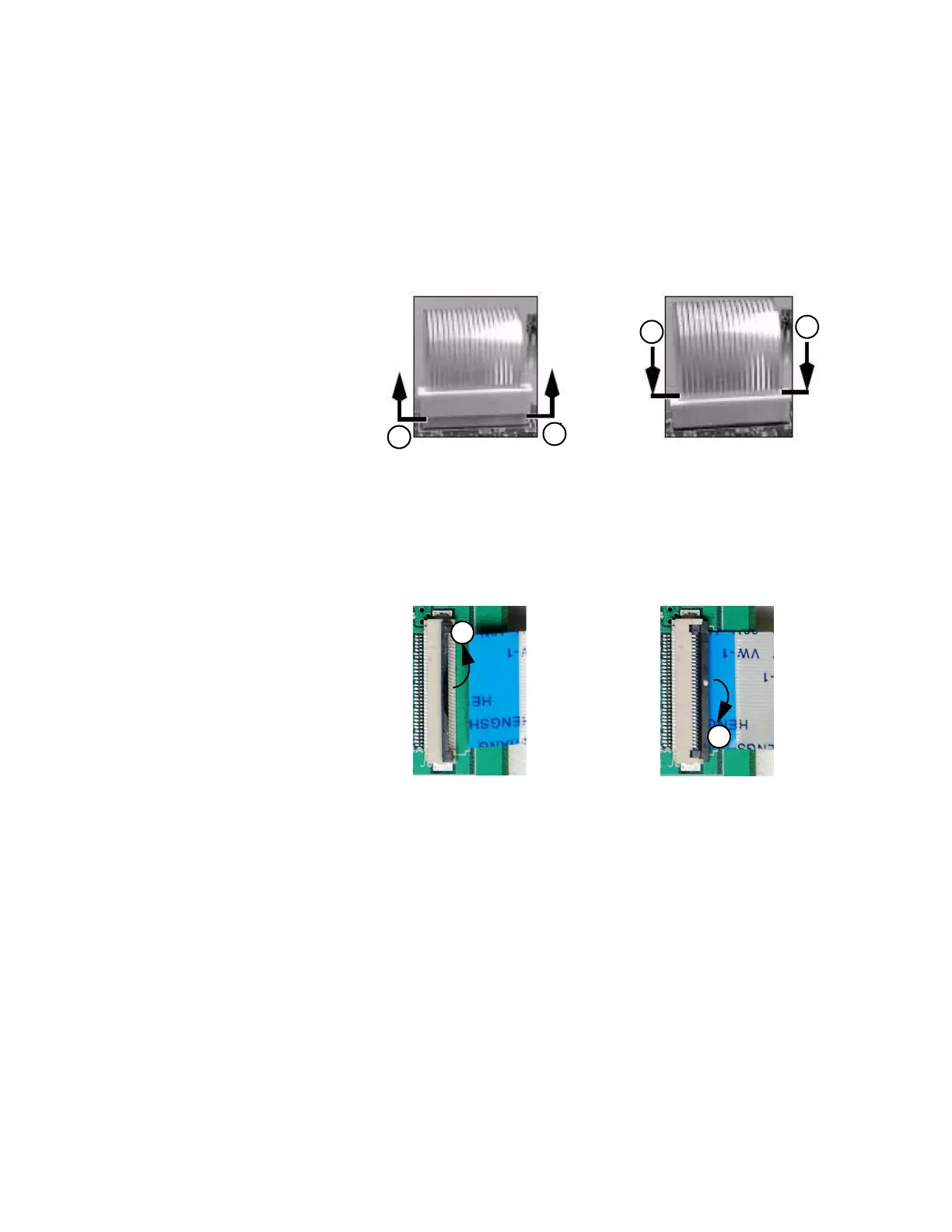
To release the flex cable (1), insert a thin slotted screwdriver at the
base of the connector and twist it slightly to pry up on the outer shell
of the connector.
To insert the flex cable (2), hold the outer shell in the released
position. Carefully insert the cable until all the “fingers” are below the
surface of the shell. Push the shell to the locked position.
Note The flex cable (E) for the front panel keyboard inserts into the ZIF
(zero insertion force) connector type B on the DMB.
To release the flex cable (3), insert a thin slotted screwdriver at the
base of the connector and twist it slightly to pry up on the shell of the
connector.
To insert the flex cable (4), hold the outer shell in the released
position. Carefully insert the cable until all the “fingers” are below the
surface of the shell. Push the shell to the locked position.
1
1
2
2
ZIF Connector (Type A)
M1207027 004 MANUAL−DOC, Technical Reference Manual, Technical Reference Manual for 9100c, English−default
Reproduced from the electronic master in MATRIX



 To Next Page