9 Repair Procedure
M1207026 9-33
9.16 Service the Display Module
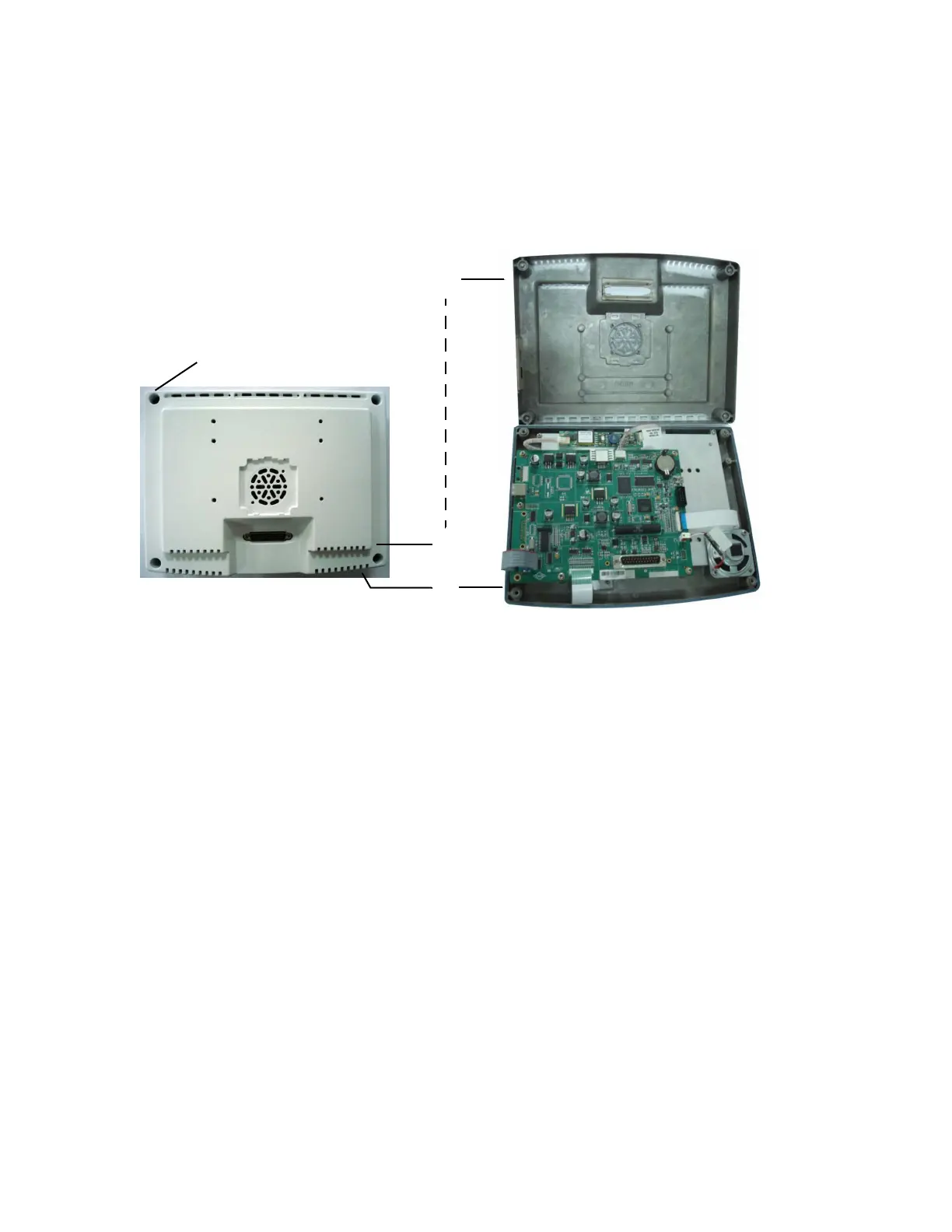
The display module consists of two enclosures: the rear enclosure
(A) and the front enclosure (B). To access components within each
enclosure, separate the two halves.
9.16.1 Open the
display module
1. Place the display module face down on a protected surface.
2. Loosen the screws (C) that hold the two enclosures together (one
in each corner).
3. Carefully separate the rear enclosure (A) from the front enclosure
(B).
M1207027 004 MANUAL−DOC, Technical Reference Manual, Technical Reference Manual for 9100c, English−default
Reproduced from the electronic master in MATRIX



 To Next Page