M1207026 4-9
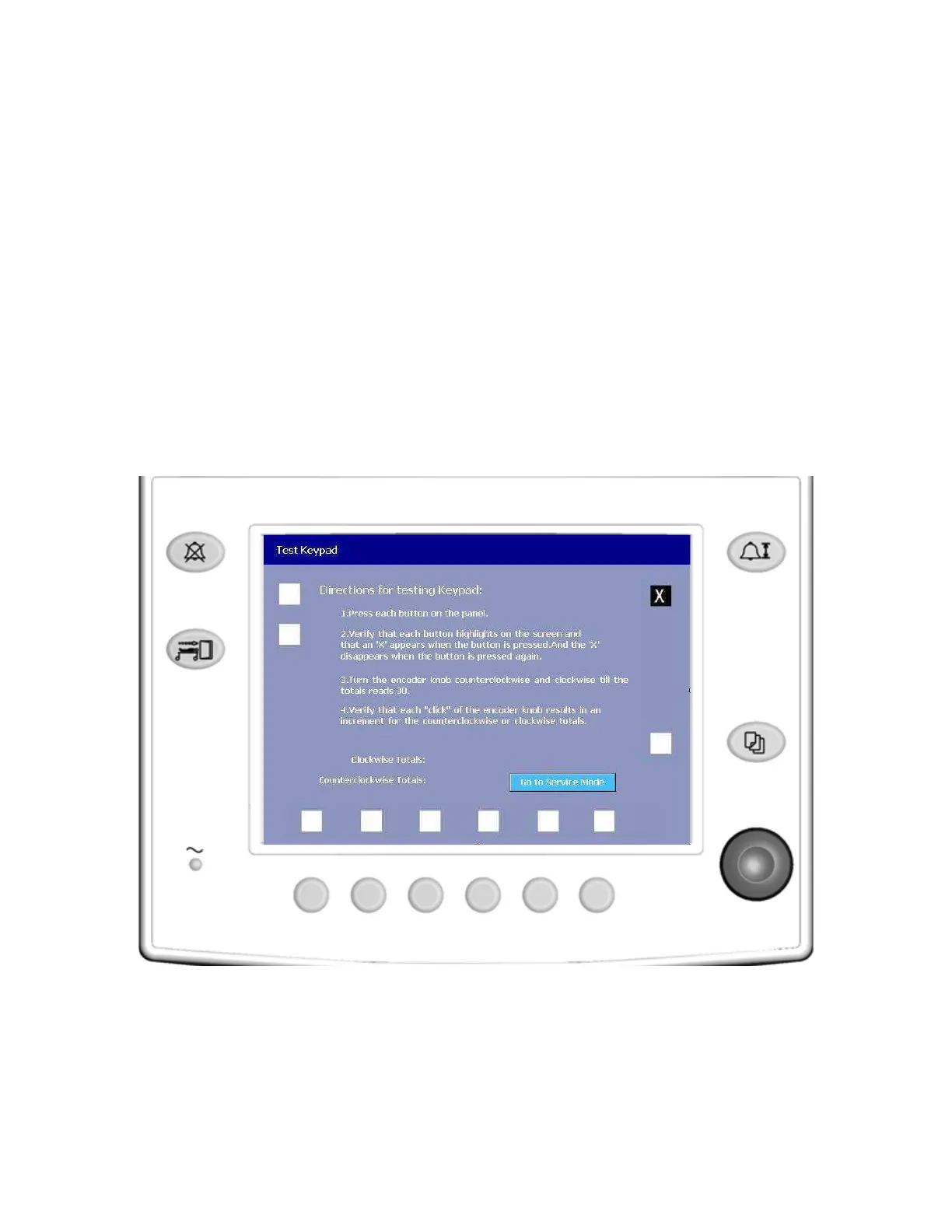
4.4.3 Test Keypad In the Test Keypad menu the software is set up to receive keyboard
button presses and rotary encoder turns.
Press each button on the panel and the control knob.
• When a button is pressed and released, the icon on the
screen next to the button should be highlighted and filled with
a checkmark “X”.
• When the button is pressed and released again, the
checkmark “X” should disappear.
As you turn the encoder knob, verify that:
• each click of the encoder in the clockwise direction
increments the clockwise total. The total number is “30”.
• each click of the encoder in the counterclockwise direction
increments the counterclockwise total. The total number is
30.
Remarks If any of the select buttons test fails, replace the front panel keyboard
assembly.
If the encoder knob test fails, replace the rotary encoder assembly.
M1207027 004 MANUAL−DOC, Technical Reference Manual, Technical Reference Manual for 9100c, English−default
Reproduced from the electronic master in MATRIX



 To Next Page