3-72
Chapter 3 Settings and Measurement
Contents General Description
Checks and Preparation
Settings and Measurement
Example of Use Specification
<Operation procedure>
1. Set the SSID.
Enter in accordance with the procedure in "10. Text input" described below.
By default, the identification name automatically generated from the GL860 name is displayed.
2. Set the encryption method.
WEP or WPA-PSK/WPA2-PSK settings can be performed.
When the WIP system is selected, the [WEP] key is displayed.
When the WPA-PS/WPA2-PSK system is selected, the "Password" is displayed. Then, enter in accordance with the
procedure in "10. Text input" described below.
When "WPA-PSK/WPA2-PSK" is selected, the highest strength for WPA and WPA2 of wireless LAN authentication
methods and TKIP and AES of encryption methods is automatically selected.
3. After the encryption method setting in the (2) step is completed, the automatic setting (WPS) can be set.
The push button method or PIN method can be selected.
Set the wireless LAN channel to be used from 1ch to 13ch.
4. Set the stealth.
This is used to set it as so to not be able to search the SSID from the other terminal.
Enter directly the SSID name of the device to be connected.
5. Set the wireless standard 11n.
When the IEEE802.11n is used, set it to "On".
Select the "Reflection of setting" with the " " key when the above settings are finished.
The "Wireless LAN restarting" message is displayed and the main unit is re-started to reflect the settings.
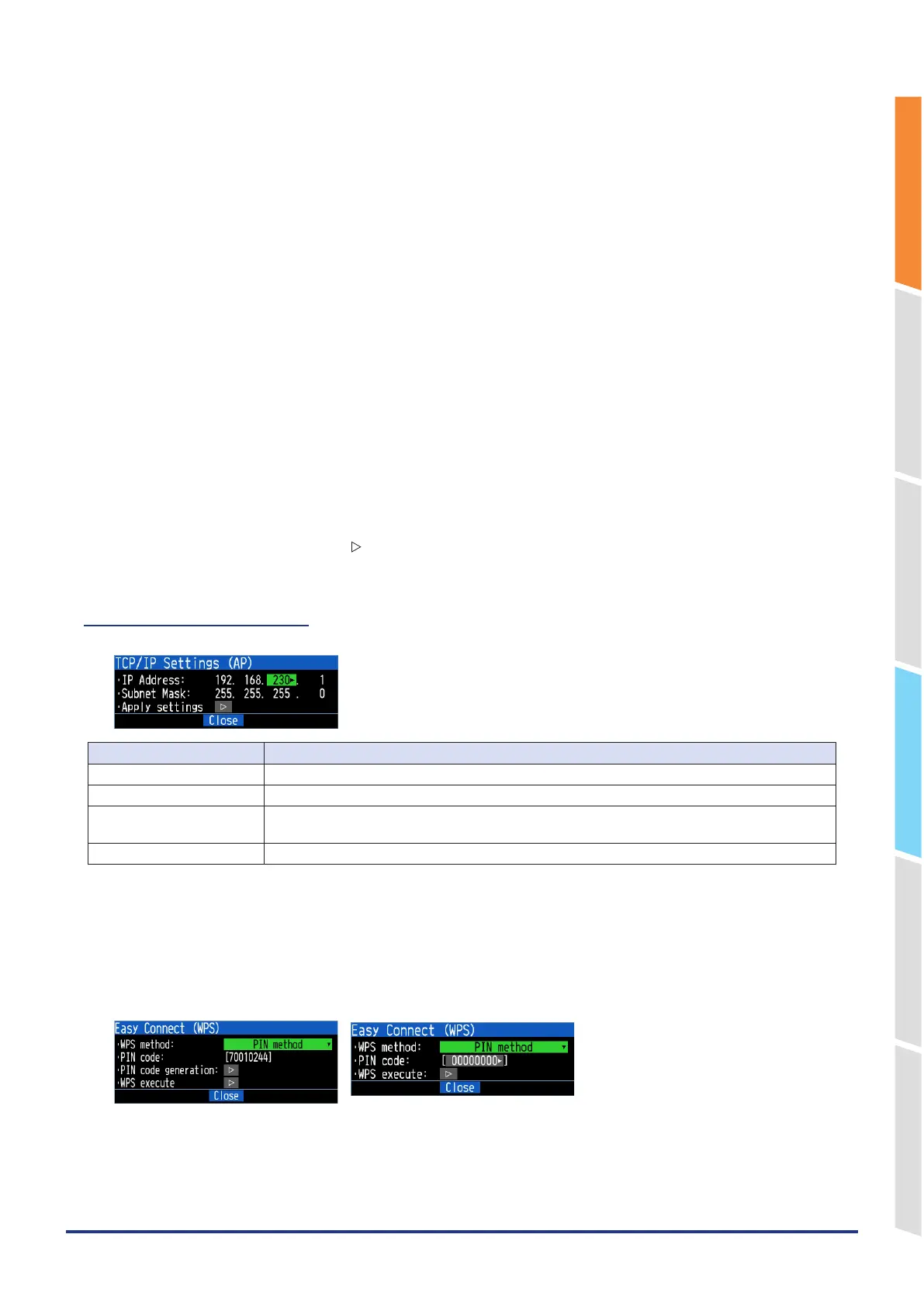
5 -7. TCP-IP settings (AP)
<TCP-IP settings (AP)>
Selection item Description
IP Address 192.168.xxx.1: the part other than xxx is fixed. xxx: 0 to 255
Subnet Mask Fixed to "255.255.255.0".
Keep Alive Set the timeout time to disconnect the connection when no communication.
(Valid only for IF command function.)
Apply settings Restart the set TCP-IP to reflect the settings.
How to use WPS
When setting a station, a wireless router with WPS function and GL860 are used, and when using an access point, the
GL860 is used as the base unit to connect a PC, etc., and the connection settings are automatically made.
The WPS function is equipped with two types, the PIN method and the push button method.
PIN method
<For station> <For access point>















 To Next Page