3-74
Chapter 3 Settings and Measurement
Contents General Description
Checks and Preparation
Settings and Measurement
Example of Use Specification
5.9. Network settings
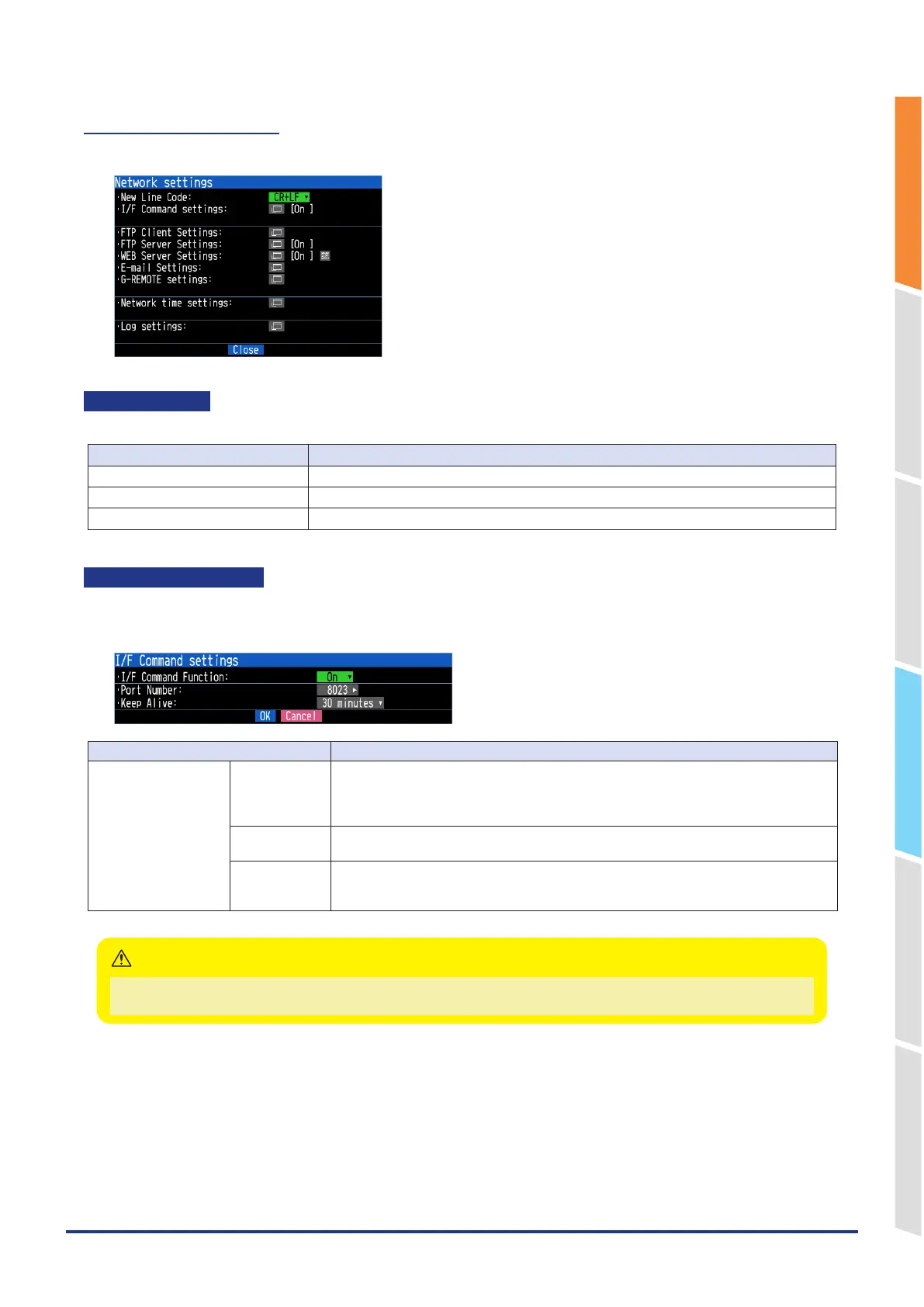
Make network settings for each server and client.
New Line Code
Specifies the line feed code.
Selection item Description
CR+LF Starts a new line with CR+LF code.
LF Starts a new line with LF code.
CR Starts a new line with CR code.
I/F command function
Set the I/F command function.
<I/F command function>
Selection item Description
I/F command settings I/F Command
Function
Off, On
Enable/disable the I/F command server function via the network.
The I/F command function via TCP/IP affects the UDP/IP server function.
The I/F command function via USB can be used regardless of this setting.
Port number 1024 to 65535
Set the port number used by the IF command function.
Keep Alive Off, 10 seconds, 30 seconds, 1 minute, 10 minutes, 30 minutes, 1 hour
Set the timeout time to disconnect the socket connection when no communication.
(Valid only for IF command function.)
When set the I/F command function to Off, you are not be able to connect to our APS (GL28_APS, GL-Connection) via
TCP/IP (Wireless LAN). Connection via USB is possible.
CAUTION















 To Next Page