4-17
Chapter 4 Example of Use
Contents General Description
Checks and Preparation
Settings and Measurement
Example of Use Specification
4.3
Other functions
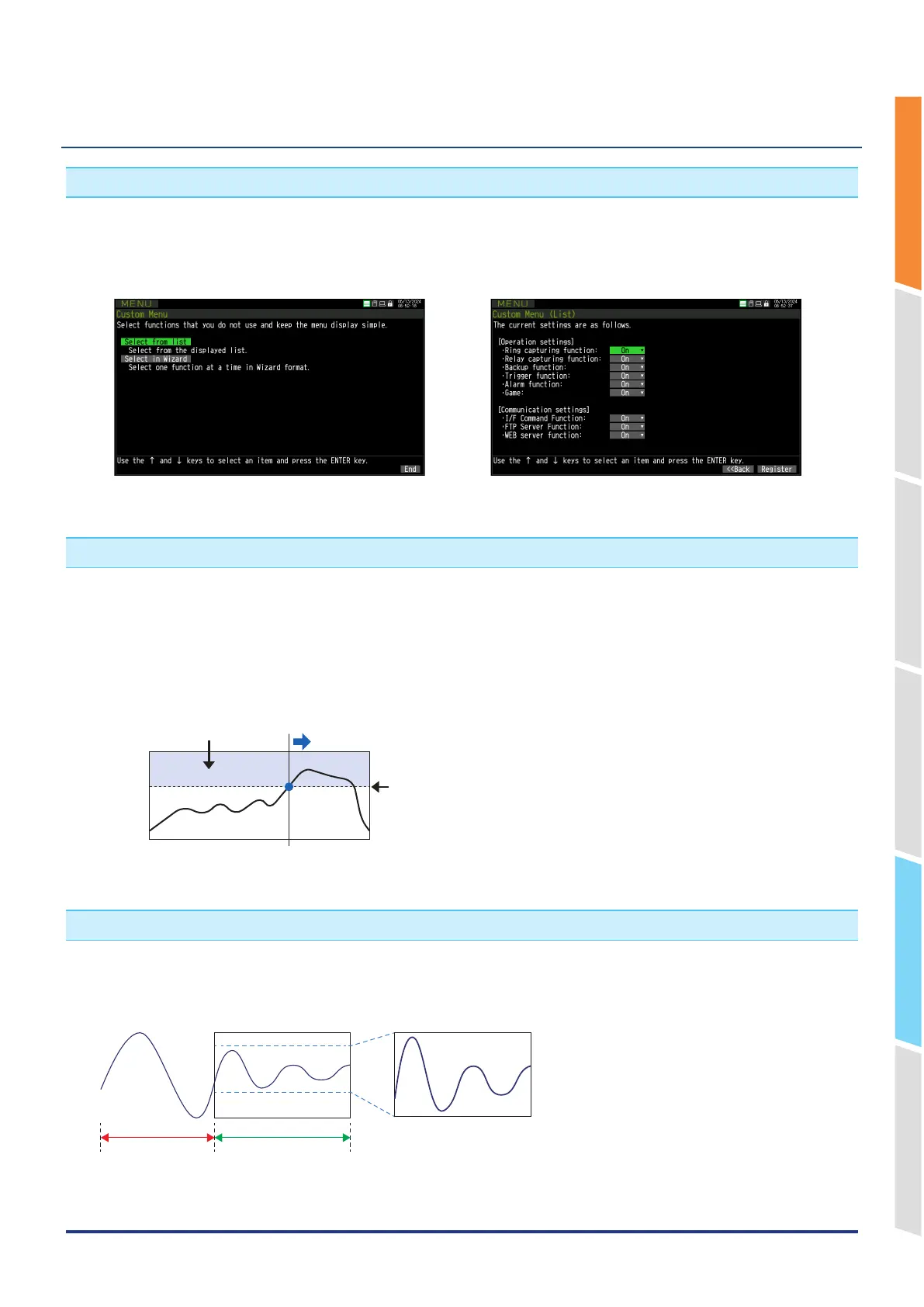
1. Custom function
The custom function is a function that hides the display of the function from the setting menu, etc. by setting the unused
functions of the GL860 to OFF.
By hiding the display of functions that are not used, the settings can be streamlined and unnecessary setting errors
can be prevented.
For details, please refer to "6-6 Custom menu" in "3.4 Setting menus".
2. Trigger function
The trigger function allows you to control the timing when data capturing starts and when data capturing stops. By
using the trigger function, only the necessary data can be captured.
For example, you can set the following timings.
•
Data capturing starts when the voltage of CH1 becomes 1V or more.
•
Stop data capturing at 1:00 pm.
•
Data capturing starts in synchronization with other devices. (External trigger input)
Input signal
Start measurement (alarm generated)
Trigger/alarm generation area
Setting level
For details, refer to "3 TRIG setting" in "3.4 Setting menus".
3. Automatic span adjustment (auto span) function
The span can be automatically adjusted by selecting the "Automatic adjustment" in "AMP setting" – "Other settings" –
"Span setting".
The range of the waveform currently displayed on the screen is subject to automatic adjustment.
Out-of-screen display
(Automatic adjustment
not applied)
In screen display
(Automatic adjustment
range)















 To Next Page