2-24
CHAPTER 2 Checks and Preparation
Contents General Description
Checks and Preparation
Settings and Measurement
Example of Use Specification
2.10 Installing the Wireless LAN Unit (B-568: Option)
To connect the GL860 to the wireless LAN, attach the wireless LAN unit to the wireless LAN connection terminal.
•
When the SD memory card has been inserted into the SD CARD slot, please remove the SD memory card.
•
When the wireless LAN unit has been inserted, the SD memory card cannot be inserted into the SD CARD slot.
•
When inserting the wireless LAN unit, please make sure that the power is turned OFF and then install the unit.
•
When using the wireless LAN, please check the “3. Notes on Radio Law” in the “Notes on Use” described above.
CAUTION
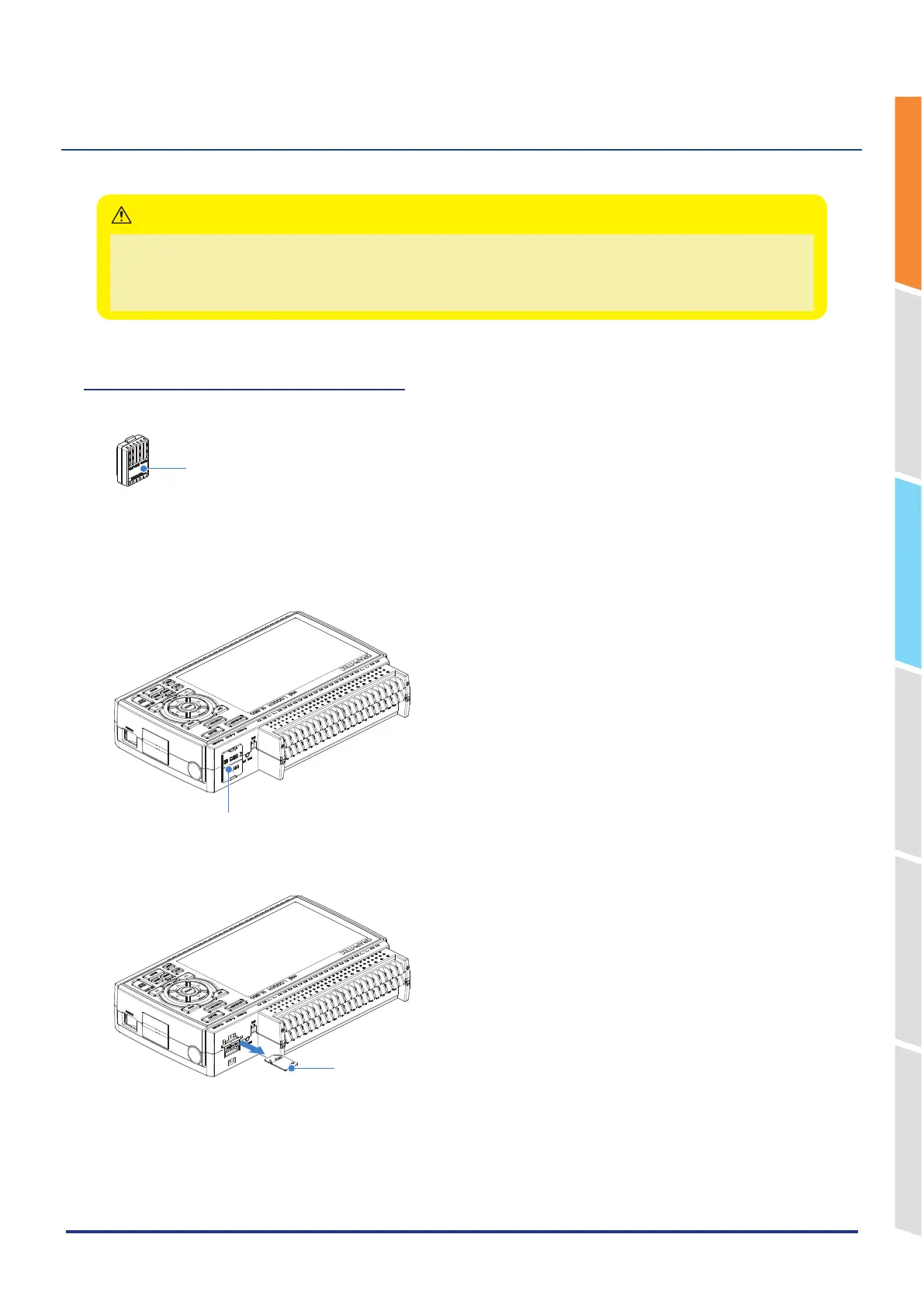
How to insert the wireless LAN unit
Insert the wireless LAN unit into the SD CARD slot.
Wireless LAN unit
(Option: B-568)
1. Turn OFF the GL860’s power.
2. Remove the SD CARD protective cover.
* Please keep so as not to lose the SD CARD protective cover.
SD CARD Protective cover
3. When the SD memory card has been inserted, remove the SD memory card.
* The SD memory card is unlocked by pushing gently the SD memory card. Then, remove the SD memory card.
SD memory card
SD CARD
x GB
Lock















 To Next Page