2-23
CHAPTER 2 Checks and Preparation
Contents General Description
Checks and Preparation
Settings and Measurement
Example of Use Specification
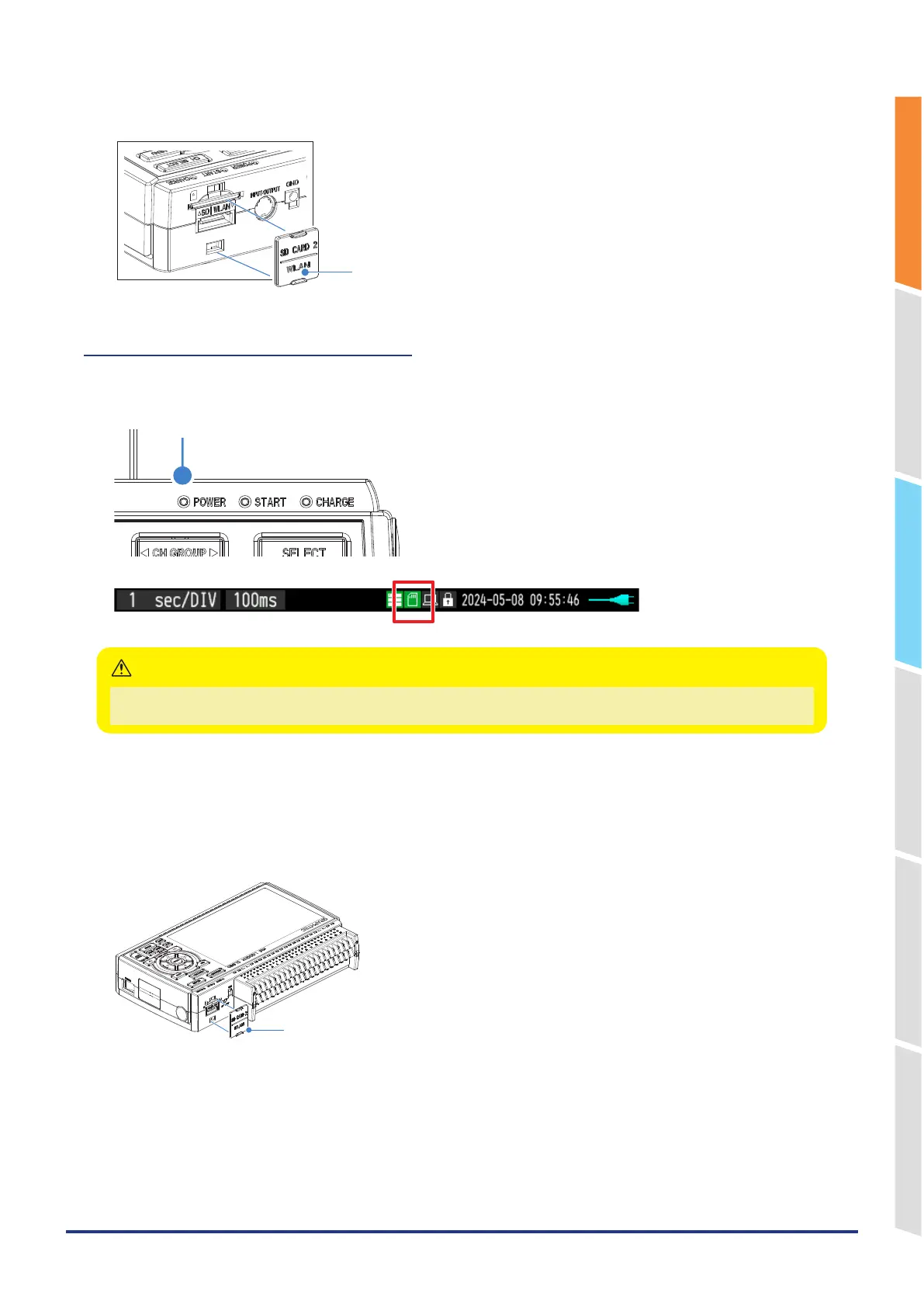
3. Insert and close the protective cover into the upper hole and lower hole for the SD CARD protective cover.
SD CARD Protective cover
How to remove the SD memory card
1. Make sure that the SD memory card displayed on the screen is green, and the POWER LED lights up before
removing it.
POWER (lighting-up)
The device access display turns red while the SD CARD is being accessed (POWER LED is blinking).
Remove the device only when the device access display is green.
CAUTION
2. Open the SD CARD protective cover.
3. The SD memory card is unlocked by pushing gently the SD memory card. Then, remove the SD memory card.
4. Attach it by aligning it with the top and bottom holes of the SD CARD protective cover.
SD CARD Protective cover















 To Next Page