3-90
Chapter 3 Settings and Measurement
Contents General Description
Checks and Preparation
Settings and Measurement
Example of Use Specification
7. Span/Position/Trace settings
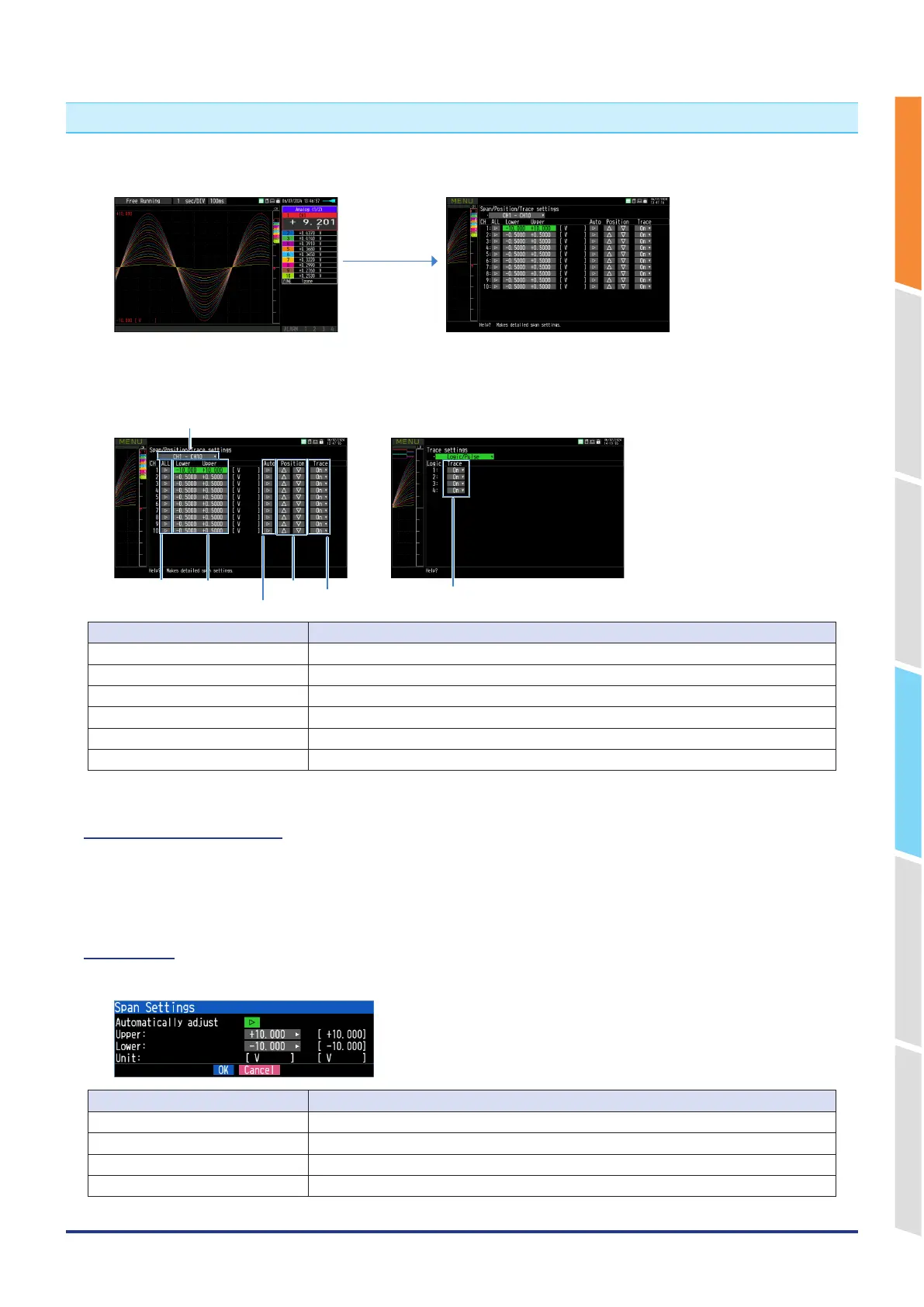
When the [ENTER] key is pressed on the waveform display screen during Free-running, capturing, replaying while
capturing, or replay, the "Span/Position/Trace" setting screen is displayed.
[ENTER] key
The span of the active CH that was selected when the [ENTER] key was just pressed is initially selected.
<For Logic>
Trace
<For Analog, Pulse, Calculation>
ALL
Span settings
Auto span adjustment
Position
Trace
Display switching
Selection item Description
Display switching Switch between analog, logic/pulse, and calculation.
ALL Execute the batch change mode for settings.
Span settings Set the upper/lower limit (span) of the waveform display.
Auto span adjustment Execute the auto span adjustment.
Position Execute the position move.
Trace Off, On
7-1. Display switching
Switch between analog, logic/pulse, and calculation.
Analog is always selectable.
Logic/Pulse and calculation cannot be selected unless there is the enabled CH in the settings.
7-2. Span
Make span settings of analog, pulse, and calculation.
Selection item Description
Automatically adjust Automatically adjust the span value based on the displayed data.
Upper limit Set the span upper limit.
Lower limit Set the lower span limit.
Unit Set the unit.















 To Next Page