3-48
Chapter 3 Settings and Measurement
Contents General Description
Checks and Preparation
Settings and Measurement
Example of Use Specification
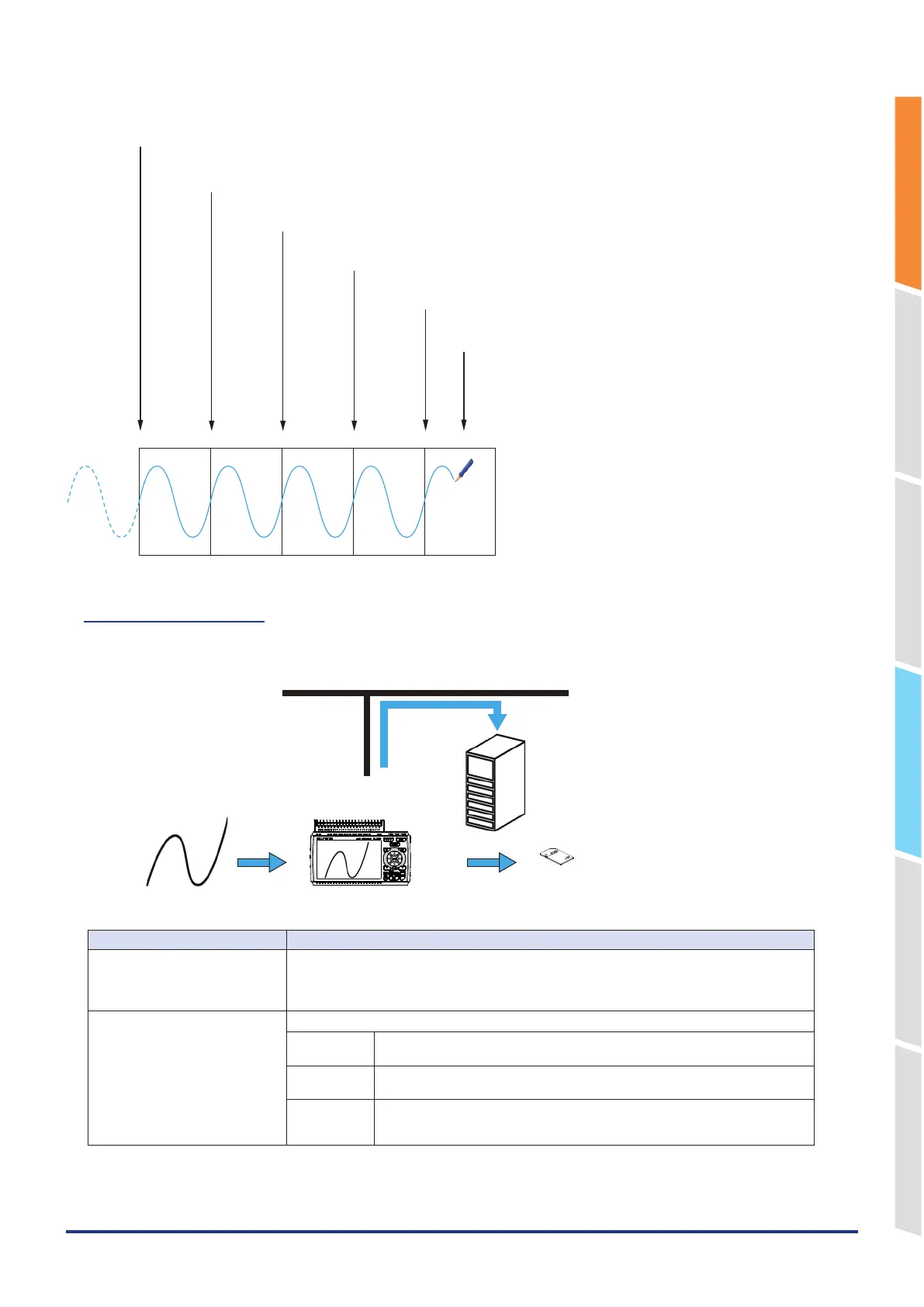
File1 File2 File3 File4 File5
Start capturing data
Captured data is saved into the File 1.
Data is captured in File 6 when the capturing reaches the time set in "Relay mode time".
At this point, the remaining capacity for capturing the destination is 3 files or less.
Therefore, the File 1 is deleted to continue as it is.
Data is captured in File 5 when the capturing reaches the time set in "Relay mode time".
At this point, the remaining capacity for capturing the destination is 3 files or more.
Therefore, the file is switched as it is to continue.
Data is captured in File 4 when the capturing reaches the time set in "Relay mode time".
At this point, the remaining capacity for capturing the destination is 4 files or more.
Therefore, the file is switched as it is to continue.
Data is captured in File 3 when the capturing reaches the time set in "Relay mode time".
At this point, the remaining capacity for capturing the destination is 5 files or more.
Therefore, the file is switched as it is to continue.
Data is captured to File 2 when capturing up to the time or capacity set in "Relay mode time".
At this point, the remaining capacity for capturing the destination is 6 files or more. There-
fore, the file is switched as it is to continue.
2-6. Backup setting
The GL860 has a function that periodically backs up captured data.
GL860
FTP server
Ethernet
The data is backed up automatically
to the internal memory or SD CARD.
Automatic backup to an FTP server
SD CARD
x GB
Lock
Measurement input
Setting Selections available
Backup interval Set the interval for backing up captured data.
Off, 1, 2, 6, 12, 24 hours, Each file
*
Selection of individual files is possible when “Files recorded when backup is successful” in
“FTP client settings” is set to “Delete.”
Backup destination Set the backup destination of captured data.
Internal
memory
Back up data to the internal memory.
This can only be used when capturing the SD CARD.
SD CARD Backup data to SD CARD.
This can be used only when capturing the internal memory.
FTP Back up data to an FTP server located on your network.
* FTP client setting of I/F setting is required.
For details, refer to “5-9. Network settings” – “FTP server settings”.















 To Next Page