3-98
Chapter 3 Settings and Measurement
Contents General Description
Checks and Preparation
Settings and Measurement
Example of Use Specification
8-5. Execute (Screen Copy)
Executes screen copy and saves it to an image file. Refer to page "8-4. Specify Save Destination (Screen Copy)" for
details on specifying the save destination.
8-6. Save
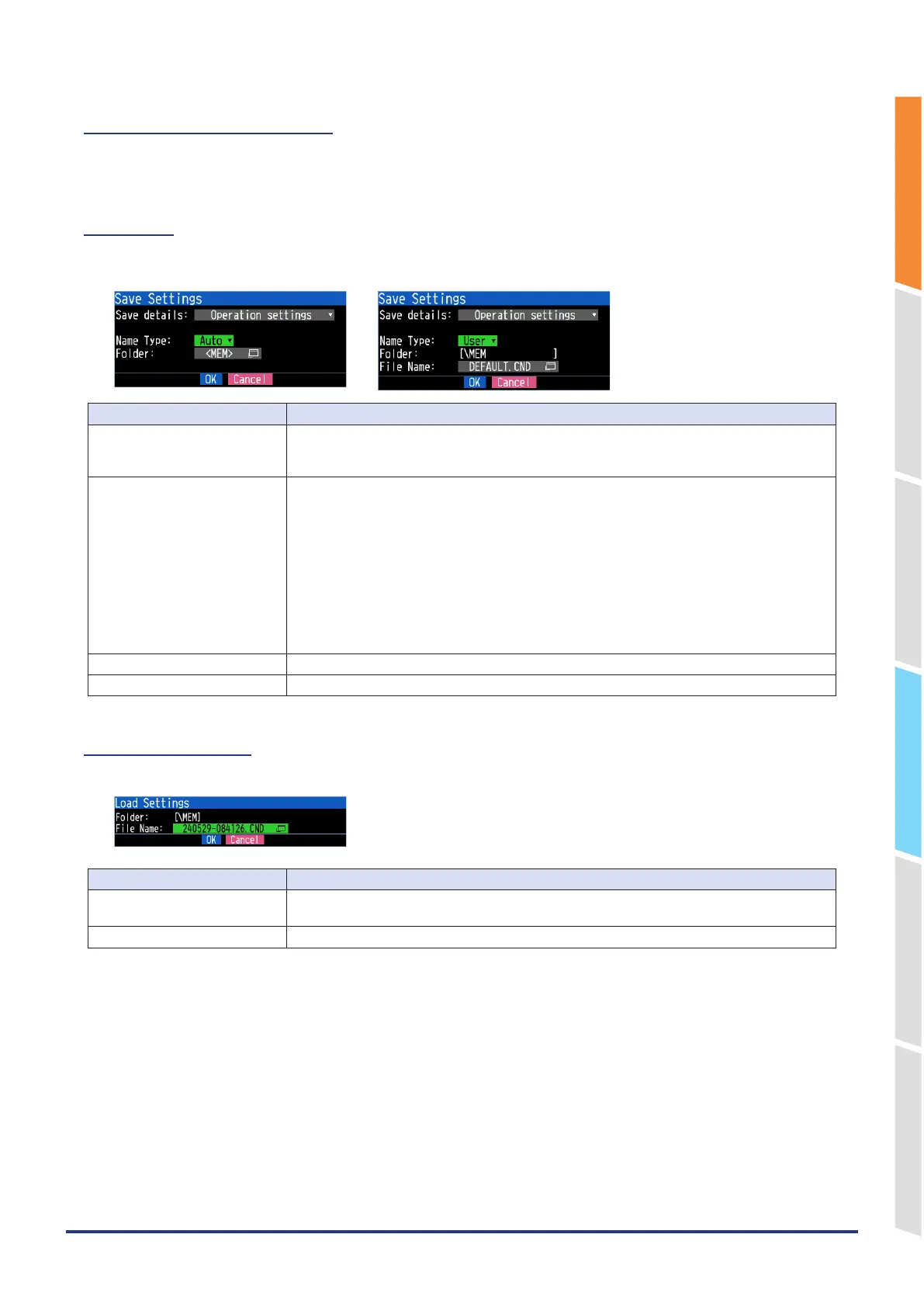
Saves the setting conditions of the GL860.
<If the naming method is Auto> <If the naming method is Arbitrary>
Setting Description
Save details Set the details of the saved data setting.
Operation setting: Settings related to the operation of this device are saved.
Communication setting: Settings related to the communication are saved.
Name Type Set how a data file should be named.
Auto : Automatically supplies the file name.
<Example> 20240601-123456.CND
Number part: File creation date
* The file is created on June 1,2024,12:34:56 in this example.
CND: Data format
CND: This is the operation setting file format of the GL860.
NCD: This is the communication setting file format of the GL860.
User: Data is captured to a file with an entered file name.
Sequential number: A file is created with an arbitrary file name that has been entered, followed
by a sequential number.
Folder Specify a folder to which you want to save data. For details, refer to "9. File dialog".
File Name Specify a file to which you want to save data. For details, refer to "9. File dialog".
8 -7. Load Settings
Loads and reflects the GL860 setting conditions from a file.
Setting Description
Folder The folder of the file specified in the FILE is displayed.
Specify a folder to which you want to save data. For details, refer to "9. File dialog".
File Name Specify a file to which you want to save data. For details, refer to "9. File dialog".















 To Next Page