3-68
Chapter 3 Settings and Measurement
Contents General Description
Checks and Preparation
Settings and Measurement
Example of Use Specification
5-1. USB ID
Sets the USB ID number of GL860.
Specify a number from 0 to 9 (default value: 0).
To control more than one GL860 unit with one PC, assign a unique USB ID to each of them.
5-2. Host Name
Set a name for identification in the supplied application.
The initial value is set to GL860_<serial number>.
* This Identification name is not a general computer name (NetBIOS name) or a name for DNS.
5-3. Wireless LAN setting
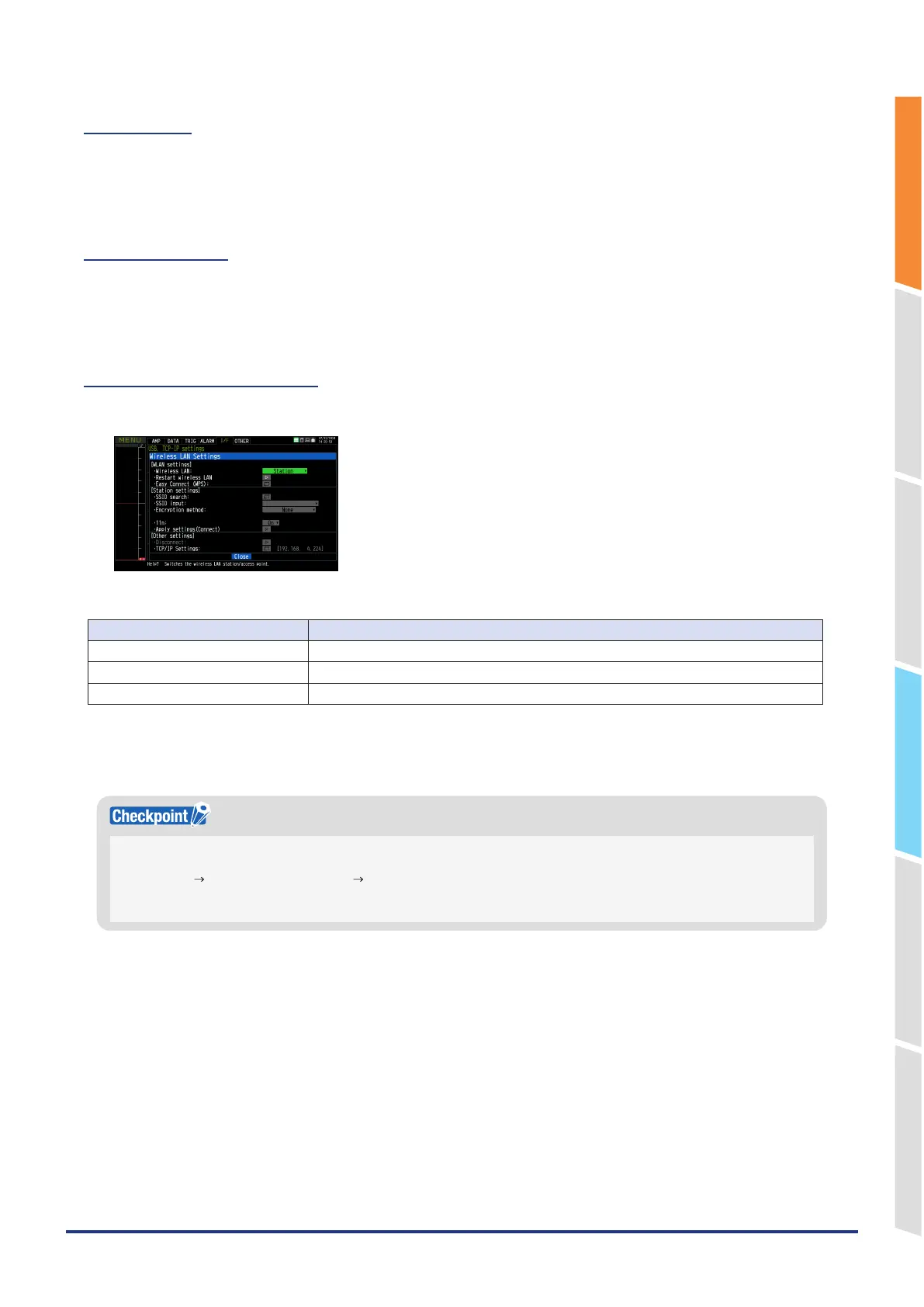
This is used to set the conditions when connecting the GL860 to wireless LAN.
1. Perform the wireless LAN settings.
Selection item Description
Off The wireless LAN is not used.
Station The GL860 is set to the child unit
Access point The GL860 is set to the base unit.
2. Restart the wireless LAN.
When restarting after selecting the wireless LAN, the information of the station or the access point is displayed.
It takes some time to display.
After executing “Wireless LAN restart” once, the wireless LAN cannot selected. When the wireless LAN selection is
changed, the restart is enabled.
“Disconnect” “Wireless LAN restarting” “TCP-IP restarting” are executed.
The access point can also operate simultaneously with a wired LAN, but does not perform routing between the two
networks.















 To Next Page