3-3
Chapter 3 Settings and Measurement
Contents General Description
Checks and Preparation
Settings and Measurement
Example of Use Specification
2. Time/DIV display area
Displays the current time scale.
3. Sampling interval
The currently set sampling interval is displayed.
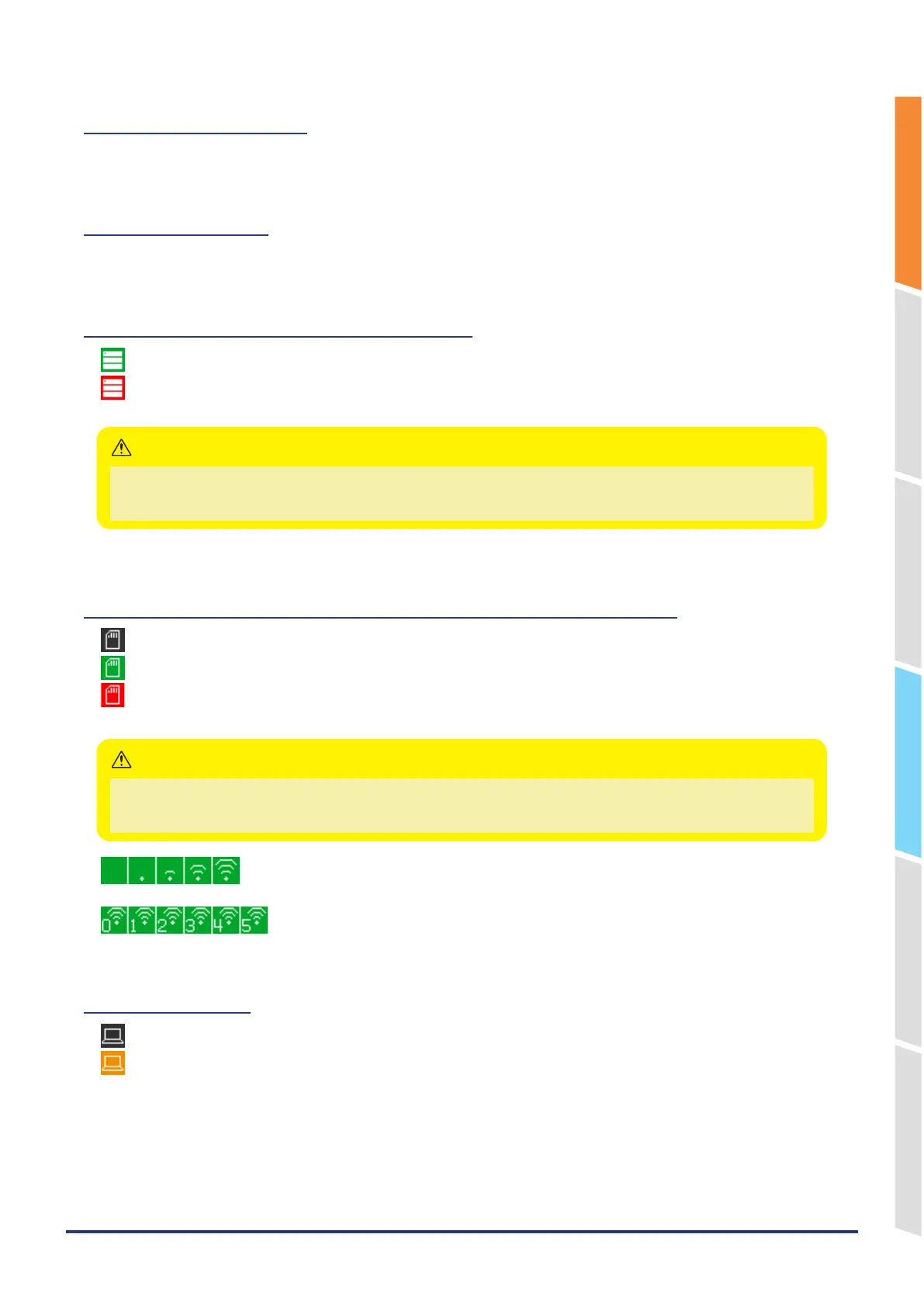
4. Device access display (Internal memory)
: The internal memory is not being accessed.
*
: The internal memory is being accessed.
The POWER LED also blinks while accessing the internal memory.
Please do not turn off the power when the “ * “ status icon is displayed or the device is being accessed.
The data that has been captured or is being captured may be damaged.
Make sure the display shows that it is not being accessed before performing the next operation.
CAUTION
5. Device access display (SD memory card / wireless LAN display)
: The SD CARD is not installed.
: The SD CARD is installed, but it is not being accessed.
*
: The SD CARD is being accessed. Do not remove the SD CARD.
The POWER LED also blinks while accessing the SD CARD.
Please do not turn off the power when the “ * “ status icon is displayed or the device is being accessed.
The data that has been captured or is being captured may be damaged.
Please start the operation after making sure that it is not being accessed on the display.
CAUTION
:Displays the wireless signal strength when the wireless LAN unit is connected or when
the station is set.
: When connecting a wireless LAN unit or setting an access point, the number of
connected stations is displayed.
6. Remote display
: Indicates local mode. Operations can be conducted on the GL860.
: Indicates remote mode. With some exceptions, operations must be conducted on a PC.
When you cancel the connection on the application (GL28-APS/ GL-Connection), the GL860 is automatically sent
back to local mode. If local mode is not entered, press the [QUIT] key.















 To Next Page