3-18
Chapter 3 Settings and Measurement
Contents General Description
Checks and Preparation
Settings and Measurement
Example of Use Specification
Basic Procedures Used in Settings
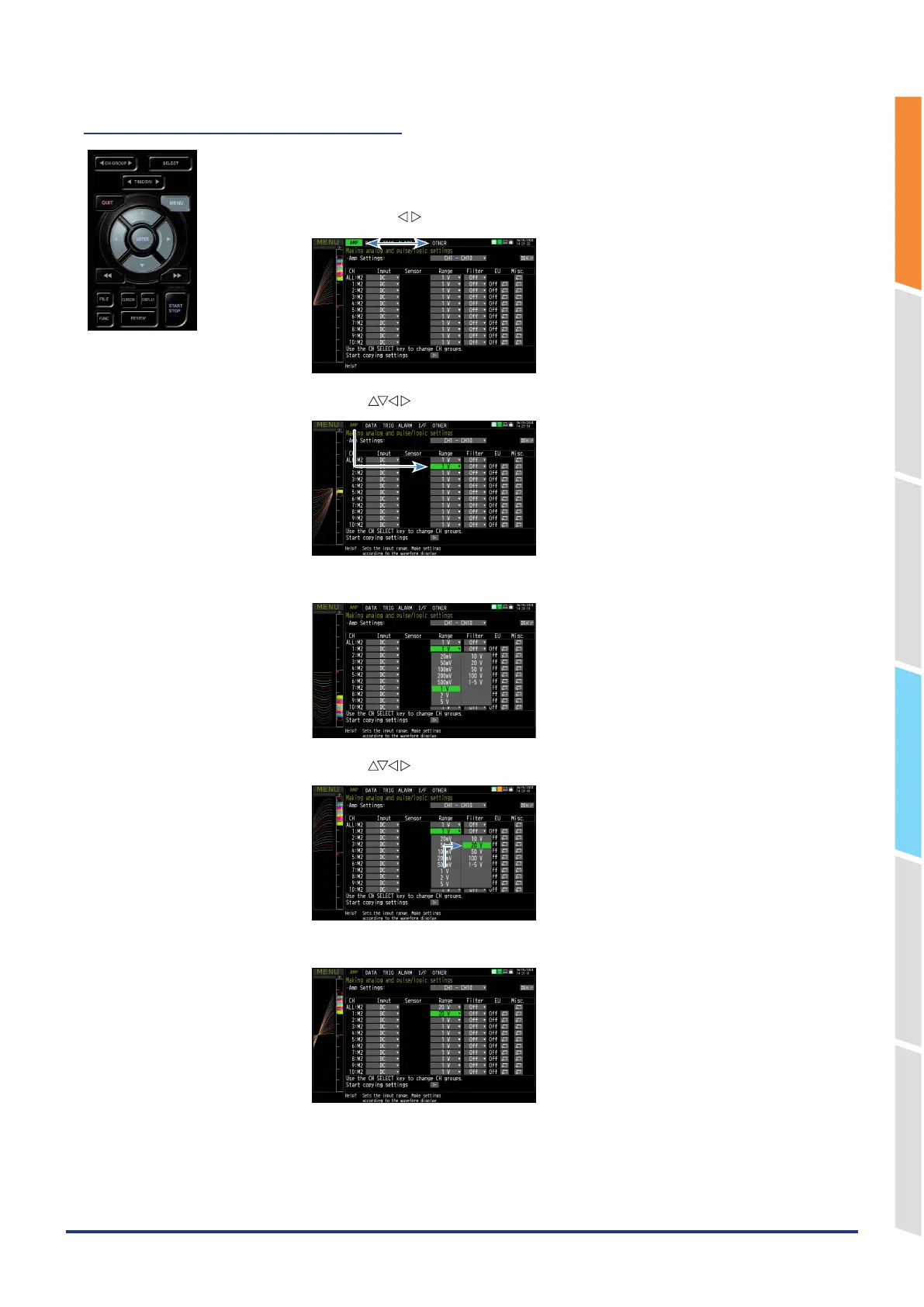
The following are basic operation procedures for settings.
1. Press the [MENU] key to open each menu.
You can move between menu tabs by pressing the [MENU] key several times or by
pressing the " "
key when the cursor is on a tab.
2. Use the " " key to move the cursor to the items you want to set.
3. Press the [ENTER] key to display a list of setting values.
4. Use the " " key to select a setting value.
5. Press the [ENTER] key to confirm the value.
The above explanation shows the basic procedure that may be used for each setting.
The setting procedure varies depending on each setting item. Please set in accordance with the instructions displayed
in the menu.















 To Next Page