3-17
Chapter 3 Settings and Measurement
Contents General Description
Checks and Preparation
Settings and Measurement
Example of Use Specification
(13) FILE
This key is used to perform the file-related operations.
•
Performs the operations (copy and delete, etc.) for the internal memory and SD CARD.
•
Performs the screen copy
•
Saves all data or data between cursor A and cursor B during replay (can be set
during replay only)
•
Saves or loads the currently set condition into the USB device. (can be set during
Free Running only).
•
Replaces the SD CARD during data capture (Settable when capturing or backing up
to the SD CARD)
The SD card cannot be replaced in the following cases:
・When recording in CSV format, if the backup function is enabled.
・When ring recording is enabled.
Refer to “(9) FILE menu” in “3.4 Setting Menus” for details on file operation.
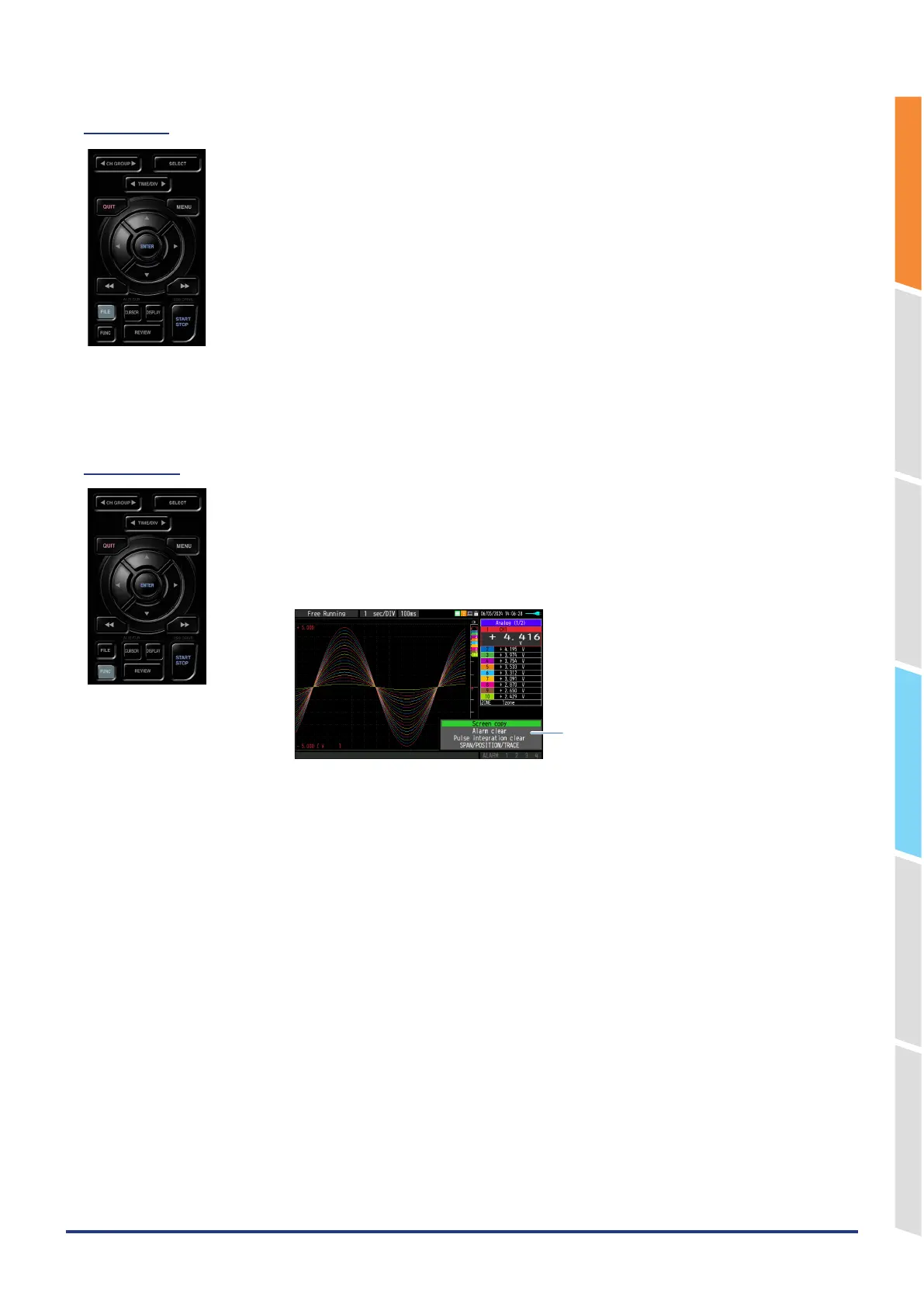
(14) FUNC
You can use a convenient function (FUNC function) that can be operated according to
the current situation.
Press the “FUNC” key to display the currently operable functions at the bottom right of
the screen. Select the function you want to execute with the “ △▽ “ keys and press the
[ENTER] key to execute the function.
FUNC function display
<Available FUNC function>
What you can do during free running/capturing
•
Screen copy
•
Alarm clear
•
Pulse integration clear
•
Calculation clear (while the calculation screen is displayed)
•
Span/Position/Trace setting display
•
Alarm History filter setting display (while the Alarm History is displayed)
What you can do during replaying
•
Screen copy
•
Alarm clear*1
•
Pulse integration clear*1
•
Span/Position/Trace setting display
•
Alarm History filter setting display (while the Alarm History is displayed)
•
Search next
•
Search previous
•
A/B cursor change
•
A cursor selection
•
B cursor selection
•
A/B Cursor Synchronization/Unsynchronization
*1: Clears the currently occurring alarm and pulse, not the playback data.















 To Next Page