4-3
Chapter 4 Example of Use
Contents General Description
Checks and Preparation
Settings and Measurement
Example of Use Specification
2. Settings
Only the settings necessary for capturing are made here. Use the default settings (factory settings) for other settings.
The basic operation of the setting menu
On the menu screen, use the " " keys, "ENTER" key, and "QUIT" key to operate.
The current cursor position is displayed in "green". When you want to move, use the " " keys. By pressing the
"ENTER" key at the cursor position, the select menu, numeric input menu, character string input menu, etc. are
displayed. By pressing the "QUIT" key, you can close the screen or cancel the setting.
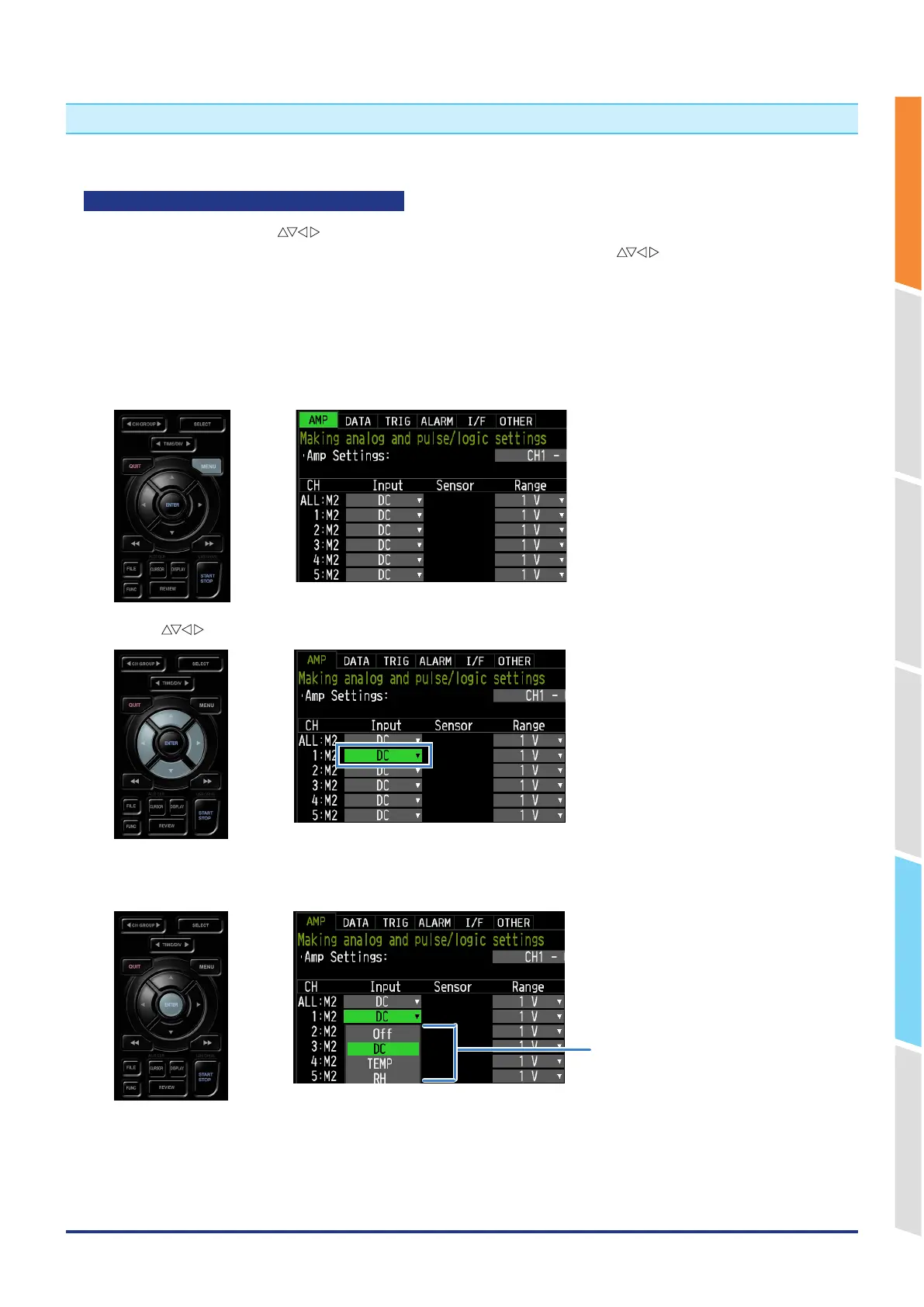
Example of select menu operation
We explain how to operate the select menu on the AMP setting screen.
1. Press the "MENU" key once in the free-running state to open the AMP setting screen.
2. Use the " " keys to move the cursor to the CH1 input.
3. Press the "ENTER" key to display the select menu.
Select menu















 To Next Page