3-105
Chapter 3 Settings and Measurement
Contents General Description
Checks and Preparation
Settings and Measurement
Example of Use Specification
11-5. Cursor Sync
Sets up the function that moves two cursors in synchronization.
Selection item Description
Off Cursors are not synchronized. Only the specified one cursor moves.
On Two cursors move in synchronization. Cursor A is always the fulcrum.
* Cursor Synch is turned Off when you move a cursor using Move to Selected Position or perform Data Search.
11- 6. Date Search
Sets the search conditions to be used in the next sections ("11-7. Find Next" and "11-8. Find Previous").
The operation is an Edge operation.
Selection item Description
CH Sets the channel to be used for search.
CH1-200: The specified analog channel is used for search.
Logic1-4: The specified logic channel is used for search.
Pulse1-4: The specified pulse channel is used for search.
Alarm1-4: The specified alarm output is used for search.
CALC1-20: The specified calculation channel is used for the search.
Mode Sets the search mode.
Both: Detects an edge at which alarm output changes from generation to cancellation or vice
versa when Alarm or CALC is selected.
H: Detects a rising edge of an analog signal or an edge at which CH alarm output changes
from cancellation to generation
L: Detects a falling edge of an analog signal or an edge at which CH alarm output changes
from generation to cancellation.
Level Sets a voltage level and pulse level to be searched for when the search channel is an analog or
pulse channel.
11-7. Next Search
Executing this option moves the cursor to the next position where the search conditions are met, down from the current
cursor position. (Specify the search conditions as described in "11-6. Data Search".)
11-8. Previous Search
Executing this option moves the cursor to a previous position where the search conditions are met, up from the current
cursor position. (Specify the search conditions as described in "11-6. Data Search".)
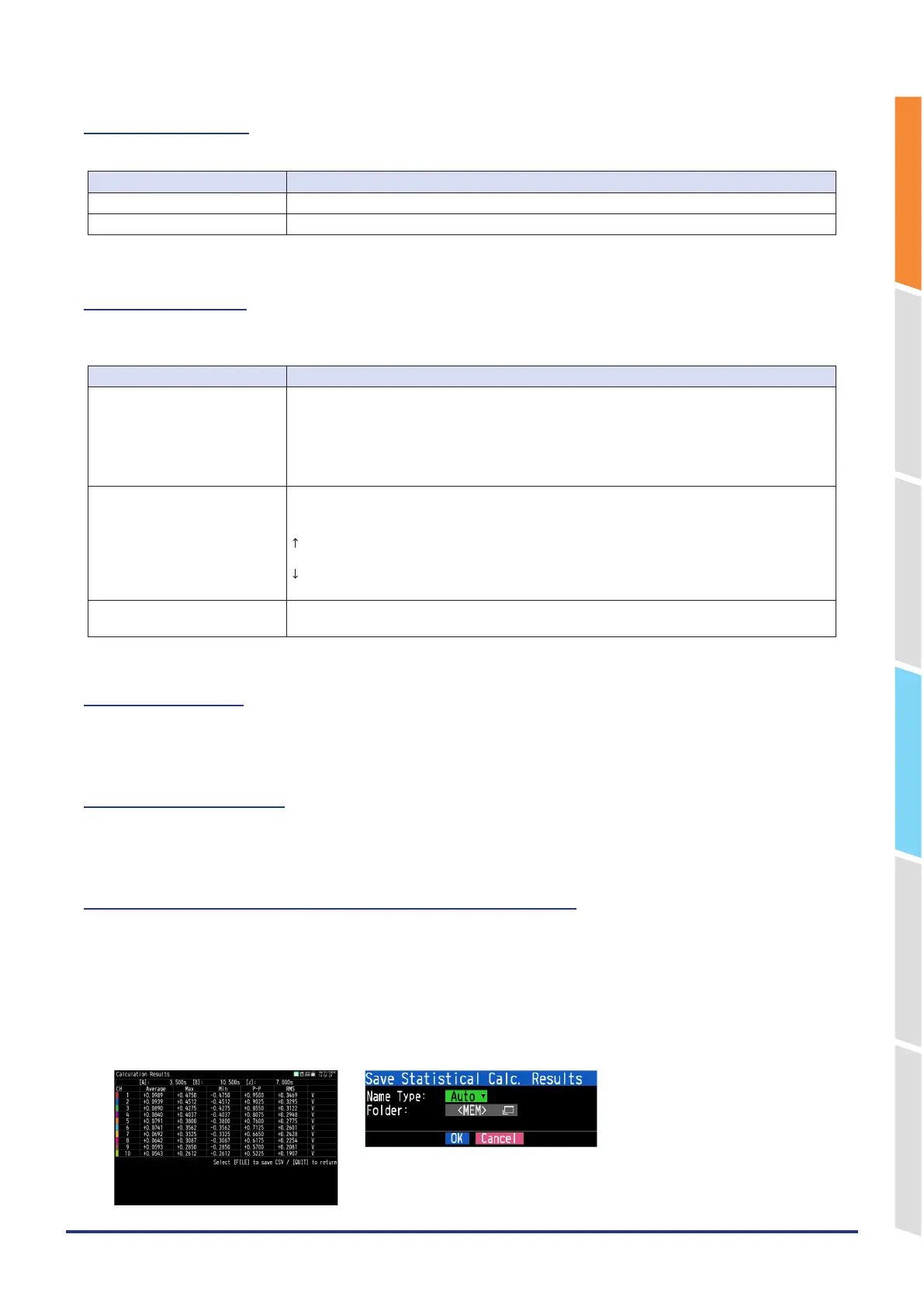
11-9. Execution (Statistical operation between cursors)
Executes calculation between cursors. Executing this option opens a window to display calculation results.
For a description of the calculation results, see the table below. Pressing the [FILE] key opens a window for saving
statistical calculation results. Specify a save destination and select OK to save statistical calculation results in text (CSV)
format.
* The specifying method of storage location and file name is the same as the file specifying method of captured data.
For details, refer to "9. File dialog" described above.
* The “CH GROUP” key is active. CH11 and onwards can be viewed by pressing the [CH GROUP] key.















 To Next Page