3-65
Chapter 3 Settings and Measurement
Contents General Description
Checks and Preparation
Settings and Measurement
Example of Use Specification
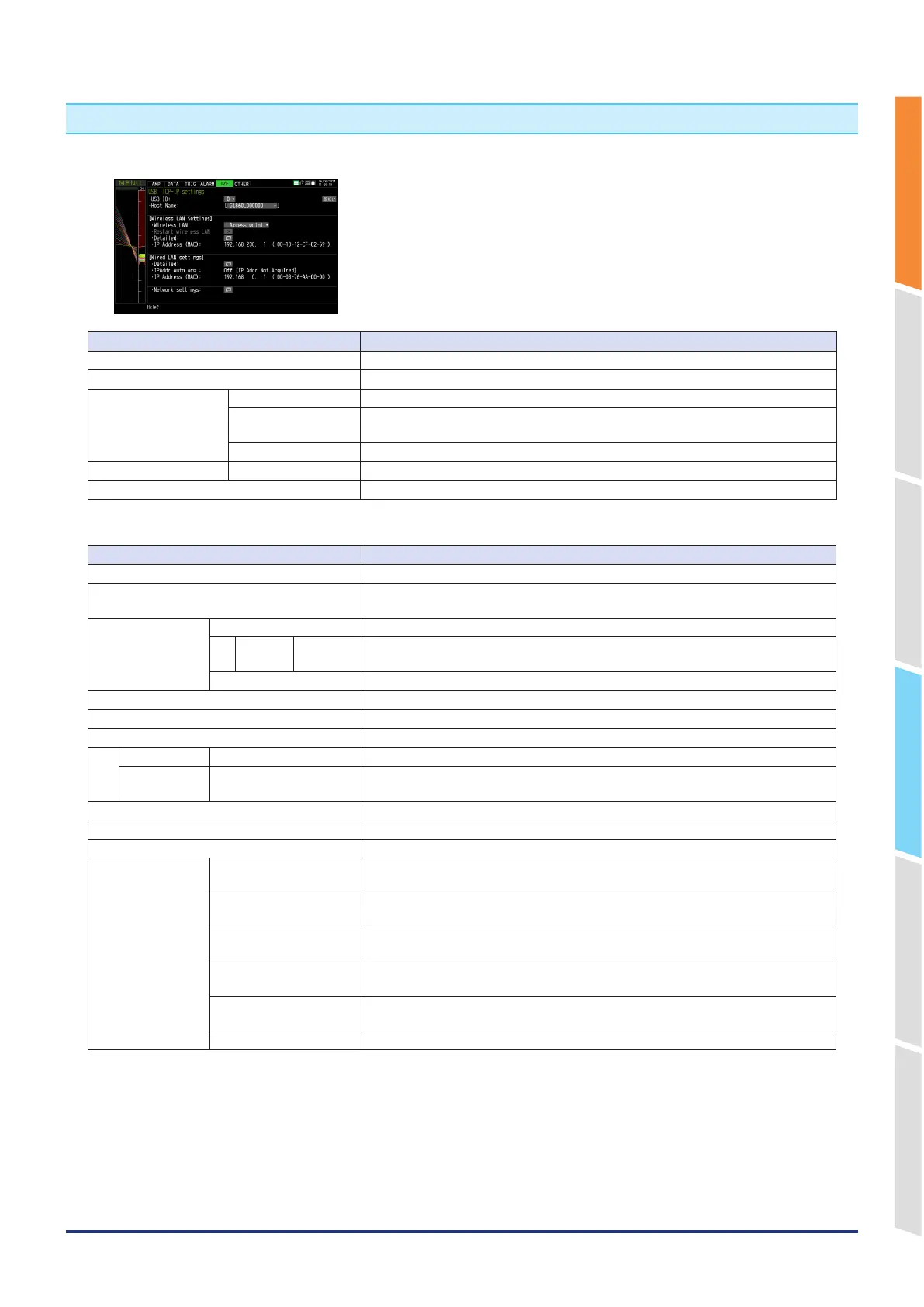
5. Interface settings
This menu is used to specify conditions for PC connection.
Setting Description
USB ID 0 to 9
Host Name Character string: up to 15 characters
Wireless LAN settings
(Only when the wireless
LAN unit is installed)
Wireless LAN Off, Station, Access point
Restart Restart the wireless LAN function.
When you switch stations or access points, be sure to restart.
Detailed Make advanced settings for wireless LAN settings.
Wired LAN settings Detailed Make advanced settings for wired LAN settings.
Network settings Make each server settings, etc.
WLAN settings (Station)
Setting Description
Wireless LAN Off, Station and Access point
Restart Wireless LAN Restart the wireless LAN function.
If you switch between the station and the access point, please perform a restart.
AUTO SETTINGS
(WPS)
WPS system Push button method, PIN method
PIN
method
PIN code Enter the PIN code displayed on the station you want to connect to.
WPS execution Execute WPS.
SSID search Perform SSID search for nearby access points.
SSID input String input: up to 32 characters
Encryption method NONE, WEP, WPA-PSK/WPA2-PSK
WEP WEP key 10 digits for WEP64 and 26 digits for WEP128 alphanumeric characters.
WPA-PSK/
WPA2-PSK
Password Set a password with 8 to 63 alphanumeric characters.
11n Off
・
On
Apply settings (Connect) Save the settings and reconnect.
Disconnect Disconnect the wireless LAN connection.
TCP-IP Settings IP address automatic
acquisition
Do not use, Use
IP address 0 to 255.0 to 255.0 to 255.0 to 255
(only when the IP address automatic acquisition is not used.)
Subnet mask 0 to 255.0 to 255.0 to 255.0 to 255
(Only when the IP address automatic acquisition is not used.)
Gateway 0 to 255.0 to 255.0 to 255.0 to 255
(Only when the IP address automatic acquisition is not used.)
DNS address 0 to 255.0 to 255.0 to 255.0 to 255
(Only when the IP address automatic acquisition is not used.)
Apply settings The contents of the TCP-IP settings are reflected.















 To Next Page