3-73
Chapter 3 Settings and Measurement
Contents General Description
Checks and Preparation
Settings and Measurement
Example of Use Specification
Push button method
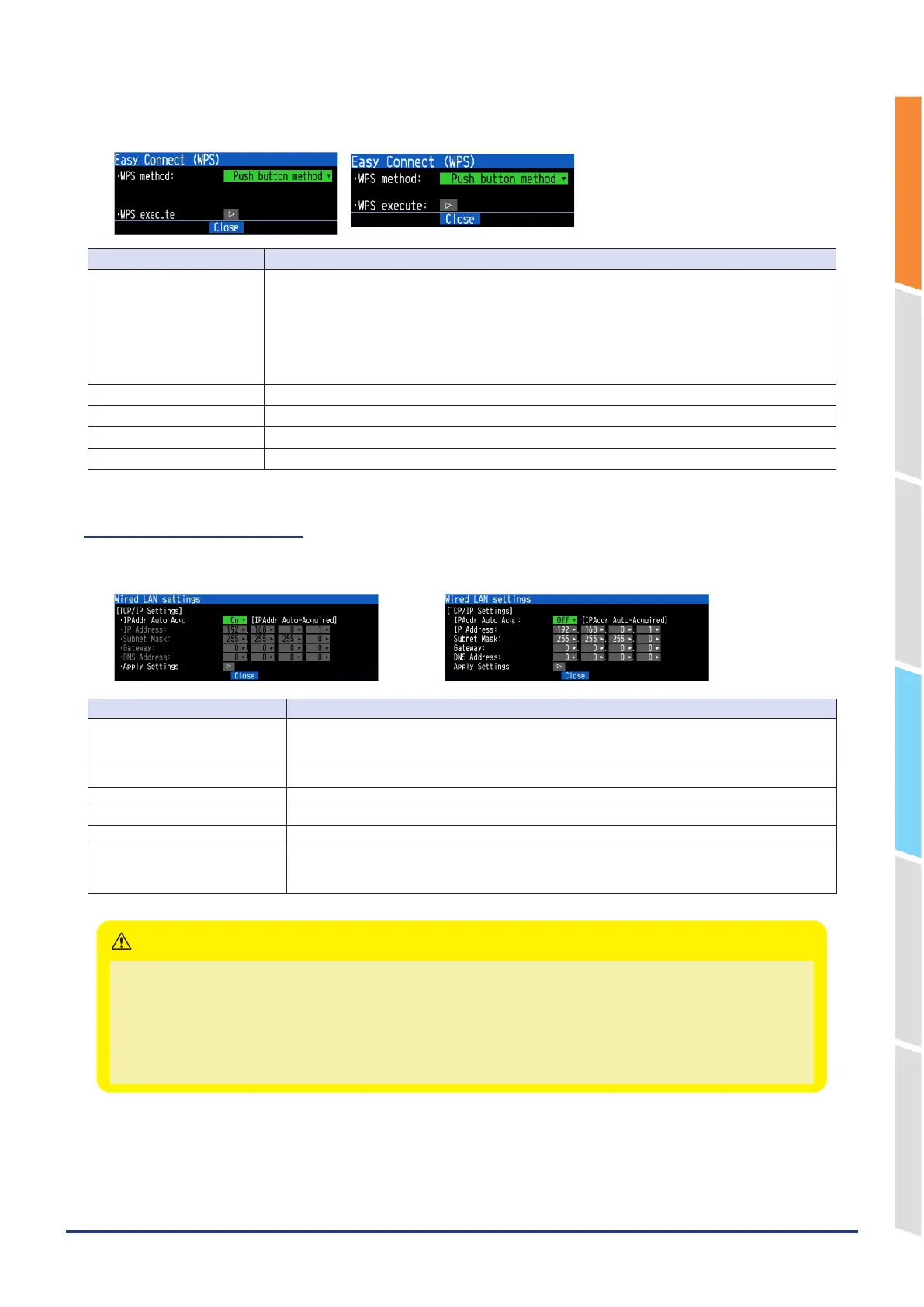
<For station> <For access point>
Selection item Description
WPS method Select the push button method or PIN method.
Push button method: Communication settings can be made simply by pressing the WPS button on
both the base and remote unit.
PIN method: Enter a common PIN code for both the base and remote unit to make communication
settings.
* With the push button method, if multiple WPS are running at the same time, unintended units may
be connected. In such cases, use the PIN method.
PIN code (Display) Set the displayed PIN code on the base unit.
PIN code generation Change PIN code.
PIN code (Input) Set the displayed PIN code on the remote unit.
WPS execution Execute WPS. The WEP key or password is set if WPS succeeds.
5-8. Wired LAN settings
This is the settings for connecting the GL860 to the Ethernet unit.
IP address auto acquisition Use
IP address auto acquisition Do not use
Selection item Description
IP address auto-acquisition Set whether the IP address should be manually set or automatically acquired.
* If an auto acquisition is enabled, the auto acquisition operation (performed when the power is
turned on or the settings are reflected) may take a few seconds to around one minute.
IP Address Sets the IP address of the GL860. (0-255.0-255.0-255.0-255)
Subnet mask Sets the subnet mask of the GL860. (0-255.0-255.0-255.0-255)
Gateway Sets the gateway address of the GL860. (0-255.0-255.0-255.0-255)
DNS Address Sets the DNS address of the GL860. (0-255.0-255.0-255.0-255)
Apply Settings Reflects the TCP-IP settings immediately (without turning off and on the power).
* Connections are forcibly disconnected when the settings are reflected.
* Reflecting on the settings may take a few seconds to around one minute.
•
If the Automatic IP Address Acquisition fails, the manual settings for IP address, etc. are used.
In this case, the settings including the IP address may not be consistent with your network. Disable the Automatic IP
Address Acquisition and make the settings one by one.
•
After you changed the Wired LAN settings, turn off and on the power or apply the settings.
(The connection will be forcibly disconnected).
•
When you want to use the Automatic IP Address Acquisition function, the DHCP server must be operating separately
within the searchable network.
CAUTION















 To Next Page