3-75
Chapter 3 Settings and Measurement
Contents General Description
Checks and Preparation
Settings and Measurement
Example of Use Specification
FTP Client settings
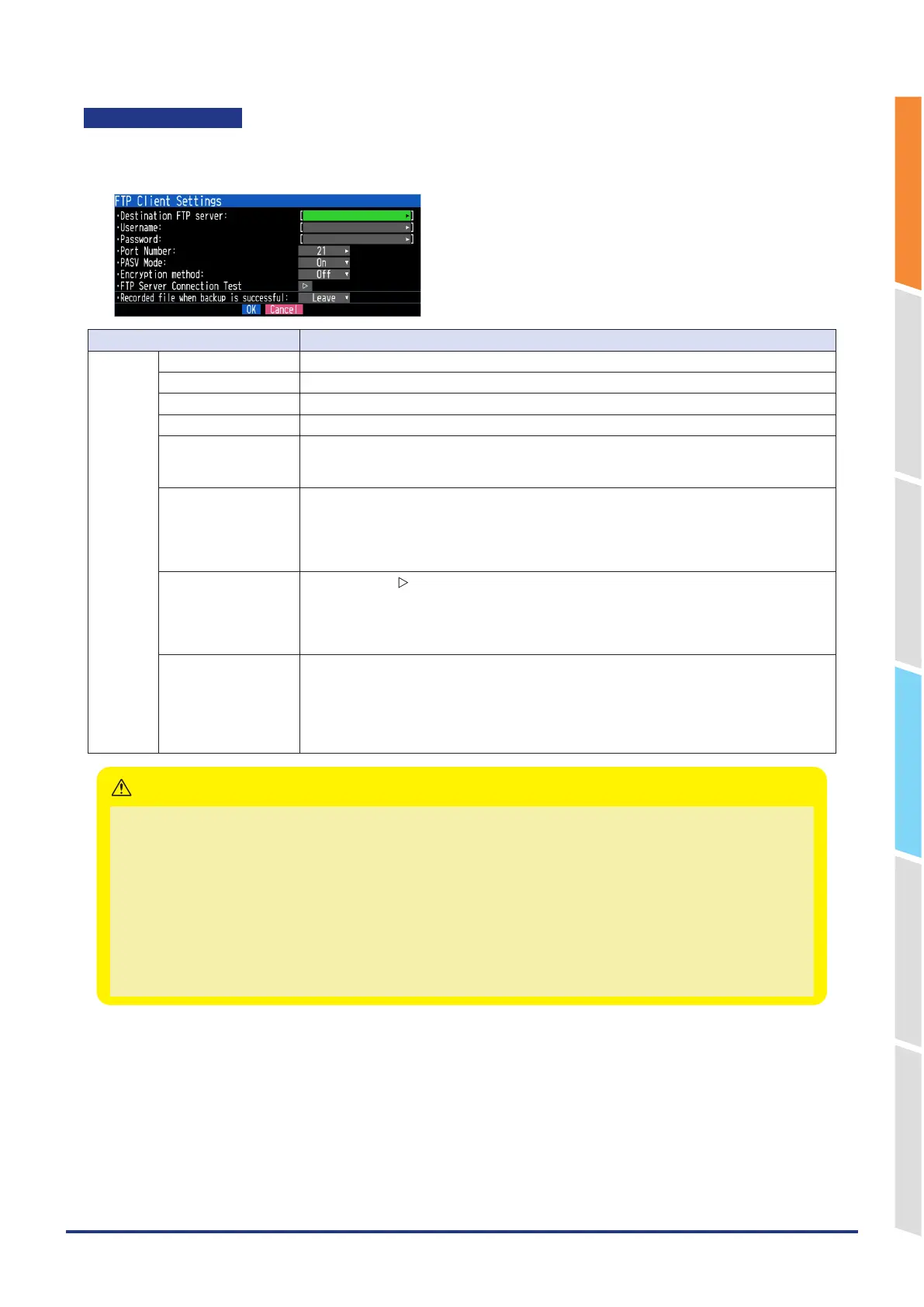
Make the settings for the backup destination FTP server.
<FTP client settings>
Selection item Description
FTP client Destination FTP server Enter the domain name or IP address of the FTP server. (Up to 127 characters)
User name Enter the user name of the FTP account. (Up to 31 characters)
Password Enter the password of the FTP account. (Up to 31 characters)
Port number Enter the port number of a port to be used for FTP. It is normally 21. (0 to 65535)
PASV Mode Make the passive mode setting.
On (Set when the FTP server is under a firewall environment.)
OFF (Should be set for communication with an FTP server in a normal network environment.)
Encryption method Off, Explicit, Implicit
Encrypt data sent and received via FTP. Set according to the settings of the FTP server.
Off: No encryption.
Explicit: Explicit mode. Start encryption after connecting.
Implicit: Implicit mode. Encrypted communication is performed from the point of connection.
FTP server
Connection Test
Press the right " " key to execute (Performs connection test to the FTP server.)
When the connection test is performed, a message is displayed.
If a connection cannot be established, check the settings and perform the connection test
again.
* If the connection test is passed, the message is displayed.
Recorded file when
backup is successful
Leave, Delete
Select whether to "Leave" or "Delete" the captured files when the backup to the FTP server is
successful.
By deleting it, you can capture it for a long time without filling up the SD CARD.
* If FTP is set as the backup destination, it cannot be used simultaneously with the memory
loop function.
<Precautions when captured files are set to “Delete” when backup is successful>
•
Set the backup interval to “Off” or “Each file”.
•
Captured files that failed to be backed up remain on the SD CARD without being deleted.
•
If the backup fails, a log file (*.LOG) is recorded on the SD CARD, so you can check the status of the failure. Deleting
log files does not affect captured files.
•
Use after checking the operation in your communication environment.
•
When relay capturing is set to On, an SD CARD with at least twice the free space of the set file size is required.
•
When capturing for a long time, pay attention to the life of the SD CARD.
<Example of use with settings to be deleted>
•
To log files to the FTP server every hour, set the relay time to 1 hour.
The relay file switches every hour, the captured data for 1 hour is saved on the FTP server, and the original file is deleted.
CAUTION















 To Next Page