3-76
Chapter 3 Settings and Measurement
Contents General Description
Checks and Preparation
Settings and Measurement
Example of Use Specification
FTP server settings
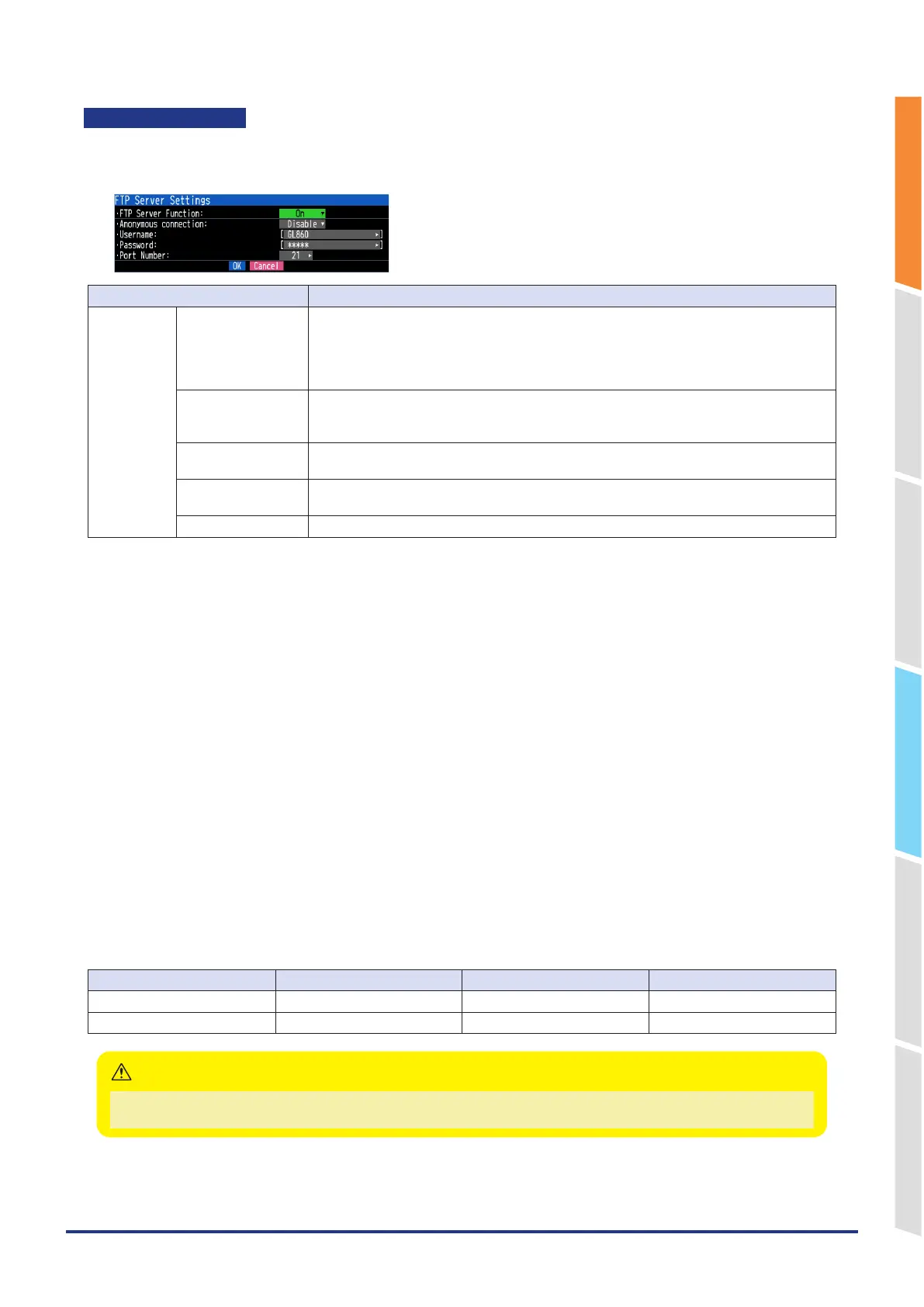
Set the GL860 to function as an FTP server.
<FTP server settings>
Selection item Description
FTP server FTP server Function Off, On
Set the FTP server function to Enable or Disable.
On: Enables the FTP server function.
Off: Disables the FTP server function.
* When you want to disable the FTP server function for security reasons, set it to Off.
Anonymous
connection
Set whether to allow anonymous connections.
Disable: Anonymous connections are disabled.
Enable: Anonymous connections are enabled.
User name Enter the user name of the FTP account. (Up to 31 characters)
The default is "GL860".
Password Enter the password of the FTP account. (Up to 31 characters)
The default is "GL860".
Port Number Enter the port number of a port to be used for FTP. It is normally 21. (0 to 65535)
<FTP server function>
When connecting to FTP with a Windows browser, set the user name and password as follows.
If you omit the user name and password, you are automatically logged in with an anonymous account, so users are
subject to read-only restrictions. If "Anonymous connection" is set to "Disable", you must set a user name and password.
ftp://<username>:<password>@<FTP server name>
<Example of settings>
FTP server name: 192.168.0.1
User name: GL860
Password: abcd
URL: f tp://G L8 60:abcd@192.16 8.0.1
If read-only restrictions are applied, the following operations cannot be performed.
•
File upload
•
Files/folders deletion
•
Files/folders creation
•
File name/folder name change
To write to the GL860, you must change the login account.
For the initial value for each anonymous connection setting, refer to the following.
Anonymous connection Account name Password Limit
Disable GL860 GL860 None
Enable Anonymous Arbitrary Read only
Connecting to an FTP server with an internet browser may be prohibited by the internet browser software.
If your Internet browser cannot connect to the FTP server, use Windows Explorer.
CAUTION















 To Next Page