3-77
Chapter 3 Settings and Measurement
Contents General Description
Checks and Preparation
Settings and Measurement
Example of Use Specification
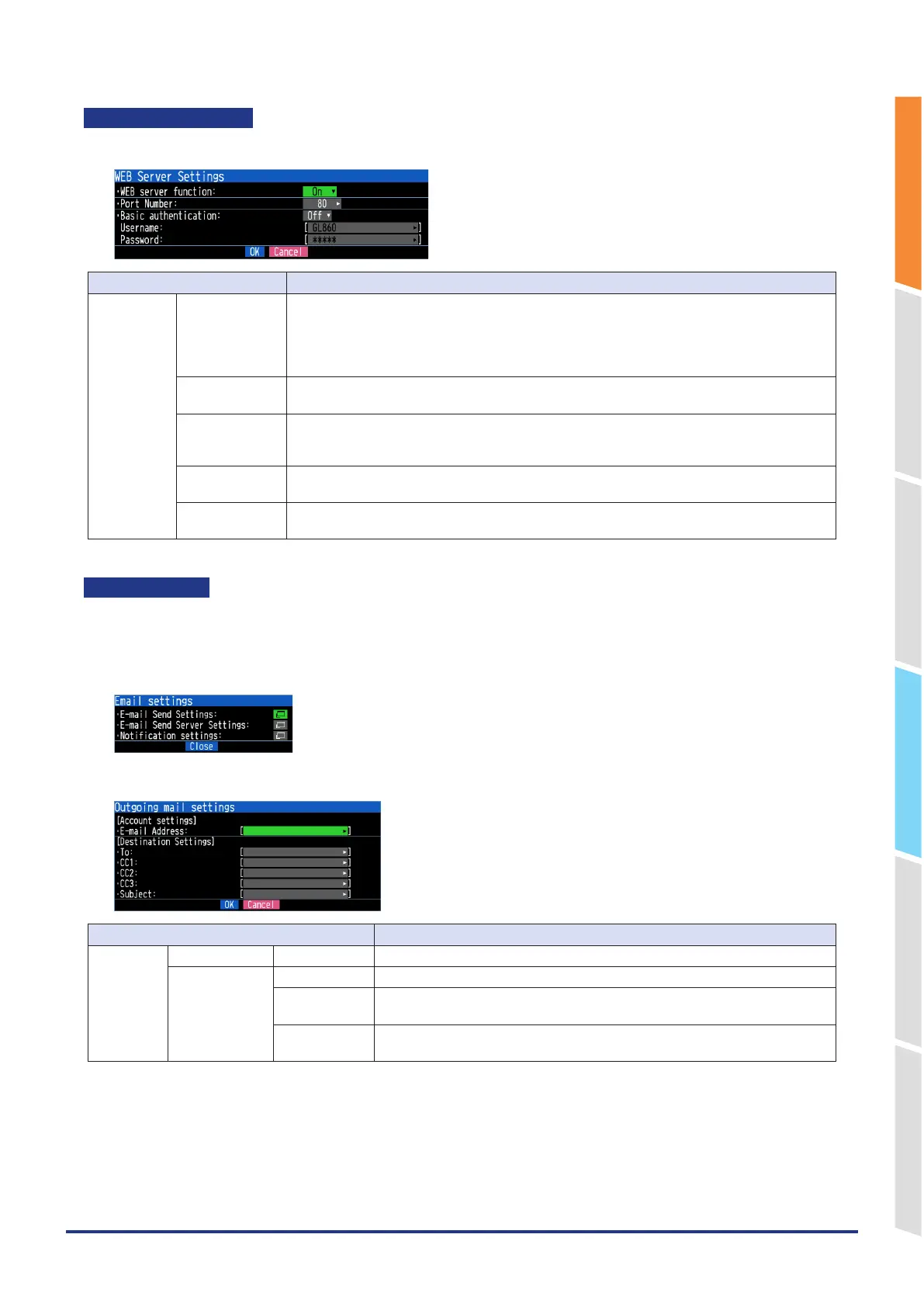
WEB server settings
Perform the WEB server settings.
Selection item Description
WEB server Web server
function
Off, On
Set the WEB server function to Enable or Disable.
On: Enables the WEB server function.
Off: Disables the WEB server function.
* When you want to disable the WEB server function for security reasons, set it to Off.
Port Number Enter the port number used on the WEB.
80 is normally used. (0 to 65535)
Basic
authentication
When connecting to the WEB server, you can restrict access by username and password.
Off: Set basic authentication to Off.
On: Set basic authentication to On and restrict access by user name and password.
User name Enter the username for basic authentication. (Up to 31 characters)
The default is "GL860".
Password Enter the password for basic authentication. (Up to 31 characters)
The default is "GL860".
E-mail settings
Perform the settings to send the e-mail from the GL860.
The e-mail with the notification setting information (Alarm, Low Battery, Low communication strength, error Information
in the internal memory or SD card (only when data capturing) is sent. In addition, when setting to the Periodic
notification, the e-mail will be sent at the set time.
<Outgoing mail setting>
Selection item Description
Outgoing
mail setting
Account setting E-mail Address Set the email address for your email account. (Up to 63 characters)
Destination
Settings
TO Set the e-mail address of the e-mail destination. (Up to 63 characters)
CC1 to CC3 Up to three e-mail addresses can be set as CC (carbon copy).
(Up to 63 characters)
Subject The e-mail subject can be registered in the character string entered.
(Up to 63 characters)















 To Next Page