3-78
Chapter 3 Settings and Measurement
Contents General Description
Checks and Preparation
Settings and Measurement
Example of Use Specification
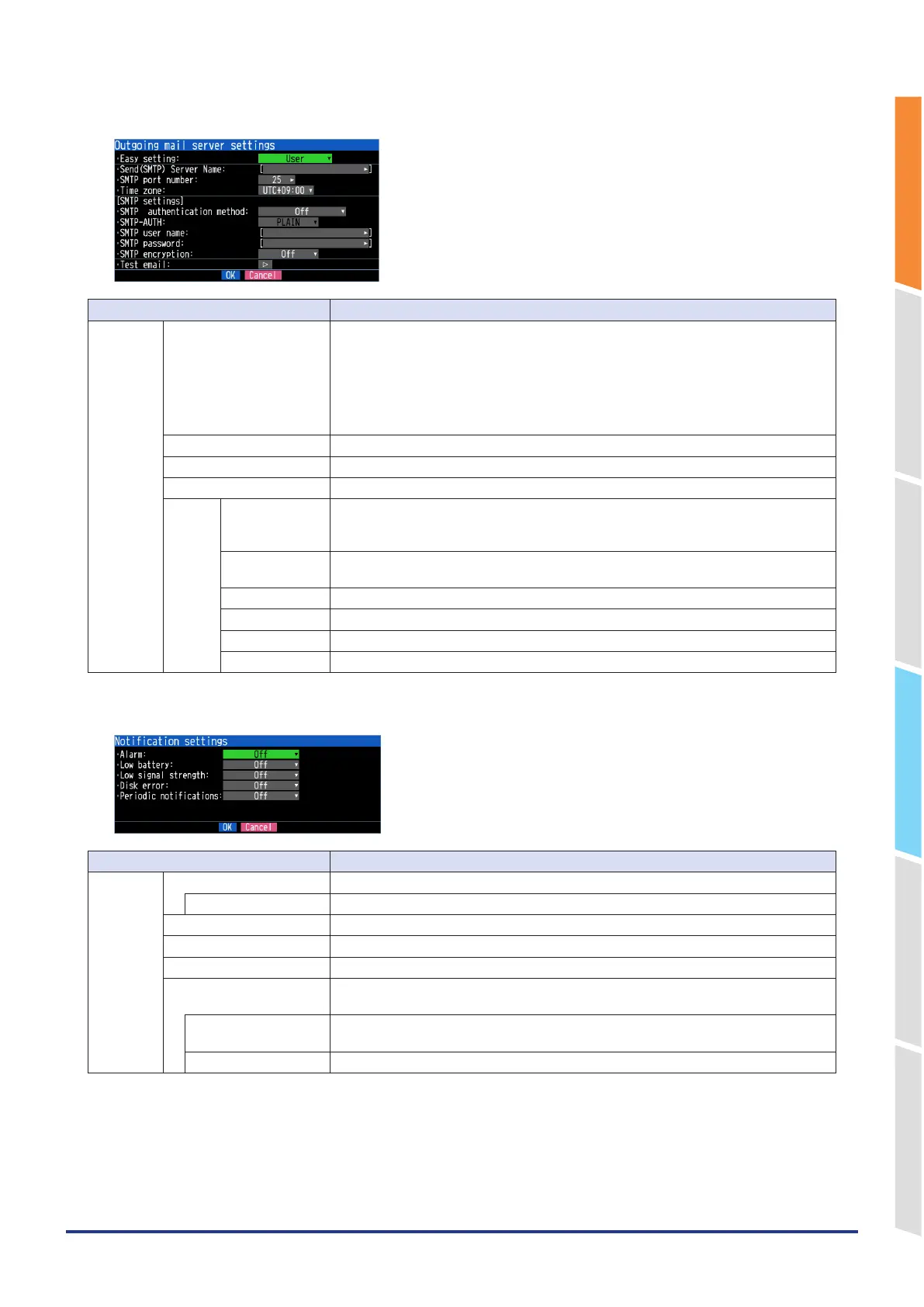
<Outgoing mail server settings>
Selection item Description
Outgoing
mail server
settings
Easy setting Select an Email template.
User: Make any settings.
Easy sending: Emails are sent using our server.
* You can send Emails without SMTP settings.
gmail: The template for gmail settings is deployed.
yahoo.com: The template for yahoo.com Email settings is deployed.
Office365: The templates for Office365 email settings are deployed.
Send (SMTP) Server Name Set the mail destination server name. (Up to 63 characters)
SMTP port number Set from 0 to 65535.
Time zone Set the time zone for the region where the GL860 is used.
SMTP
settings
SMTP
authentication
method
Set the SMTP authentication method to Off or SMTP-AUTH.
SMTP-AUTH Set the authentication method for SMTP-AUTH authentication to PLAIN, LOGIN, CRAM-
MD5 or DIGEST-MD5.
SMTP user name Set the user name for SMTP authentication. (Up to 63 characters)
SMTP password Set the password for SMTP authentication. (Up to 31 characters)
SMTP encryption Set SMTP encryption to Off, StartTLS or Over SSL.
Test email Execute an email-sending test.
<Notification settings>
Selection item Description
Notification
settings
Alarm When set to On, an alarm occurrence is notified.
Attach screenshot When set to On, the screen copy at the time of alarm occurrence is attached.
Low battery When set to On, low battery information is notified.
Low signal strength When set to On, the decrease in communication strength is notified.
Drive error When set to On, the error information of the capturing destination memory is notified.
Periodic notification When set to anything other than Off, a periodic notification Email is sent.
Set whether to send at regular intervals or at a specified time.
Hour, Minute, Second Set the time when the periodic notification is set to the specified time.
(It is sent once a day at the specified time.)
Attach screenshot When set to On, a screen copy is attached to the periodic notification Email.















 To Next Page