3-79
Chapter 3 Settings and Measurement
Contents General Description
Checks and Preparation
Settings and Measurement
Example of Use Specification
●
Once each notification is sent, the next notification will be sent at least one minute later. Notification events that occur
while the notification is pending will be skipped.
Regarding alarm notifications, alarms that occurred during the one-minute notification hold will be notified all at once at
the next notification.
●
Up to 20 alarms can be notified at once in one alarm notification. If 21 or more alarms have occurred, they will be
omitted and the total number will be notified.
●
Up to the first 10 screen copies can be attached to one alarm notification.
●
The screen copy of the alarm notification will be the screen 500ms after the alarm occurred.
●
Depending on the communication environment, an increase in the number of screen copies during alarm notification
may affect communication.
CAUTION
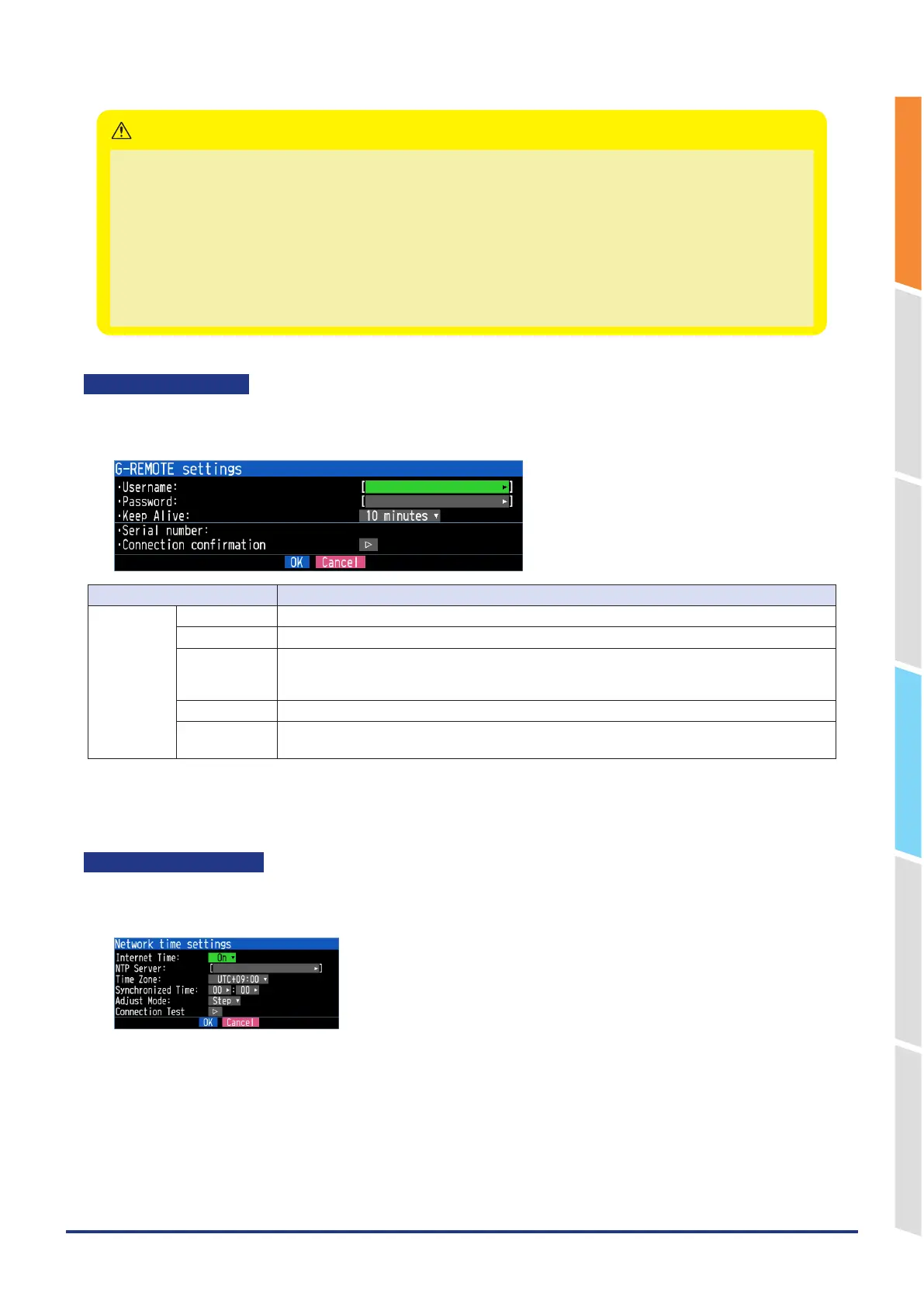
G-REMOTE settings
Make G-REMOTE settings.
<G-REMOTE settings>
Selection item Description
G-REMOTE
settings
User name Enter the G-REMOTE user name. (Up to 31 characters)
Password Enter the G-REMOTE password. (Up to 31 characters)
Keep Alive Off, 10 seconds, 30 seconds, 1 minute, 10 minutes, 30 minutes, 1 hour
Set the timeout time to disconnect the connection when no communication.
* If communication is not established for 1.5 times the set time, the connection is disconnected.
Serial number The serial number of the GL860 is displayed.
Connection
confirmation
When executing a connection test, a message is displayed.
If you cannot connect, check the settings and execute the connection test again.
Remote control is performed using our G-REMOTE.
For details, refer to "4. Remote control service cooperation function" in "4.3 Other Functions".
Network time settings
Make the network time settings.
<Network time settings>















 To Next Page