4-13
Chapter 4 Example of Use
Contents General Description
Checks and Preparation
Settings and Measurement
Example of Use Specification
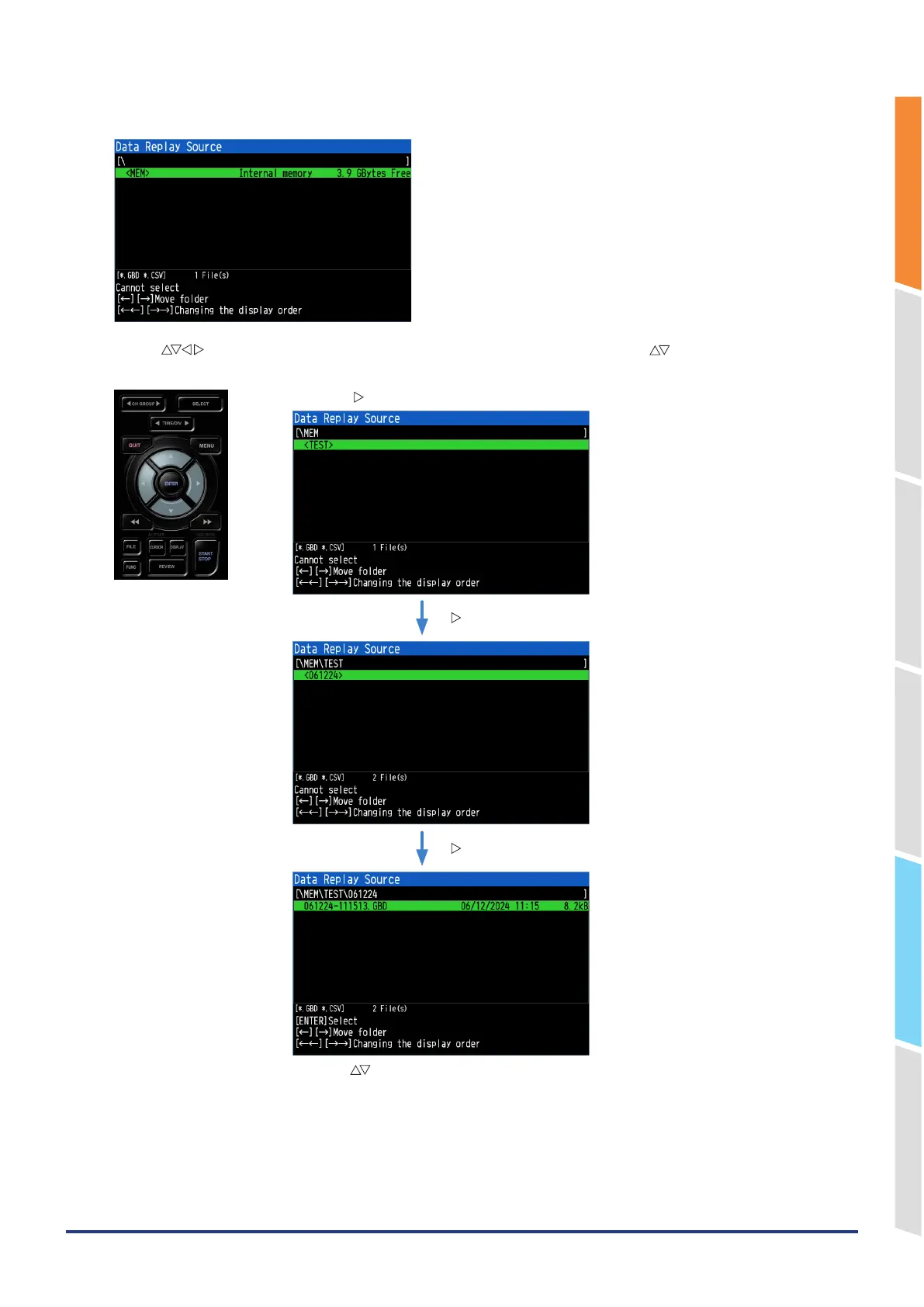
2. A file selection dialog is displayed.
3. Use the " " keys to move to the desired folder (\MEM\TEST\<date>), and use the " " keys to select the
desired file.
Use the “ ” key to move to the selected folder.
“ ” key
“ ” key
「△▽」キーで目的のファイルを選択します。
Use the “ ” keys to select the desired file.















 To Next Page