3-10
Chapter 3 Settings and Measurement
Contents General Description
Checks and Preparation
Settings and Measurement
Example of Use Specification
If you press and hold this key, the channel group is displayed. You can set it directly for the channel group you want to
select. Use the “ ” keys to select a channel group, and press the [ENTER] key to confirm.
* * Channel groups that cannot be selected are displayed in light color.
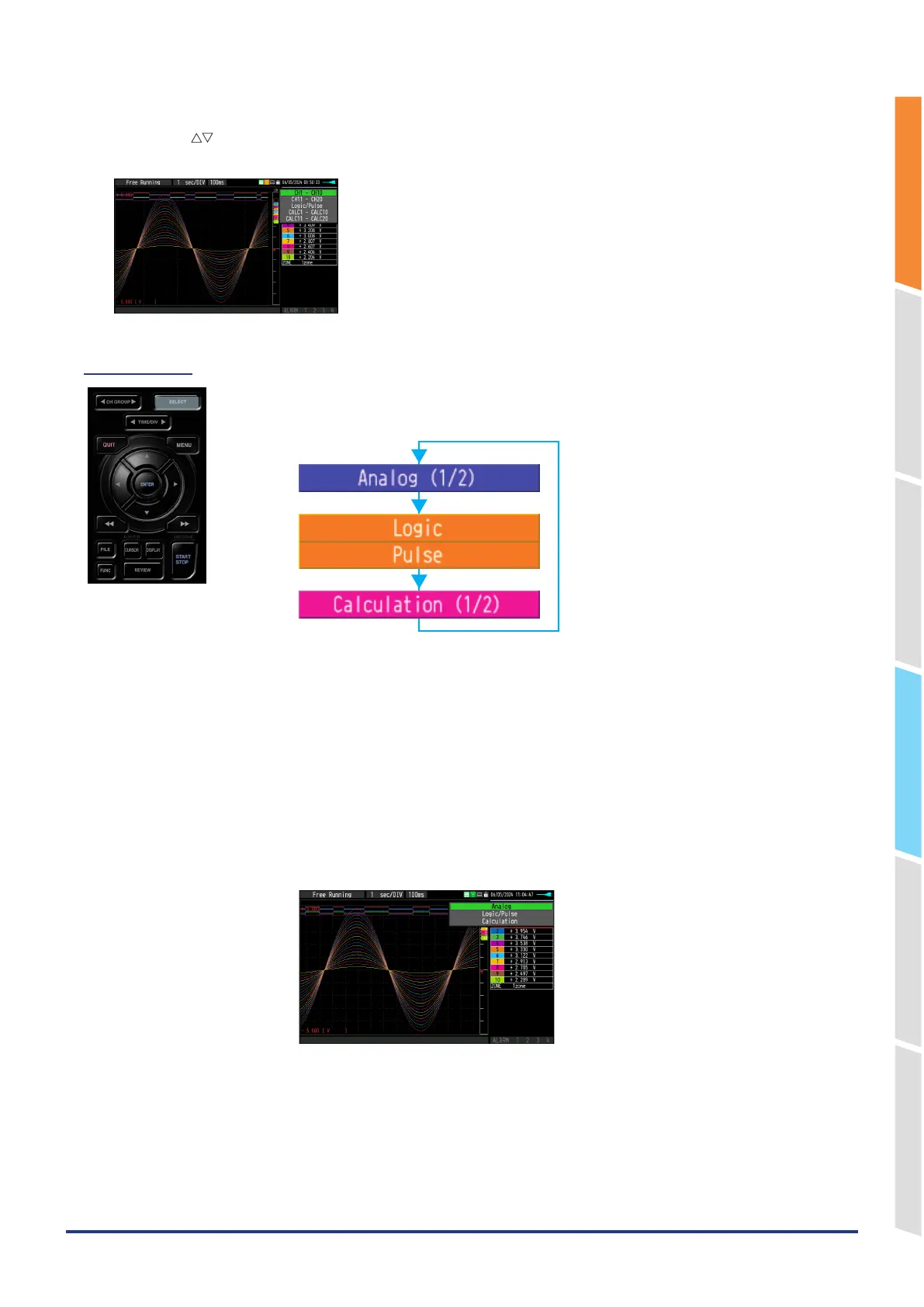
(2) SELECT
With this key, you can switch the CH category displayed in waveform display, digital
display, menu setting, etc.
* The “Analog” category is always selectable.
* When the “Logic/Pulse” and “Calculation” category settings are enabled, these can
be switched.
* “Logic/Pulse” selects whichever is valid.
For the [AMP] settings menu, all categories are unconditionally selectable.
Set each category to enable/disable in the [AMP] settings menu.
For details on the [AMP] setting menu, refer to “1. AMP settings” in “3.4 Setting Menus”.
If you press and hold this key, the category list is displayed. You can set directly for the
category you want to select. Use the “ △▽ “ keys to select a category, and press the
[ENTER] key to confirm.















 To Next Page