3-15
Chapter 3 Settings and Measurement
Contents General Description
Checks and Preparation
Settings and Measurement
Example of Use Specification
(11) DISPLAY
This key is used to switch the screen mode.
When free-running (when the recording is stopped), data capturing, and
data replaying during the capture, the screen mode can be switched.
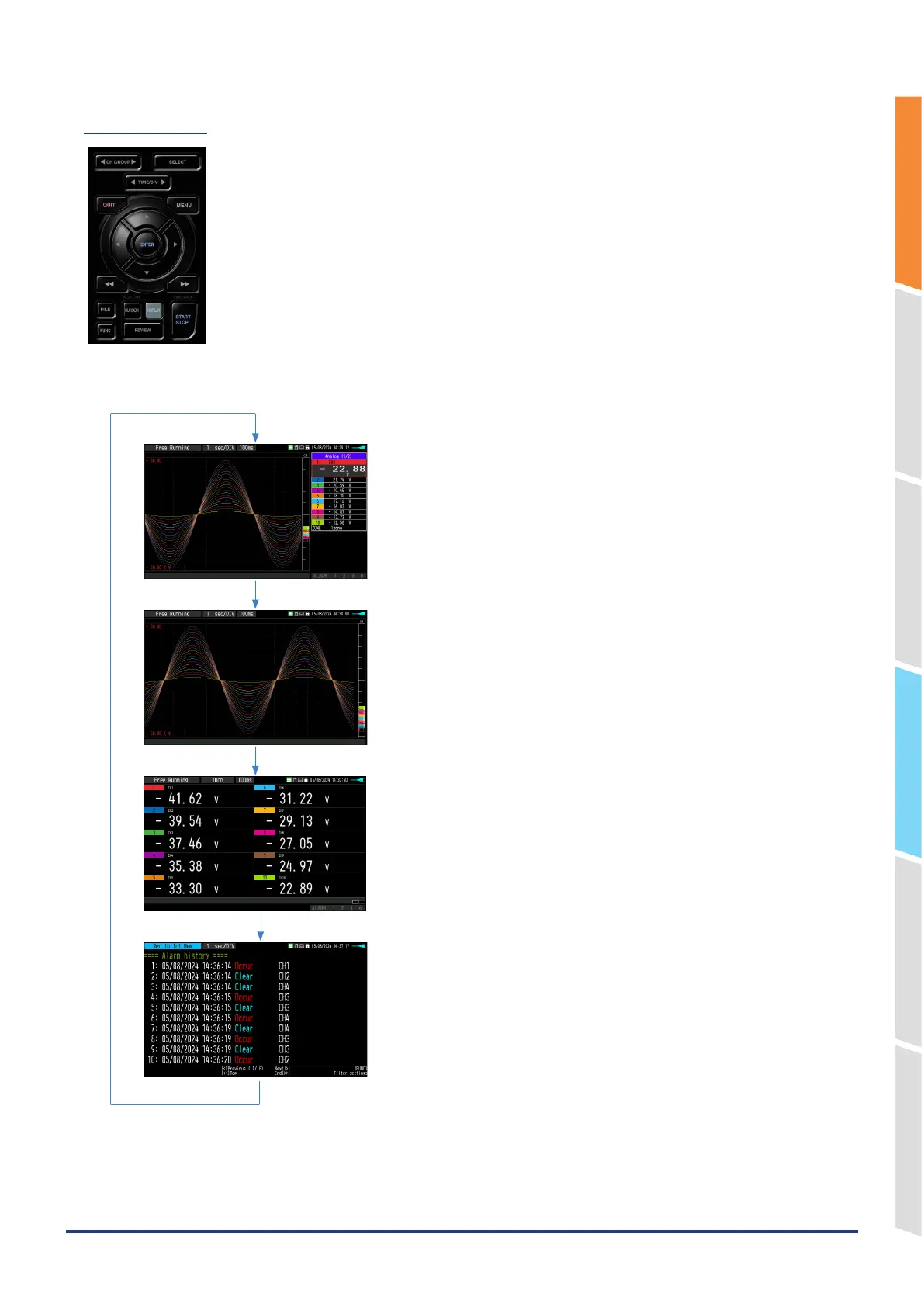
Pressing this key switches the screen display as follows:
<When free-running and data capturing>
<Waveform + Digital Screen>
Displays the waveform and the digital values.
<Expanded Waveform screen>
Displays only the waveform expanded in full-screen mode.
<Digital + Calculation Display screen>
Displays digital values and two calculation results in large letters.
Use the
△
△
▽
▽
FAST FORWARD keys to change the display
mode. The calculation results are displayed only when switched
to “All Mode”.
Refer to “(8) FAST FORWARD key (KEY LOCK)”
<Alarm History screen>
When “Alarm settings” – “Alarm History” is set to enable, the Alarm
History is displayed during capturing.
Refer to “Alarm History”.
[DISPLAY] key















 To Next Page