EasyManua.ls Logo

INVT SV-DA200 Series - User Manual

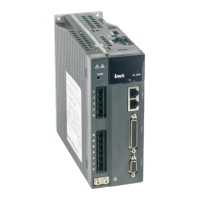
INVT SV-DA200 Series
300 pages
Print Icon
To Next Page IconTo Next Page
Loading...
INVT INDUSTRIAL TECHNOLOGY (SHANGHAI) CO.,LTD.
Series
AC ser vo drive

Table of Contents

Other manuals for INVT SV-DA200 Series

Questions and Answers

  • V
    Victoria DrakeSep 12, 2025
    How do I resolve encoder EEPROM data check error on INVT Servo Drives?
    • P
      Patricia JacksonSep 12, 2025
      If your INVT Servo Drive reports an encoder EEPROM data check error, and the motor uses a communication encoder, it means a data check error occurred when the motor attempted to read data from the encoder EEPROM during power-on. To resolve this: 1. Make sure encoder cables are connected properly and eliminate conditions that disturb encoder communication. 2. Select the motor model based on the setting of P0.00 and execute the operation of writing data to the encoder EEPROM through P4.97 so that data in the encoder EEPROM is updated. 3. Mask this fault by setting P4.98. The motor parameters in the drive EEPROM are used for initialization.
  • J
    Jessica EnglishAug 25, 2025
    What to do if there is an IGBT fault on INVT SV-DA200?
    • G
      Gilbert YoderAug 25, 2025
      If the INVT Servo Drive reports an IGBT fault, it means the drive's actual output current is exceeding the specified value. Here's what you can do: 1. Remove the motor cables and enable the drive. If the fault persists, replace the drive. 2. Make sure the motor cables and wiring are in good condition. 3. Reduce the settings of parameters P0.10 and P0.11 to limit the maximum output torque. 4. Adjust loop parameters to stabilize the system and reduce the setting of P0.12. 5. Increase the acceleration/deceleration time. 6. Replace the drive with a new one that has greater power. 7. Replace the motor.
  • H
    hosborneAug 25, 2025
    How to fix main circuit overvoltage fault in INVT SV-DA200 Servo Drives?
    • T
      torresnicholasAug 26, 2025
      If your INVT Servo Drive shows a main circuit overvoltage fault, it means the detected DC voltage of the drive's main circuit is higher than the specified voltage. To resolve this: 1. Make sure the grid input voltage is within the allowed range. 2. Check that the internal braking resistor is not loose or damaged. 3. Verify the external braking resistor is not damaged. 4. Increase the deceleration time. 5. Check parameter R0.07 when the drive is disabled; if it's abnormal and doesn't match the grid input voltage, replace the drive.
  • S
    Samuel CooperSep 23, 2025
    How to resolve duplicate AI assignment fault on INVT SV-DA200 Servo Drives?
    • A
      Aimee JonesSep 23, 2025
      If your INVT Servo Drive displays an I/O fault due to duplicate AI assignment, it means that when the drive is a standard model, the function of AI3 is set to speed command. To resolve this, set parameter P3.70 (AI3 function) to another value.
  • N
    Nicholas CarrollSep 12, 2025
    What does 'No data in encoder EEPROM' mean on INVT SV-DA200?
    • W
      Walter BennettSep 12, 2025
      If your INVT Servo Drive displays an encoder fault indicating no data in the encoder EEPROM, and the motor uses a communication encoder, it means no data was found in the encoder EEPROM when the motor attempted to read data from it during power-on. To fix this, select the motor model based on the setting of P0.00 and execute the operation of writing data to the encoder EEPROM through P4.97. You can also mask this fault by setting P4.98; the motor parameters in the drive EEPROM will be used for initialization.
  • D
    dperezSep 18, 2025
    How do I fix PROFINET fault with incorrect PWK parameter ID on INVT SV-DA200 Servo Drives?
    • M
      markdavisSep 18, 2025
      If your INVT Servo Drive reports a PROFINET fault indicating an incorrect PWK parameter ID, it means the PWK parameter ID is incorrect. To resolve this, view the manual and ensure the PWK parameter ID matches the corresponding parameter ID.
  • S
    Susan RubioSep 5, 2025
    What does a 'To-ground short circuit fault' mean on INVT SV-DA200?
    • K
      klewisSep 5, 2025
      If your INVT Servo Drive displays a 'Hardware fault–To-ground short circuit fault', it means one of the motor cables V and W is short connected to the ground, which is found in to-ground short circuit detection during drive power-on. To resolve this, make sure motor cables are connected properly. Also, replace motor cables or check for ageing of insulation.
  • M
    Megan JonesSep 6, 2025
    What causes EEPROM read/write error on INVT Servo Drives?
    • C
      Christy RussellSep 6, 2025
      If the INVT Servo Drive displays an EEPROM fault related to a read/write error, it could be due to data being damaged in the data storage area when the drive reads data from the EEPROM, or writing data to the EEPROM being disturbed. Try re-powering on the drive. If the fault occurs repeatedly, replace the drive.
  • S
    sbennettSep 18, 2025
    What to do if PWK parameter value is out of range on INVT SV-DA200 Servo Drives?
    • J
      james97Sep 18, 2025
      If your INVT Servo Drive reports a PROFINET fault because the PWK parameter value is out of range, it means the PWK parameter value is not within the allowed range. To fix this, view the manual and ensure the PWK parameter value is within the allowed range.
  • M
    Marcus GeorgeAug 30, 2025
    What causes drive overtemperature fault in INVT SV-DA200?
    • D
      Dustin FieldsAug 30, 2025
      If your INVT Servo Drive reports a drive overtemperature fault, it's likely due to: 1. The ambient temperature around the drive exceeding the specified temperature. 2. The drive being overloaded. To resolve this: 1. Reduce the ambient temperature and improve ventilation. 2. Replace the servo system with a new one with greater power. 3. Increase the acceleration/deceleration time and reduce the load.

Summary

Preface

Safety Precautions

Safety Symbols and General Precautions

Details safety symbols, recycling information, and general precautions for safe operation.

1 Product Overview

1.1 Servo Drive

Describes the SV-DA200 series AC servo drive, its functions, and interface details.

2 Installation Instruction

2.1 Drive Dimension

Details the physical dimensions and diagrams for various drive sizes (A/B/C, D, F/F2, G, H).

2.2 Drive Installation

Covers the methods for installing the servo drive, including base and bracket installations.

2.2.2 Installation Space and Direction

Specifies the required installation space and orientation for optimal ventilation and performance.

2.3 Motor Dimension

Provides outline and installation dimensions for various servo motor bases (40, 60, 80, 110, 130, 180, 200, 263 mm).

3 Wiring Instruction

5 Running and Operation

5.1 Running

Provides instructions for powering on the system, checking connections, and performing initial operations.

5.1.1 First Powering On

Details the steps and checks required before the initial power-on of the servo drive.

5.1.4 Running at the Speed Control Mode

Guides on configuring and running the servo drive in speed control mode using simple connections.

5.1.5 Running at the Torque Control Mode

Provides instructions for operating the servo drive in torque control mode with simple connections.

5.1.6 Parameter Setting Before Running the Servo

Outlines the necessary parameter settings before the servo drive can be operated.

5.1.7 Servo Enabling

Explains how to enable the servo via terminal or parameter settings and its operational effects.

5.1.8 Servo Stop;Stop Running

Describes conditions and methods for stopping the servo motor, including coasting and normal stopping.

6 Function Codes

6.1 Basic Control (P0 Group Parameters)

Covers basic control parameters, including motor model, encoder type, and control mode selection.

6.1.1 Basic Setting

Explains parameters like motor model, encoder type, and forward rotation settings.

6.1.2 Position Control

Details parameters related to position control, including command selection and pulse input.

6.1.3 Speed and Torque Control

Covers parameters for speed command selection and torque limit settings.

6.2 Autotuning Control Parameters (P1)

6.2.1 Inertia Identification (Automatic Gain)

Explains how to perform online and offline inertia identification for automatic gain adjustment.

6.2.2 Self-Adaptive Vibration Control

Covers parameters for self-adaptive vibration control, including resonance detection and notch filters.

6.3 Motor Control Parameters (P2)

6.3.1 Gain Setting

Explains parameters for setting speed, position, and torque gains, and their impact on system performance.

6.4 I;O Management Parameters (P3)

6.6 Program JOG, Homing and PTP Control (P5)

6.6.1 Program JOG

Details parameters and operation modes for the JOG function, including movement amount and speed settings.

6.6.2 Homing

Covers parameters and modes for homing operations, including automatic homing and step settings.

6.6.3 PTP (Point-to-Point ) Control

Explains parameters for Point-to-Point (PTP) control, including control words and position settings.

6.9 State Monitoring

6.9.3 Fault Record Parameter (R3)

Explains parameters related to fault records, including codes, power-on time, and motor speed during faults.

7 Commissioning

7.1 Operation Instruction of Inertia Identification

Details the procedures for both online and offline inertia identification.

7.2 General Method for Parameters Adjusting

Explains general methods for adjusting servo system parameters, including rigidity and loop gains.

7.3 Suppression of Mechanical Resonance

Covers techniques for suppressing mechanical resonance using notch filters and their parameters.

7.4 Gain Switching Function

Explains how gain switching operations are performed and their benefits in different states.

8 Communication

8.2 RS485 Communication Protocol

Explains the RS485 communication protocol, including frame structure, command codes, and error checking.

8.3 CANopen Communication Protocol

Details the CANopen protocol, including hardware configuration, software configuration, and functions.

8.4 PROFIBUS-DP Communication Protocol

Covers the PROFIBUS-DP protocol, its introduction, hardware configuration, and software configuration.

9 Faults and Solutions

9.1 Meanings of the Fault Alarm Code and Countermeasures

Details fault codes, their associated causes, and recommended countermeasures for resolution.

9.2 CANopen Communication Fault Code and Countermeasures

Lists CANopen communication fault codes and their respective countermeasures.

9.3 PROFIBUS-DP Communication Fault Code and Countermeasures

Provides fault codes and countermeasures for PROFIBUS-DP communication issues.

9.4 EtherCAT Communication Fault Code and Countermeasures

Details EtherCAT communication fault codes and their corresponding solutions.

10 Appendix

10.4 Fault Code

Provides a summary of fault codes, their names, and whether they are recordable, clearable, or disableable.

INVT SV-DA200 Series Specifications

General IconGeneral
BrandINVT
ModelSV-DA200 Series
CategoryServo Drives
LanguageEnglish

Related product manuals