General Power Meter Functions 2
Keysight N1913/1914A User’s Guide 123
Warm Start
The warm start feature allows you to retain the meter’s same states and settings
upon power cycle or in the event of interrupted power. The warm start ON/OFF is
selectable through the front panel and SCPI. The default setting is ON.
Warm start ON
All the states entered through the front panel or remote interface will be saved.
The power meter will be powered on with the states before it was powered off.
Warm start OFF
The power meter will be powered on with the default states setting.
To enable or disable the warm start feature,
1 Press , and select .
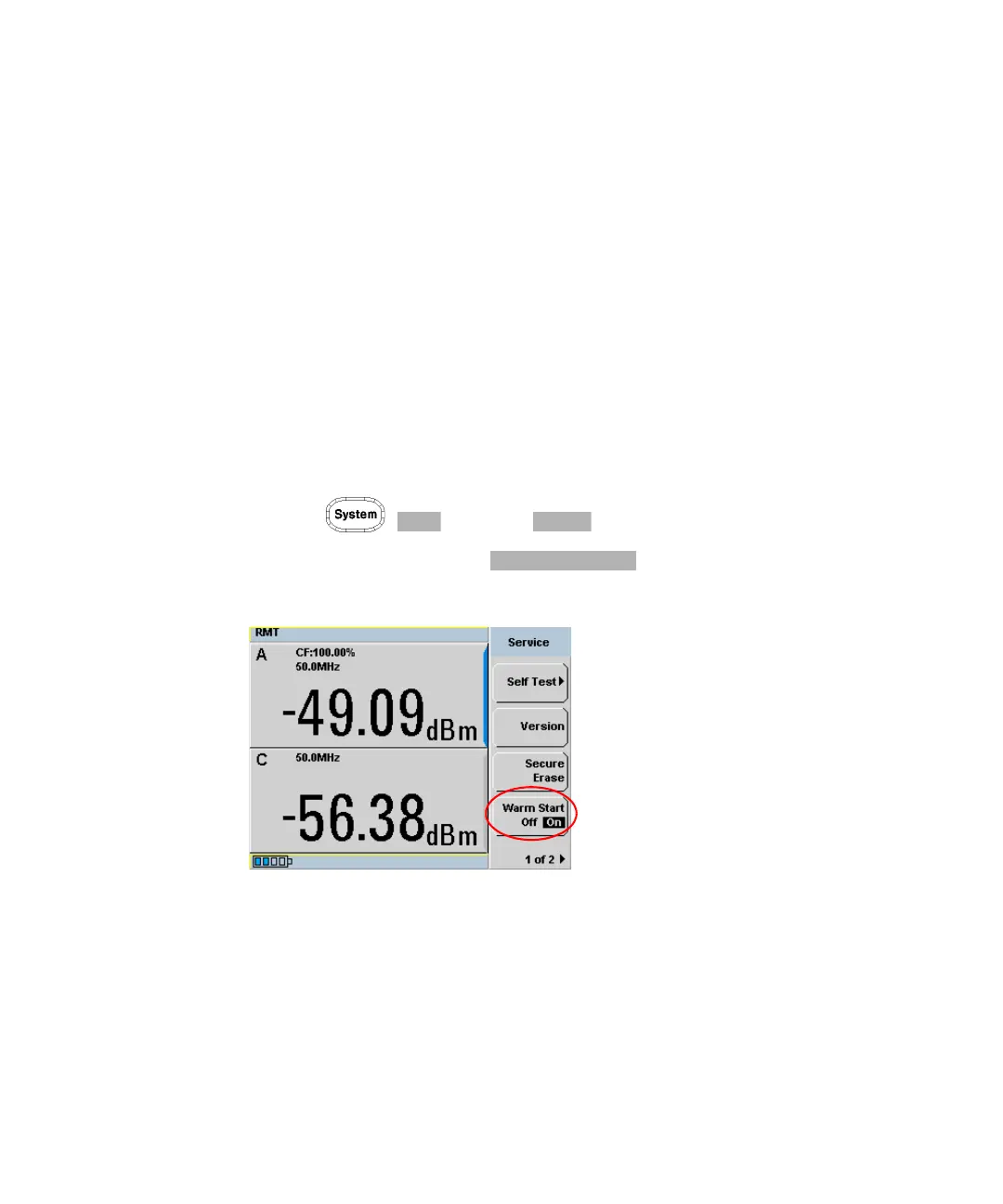
2 In the Service menu, press to enable or disable the warm
start feature. This feature is set to ON by default (see Figure 2-61).
Figure 2-61 Enable/disable warm start feature



 To Next Page