5 Using 8480 Series Power Sensors
168 Keysight N1913/1914A User’s Guide
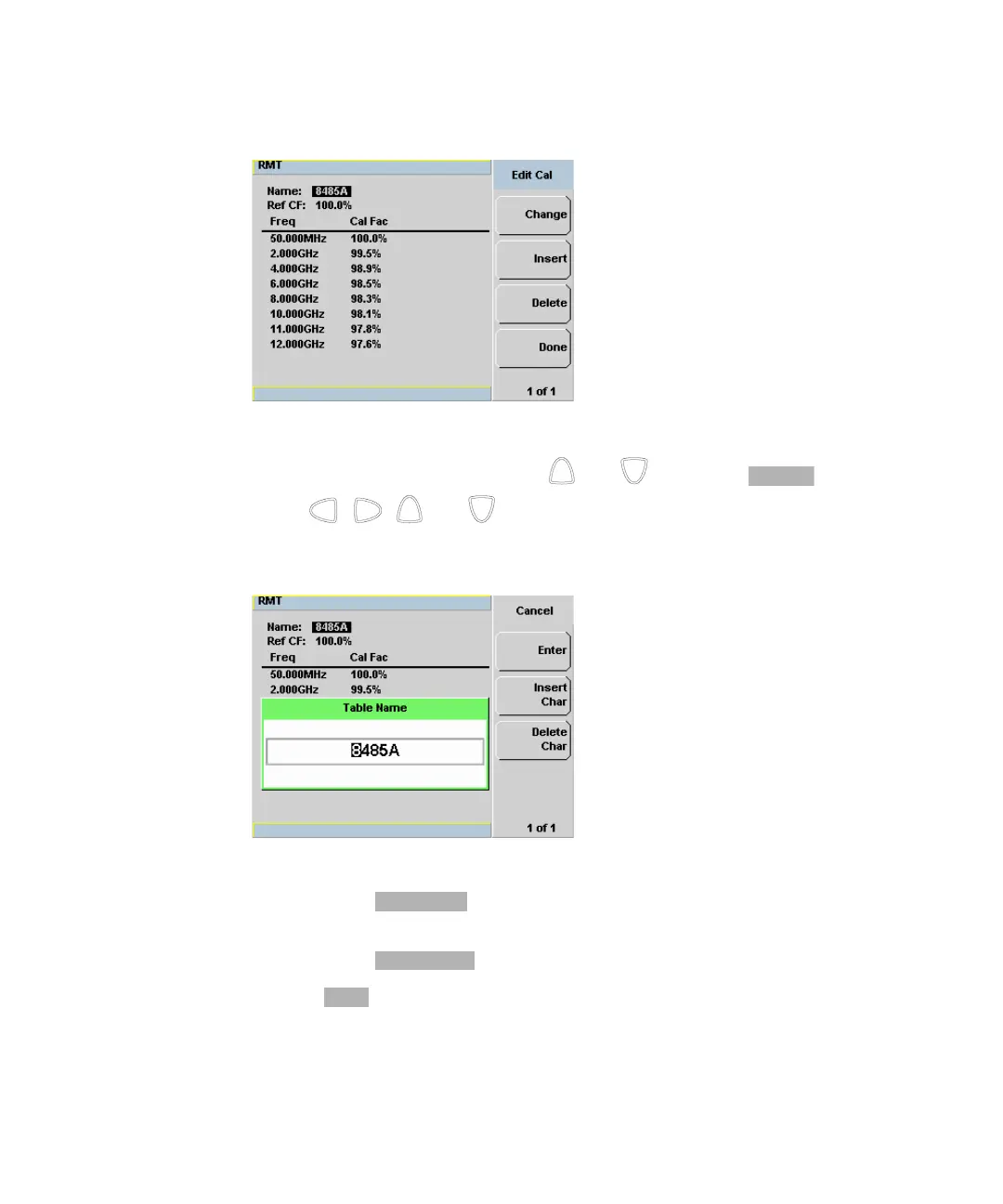
Figure 5-10 “Edit Cal” display
3 Highlight the table title using the and keys. Press and use
the , , and keys to select and change the characters in the
Table Name pop-up to create the name you want to use.
Figure 5-11 Edit table title pop-up
– Pressing adds a new character to the right of the selected
character.
– Pressing removes the selected character.
4 Press to complete the entry.



 To Next Page