2 General Power Meter Functions
72 Keysight N1913/1914A User’s Guide
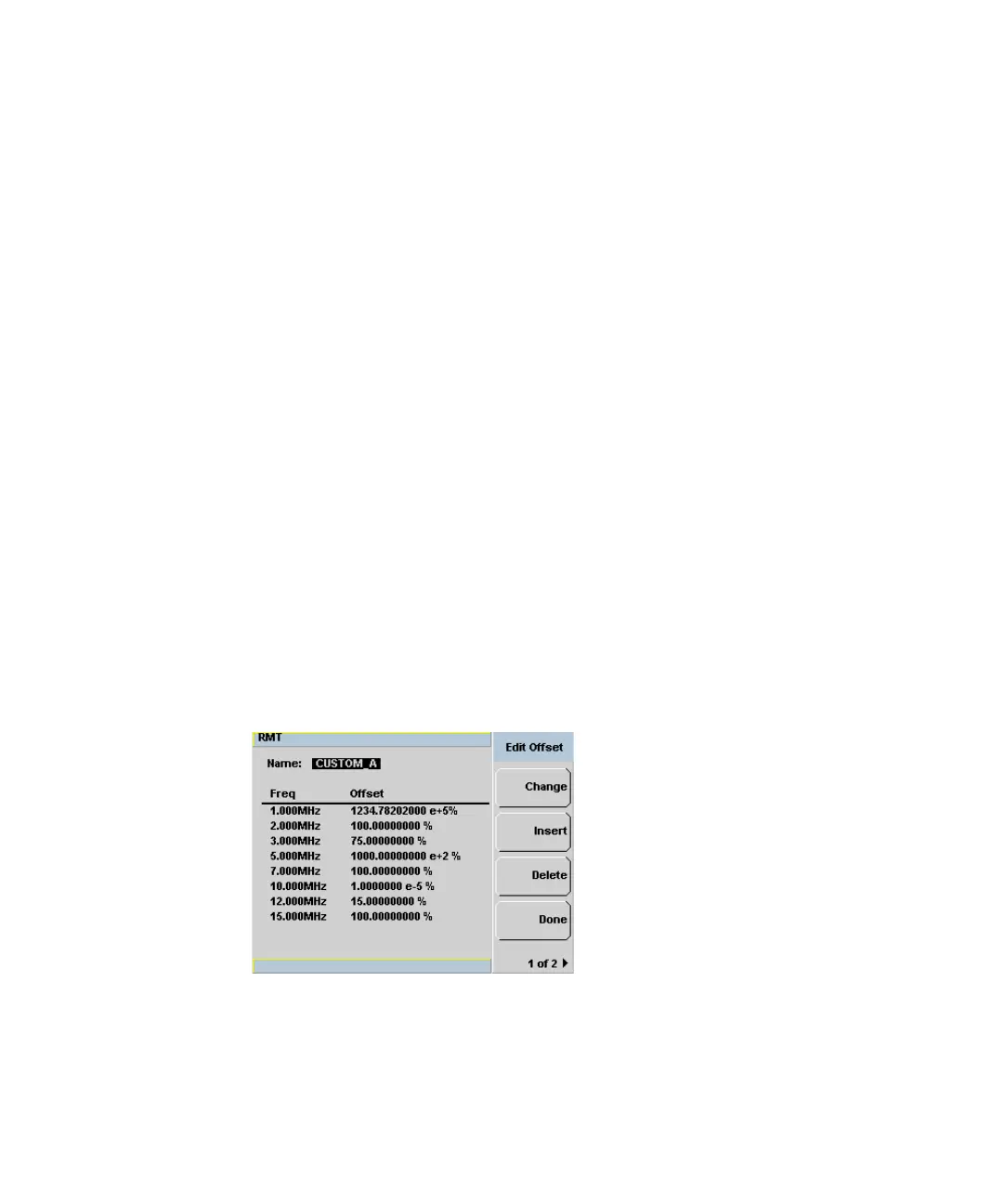
If the selected offset unit is %, the display of the offset will be in engineering unit
only if the percentage value is less than 0.01% or more than 999%. The format of
the display in engineering unit for an offset greater than 999% will be shown as
follows,
xxx. yyyyyyyyy e+z
– There is a maximum of three numbers before the decimal point indicated
by x.
– y is optional if there are non-zero numbers after the decimal point.
For example,
– 123478202 will be displayed as 123.478202 e+6
– 10000 will be displayed as 100 e+2.
The format of the display in engineering unit for an offset less than 0.01% will be
as follows,
x. yyyyyyyyy e-z
– The first leading non-zero number, x, is placed before the decimal point.
– y is optional if there are non-zero numbers after the decimal point.
For example,
– 0.009876 will be displayed as 9.876 e-3
– 0.0001 will be displayed as 1e-4.
Figure 2-13 Offset display in engineering unit (when the selected unit is %)



 To Next Page