General Power Meter Functions 2
Keysight N1913/1914A User’s Guide 93
Combined Measurement
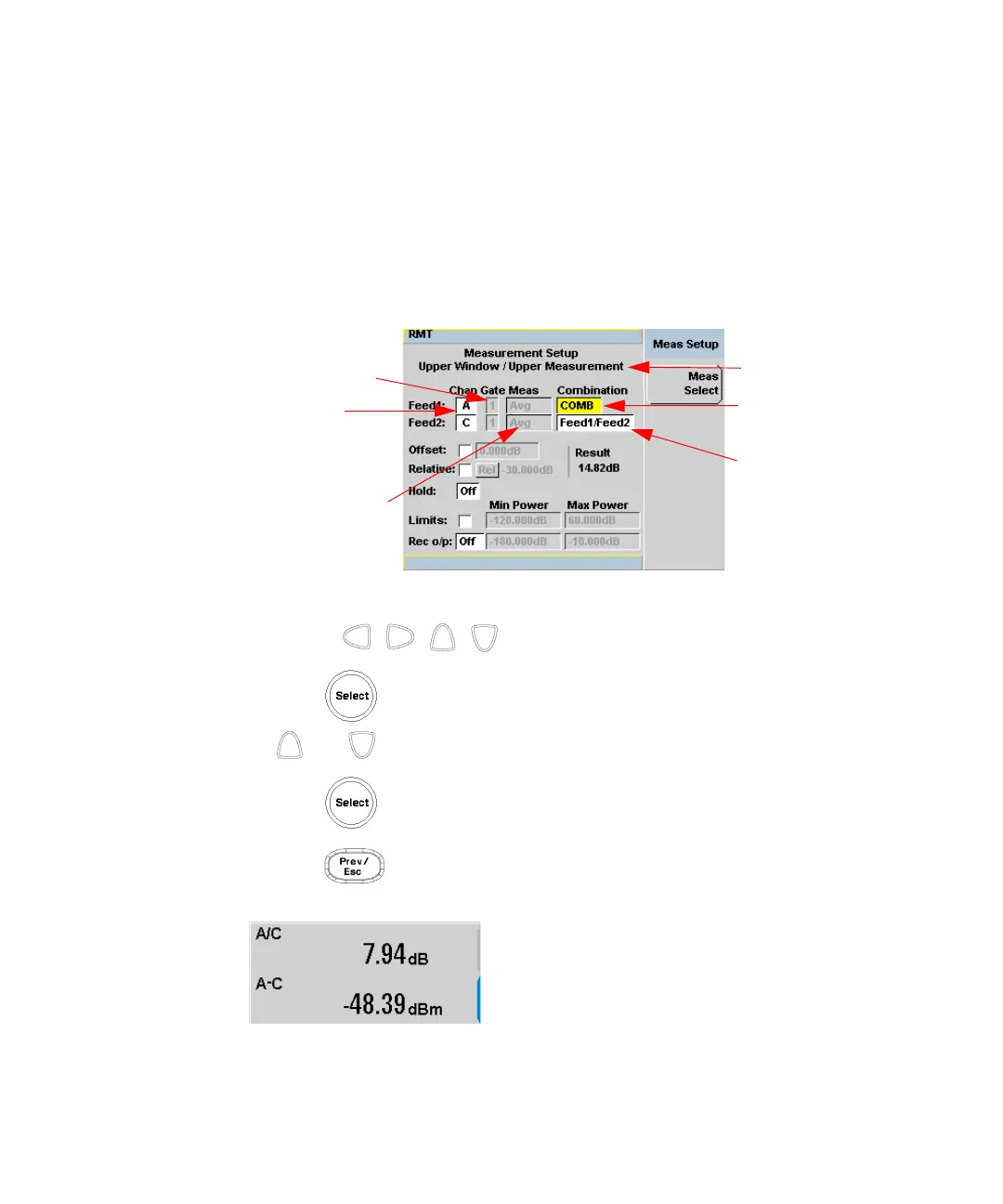
Figure 2-29 shows a Combined Measurement configuration; Channel A and
Channel C to be displayed in the upper measurement line of the upper display
window. (For single channel power meter, N1913A, the Channel field will be
disabled, as shown in Figure 2-29).
Figure 2-29 Measurement Setup showing combined configuration
1 Use the , , , , to highlight the Combination function field.
2 Press to display the Function pop-up (see Figure 2-28) and use the
and to highlight Combined.
3 Press to complete the entry.
4 Press key to complete the setup and display the measurements
results.
Figure 2-30 Measurement example display
Selected window/
Function field
Gate fields
Measurement fields
Combination field
measurement
Channel fields



 To Next Page