2 General Power Meter Functions
74 Keysight N1913/1914A User’s Guide
Resolution is a measurement display function and not a channel function. In the
case where a channel is set up in both the upper and lower window and the
resolution settings are different, the highest resolution setting is taken to calculate
the averaging number.
These four resolution levels represent:
– 1, 0.1, 0.01, 0.001 dB respectively if the measurement suffix is dBm or dB.
– 1, 2, 3 or 4 significant digits respectively if the measurement suffix is Ω or %.
Procedure
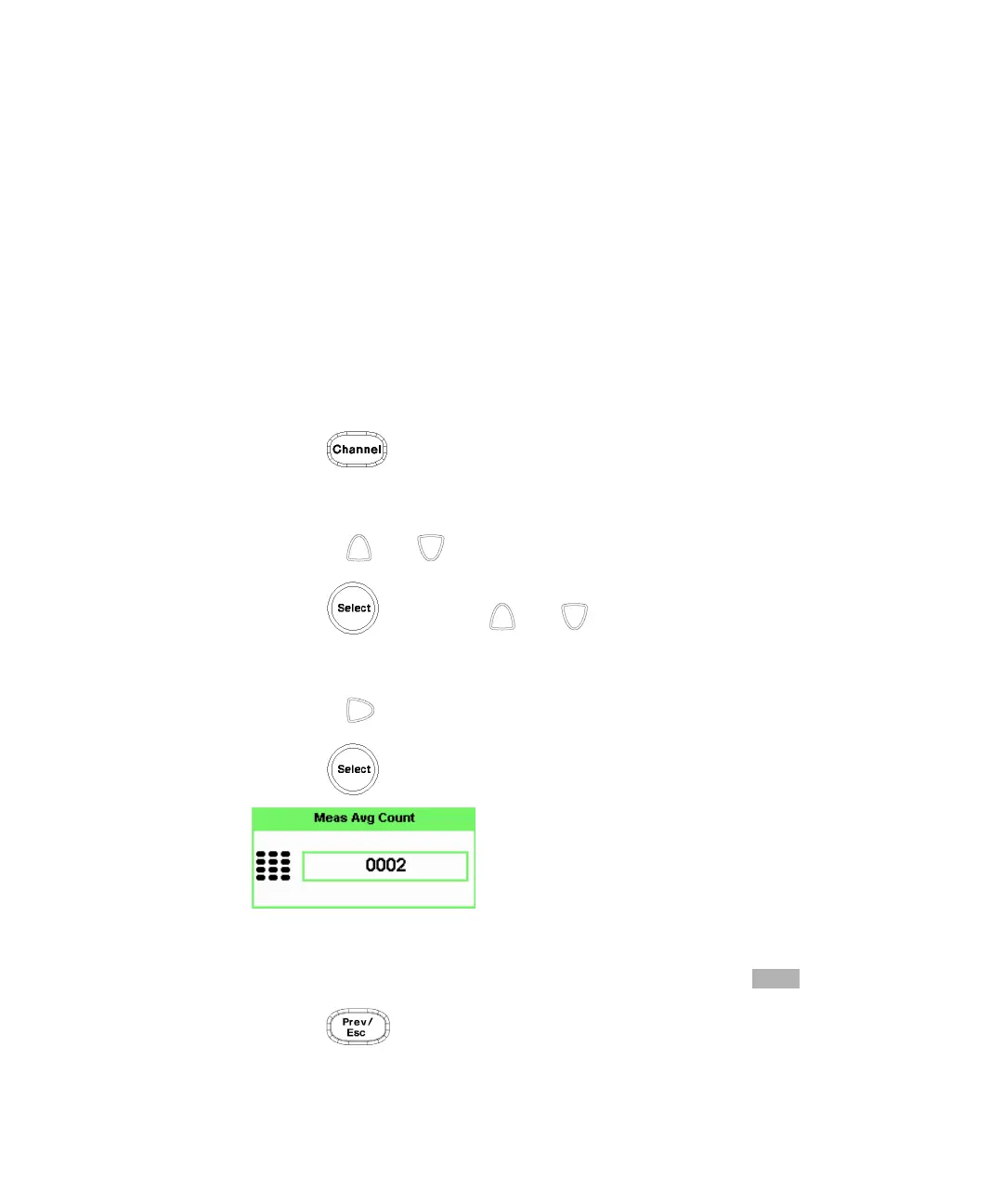
Set measurement averaging as follows:
1 Press . On dual channel meters select the required channel. The
current setting is shown in the Meas Avg field (
AUTO, MAN, or OFF) on the
Channel Setup screen. The default is
AUTO.
2 Use the and keys to select the Filter setting field.
3 Press and use the and to step through the available settings.
If you have selected AUTO or OFF proceed at step 7. If you have selected MAN
proceed as follows.
4 Use the key to select the Meas Avg: value field.
5 Press to display the Meas Avg Count pop-up.
Figure 2-15 Meas Avg Count pop-up
6 Use the numeric keys to enter the required value and press .
7 Press key to close the Channel Setup screen.



 To Next Page