1Introduction
34 Keysight N1913/1914A User’s Guide
The Display Layout
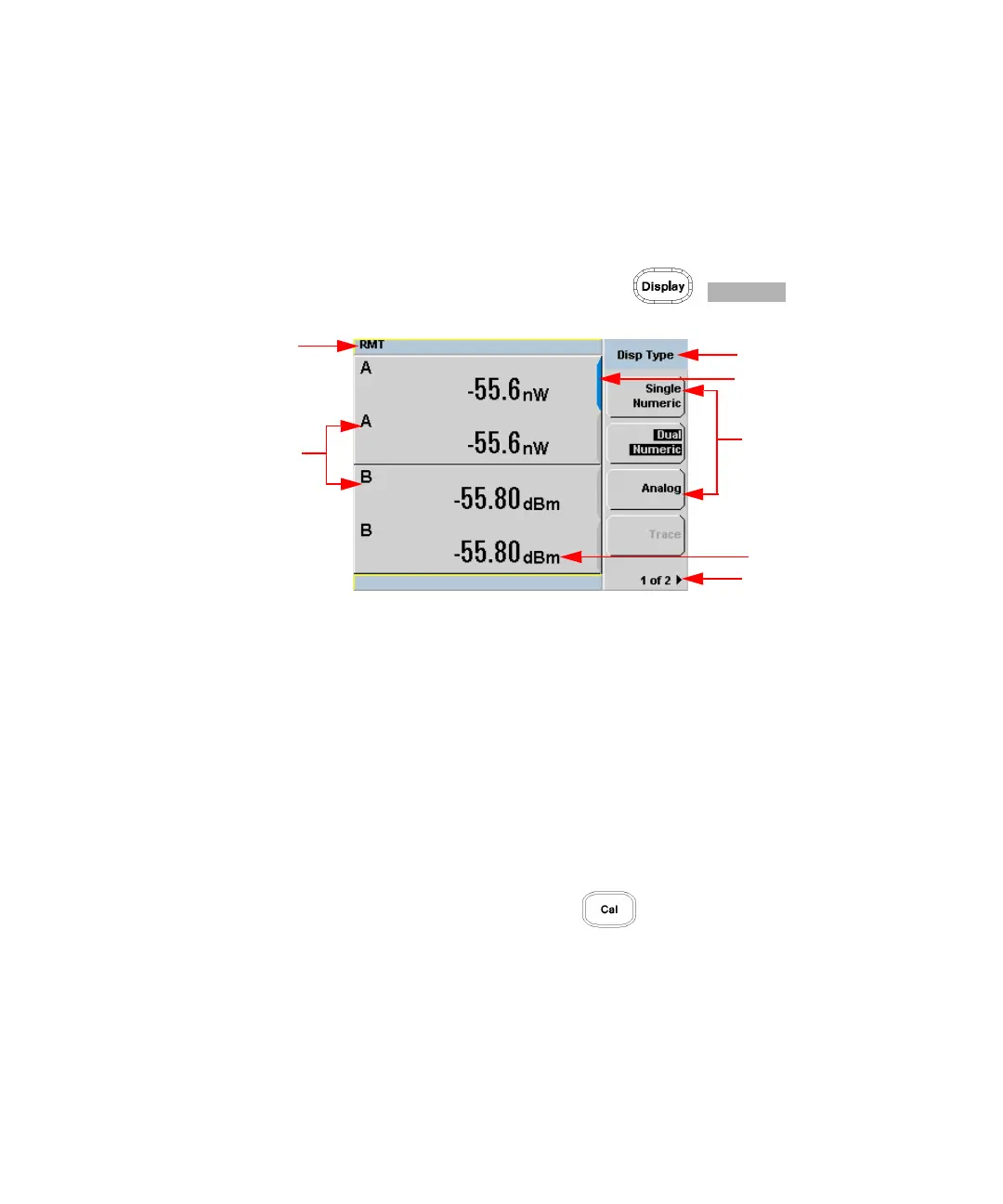
Figure 1-1 shows the display layout when two windows are configured in dual
numeric mode.
Other display formats are available by pressing , .
Figure 1-1 Dual numeric display
1 The status reporting line displays messages and the control status of the
power meter.
For example, the status can be either RMT (remote, GPIB, USB or LAN
operation) or LCL (local, front panel operation). The message fields indicate
ERR for any error conditions that occur or informing you to Please Zero the
power sensor.
2 The measured channel is shown with a 8480 Series or E-Series power sensor
connected.
3 This field displays the menu title.
For example, Channel Setup or press and the Zero/Cal menu is
displayed.
4 The blue highlight on the right hand side of the window shows it is the
currently selected measurement display line. This measurement line is the
Upper Window/Upper Measurement.
5 The available softkey labels are displayed in these three fields. Additionally,
settings associated with the labeled function are displayed under the label.



 To Next Page