6 Using N8480 Series Power Sensors
188 Keysight N1913/1914A User’s Guide
Selecting a Sensor Calibration Table
You can select a calibration factor table from the key menu followed by
and .
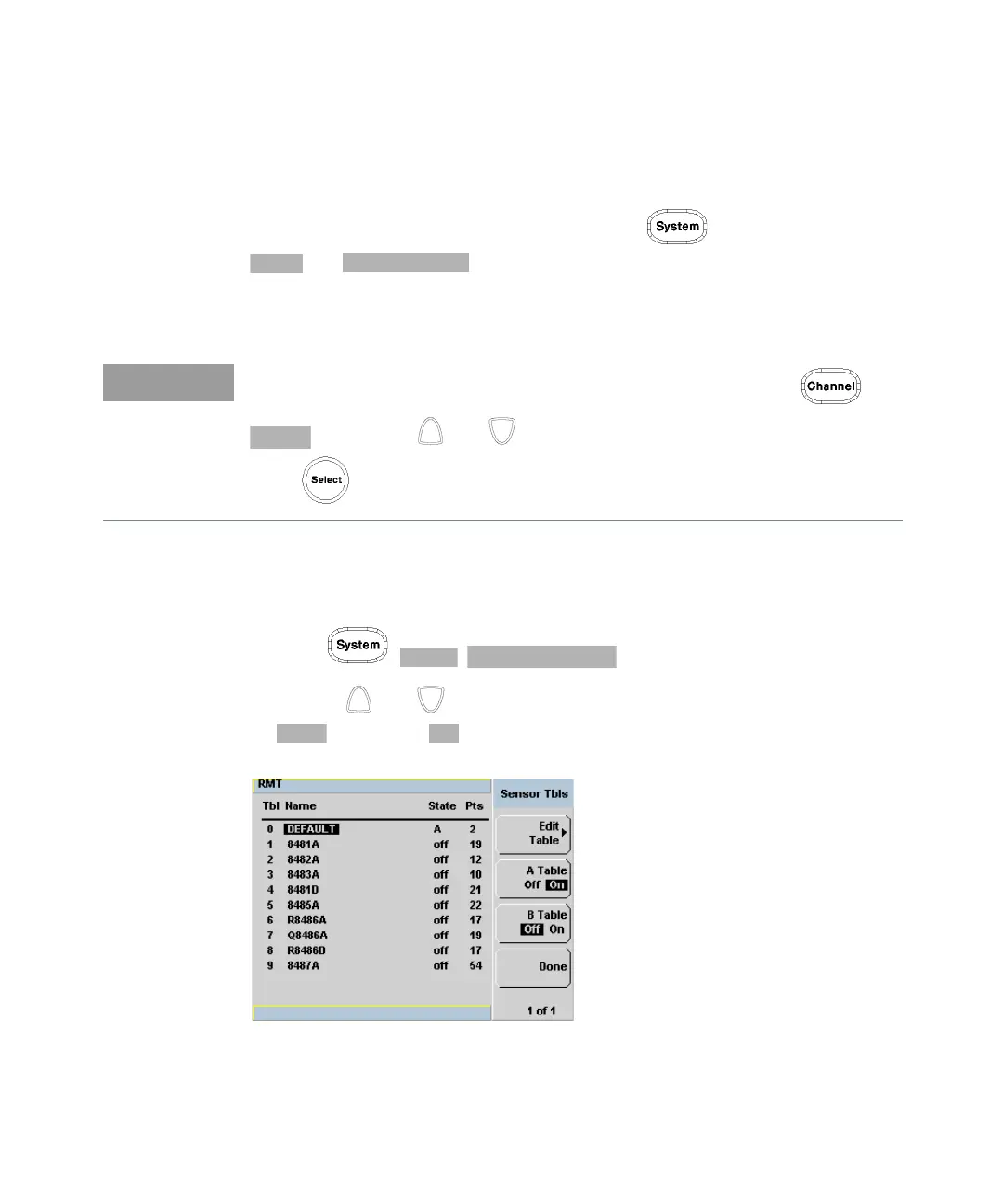
The State column indicates if any calibration factor tables are currently selected.
The Sensor Tbls screen is shown in Figure 6-8.
Procedure
Select sensor calibration table as follows:
1 Press , , .
2 Use the and keys to highlight one of the 20 table titles and press
to highlight .
Figure 6-8 Sensor table selected
You can also view which sensor table is being used by pressing the ,
and use the and keys to highlight the CF Table setting field and
press to display the table.



 To Next Page