General Power Meter Functions 2
Keysight N1913/1914A User’s Guide 59
Making Relative Measurements
Relative mode enables comparison of a measurement result to a reference value.
The relative reading, or difference, can be displayed in either dB or % terms. When
the measurement result is displayed in % a prefix multiplier may be shown.
Procedure
1 Press to display the Measurement Setup menu.
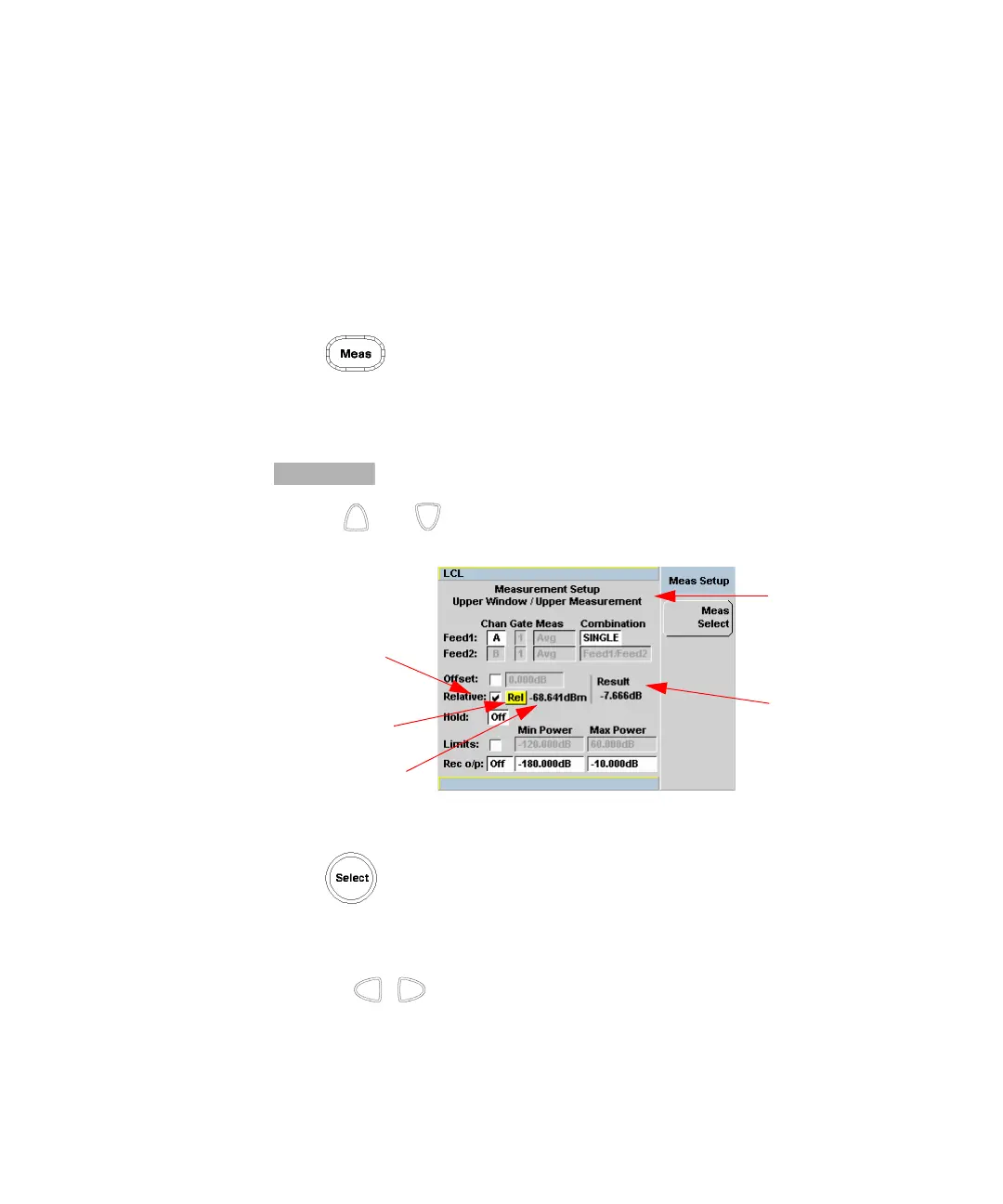
Figure 2-2 shows a Measurement Setup display and the relative measurement
items labeled.
2 Select the window you wish to set a reference value on by pressing the
key. The currently selected window/measurement is displayed.
3 Use the and keys to highlight the Relative setting field.
Figure 2-2 Typical relative measurement display
4 Press to check the Relative setting field.
5 Confirm that the power meter is measuring the signal you want to use as the
reference. This is displayed under the Result field.
6 Press the , , key to highlight the Rel field.
Relative
setting field
Relative field
Original result
Result field
Selected window/
measurement



 To Next Page