General Power Meter Functions 2
Keysight N1913/1914A User’s Guide 67
3 Press to complete the selection of the offset table.
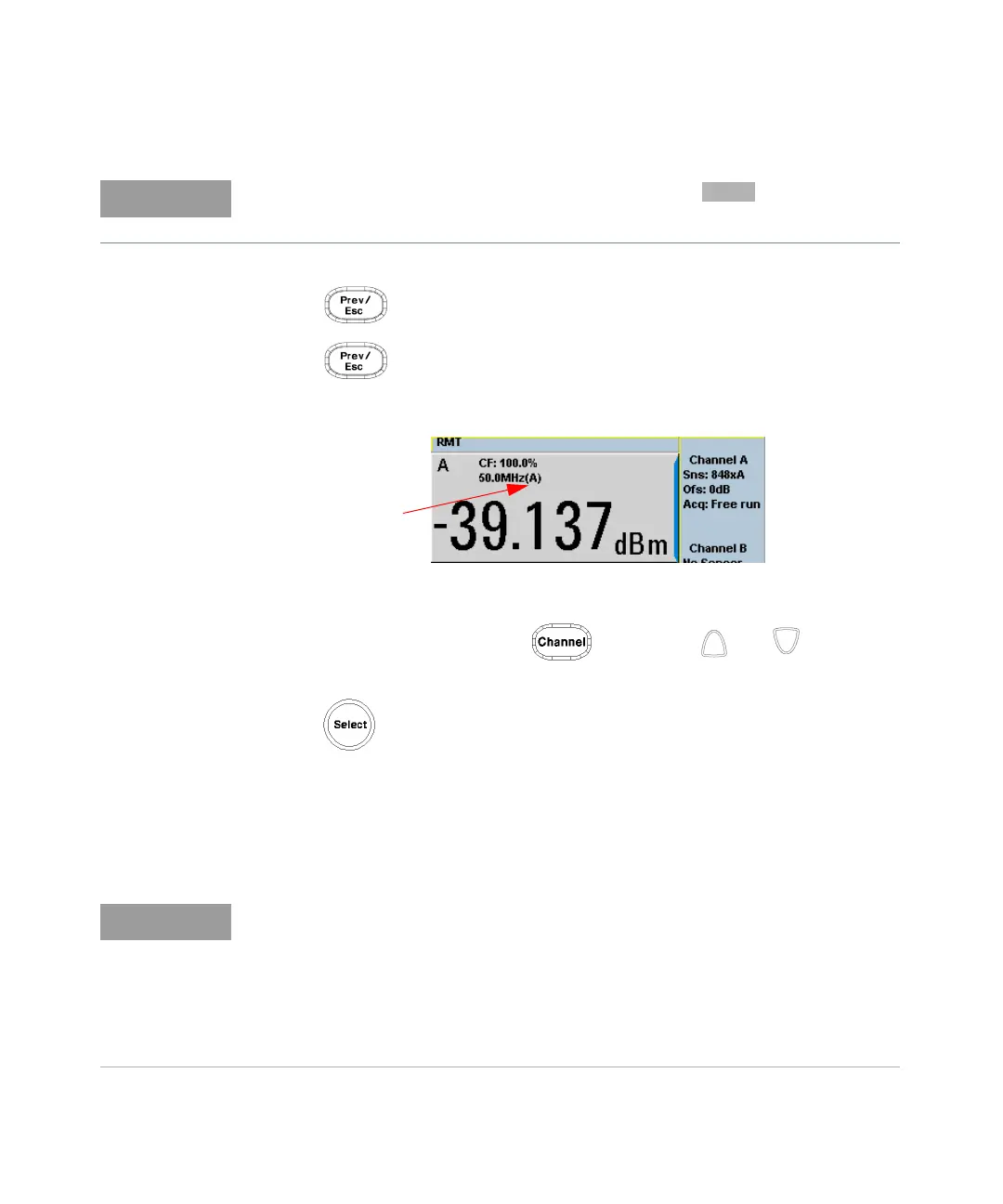
4 Press again to display the measurement screen. Figure 2-9 shows
which offset table is selected.
Figure 2-9 Frequency dependent offset indicator
5 To change the frequency, press and use the and keys to
highlight the Frequency field.
6 Press to display the Frequency pop-up window. Use the numeric
keypad to enter the required value in the Frequency pop-up window.
7 To confirm your choice, press the appropriate unit softkey.
8 Connect the power sensor to the signal to be measured.
9 The measurement result, including offset, is now displayed.
When no data is contained in the highlighted table, the key is disabled
(grayed out).
If the measurement frequency does not correspond directly to a frequency in the
sensor calibration table (if selected) and the frequency dependent offset table
being used, the power meter calculates the calibration factor and offset using
linear interpolation. If you enter a frequency outside the frequency range defined
in the sensor calibration table or the frequency dependent offset table, the
power meter uses the highest or lowest frequency point in the appropriate table
to set the calibration factor and offset.



 To Next Page