General Power Meter Functions 2
Keysight N1913/1914A User’s Guide 77
Procedure
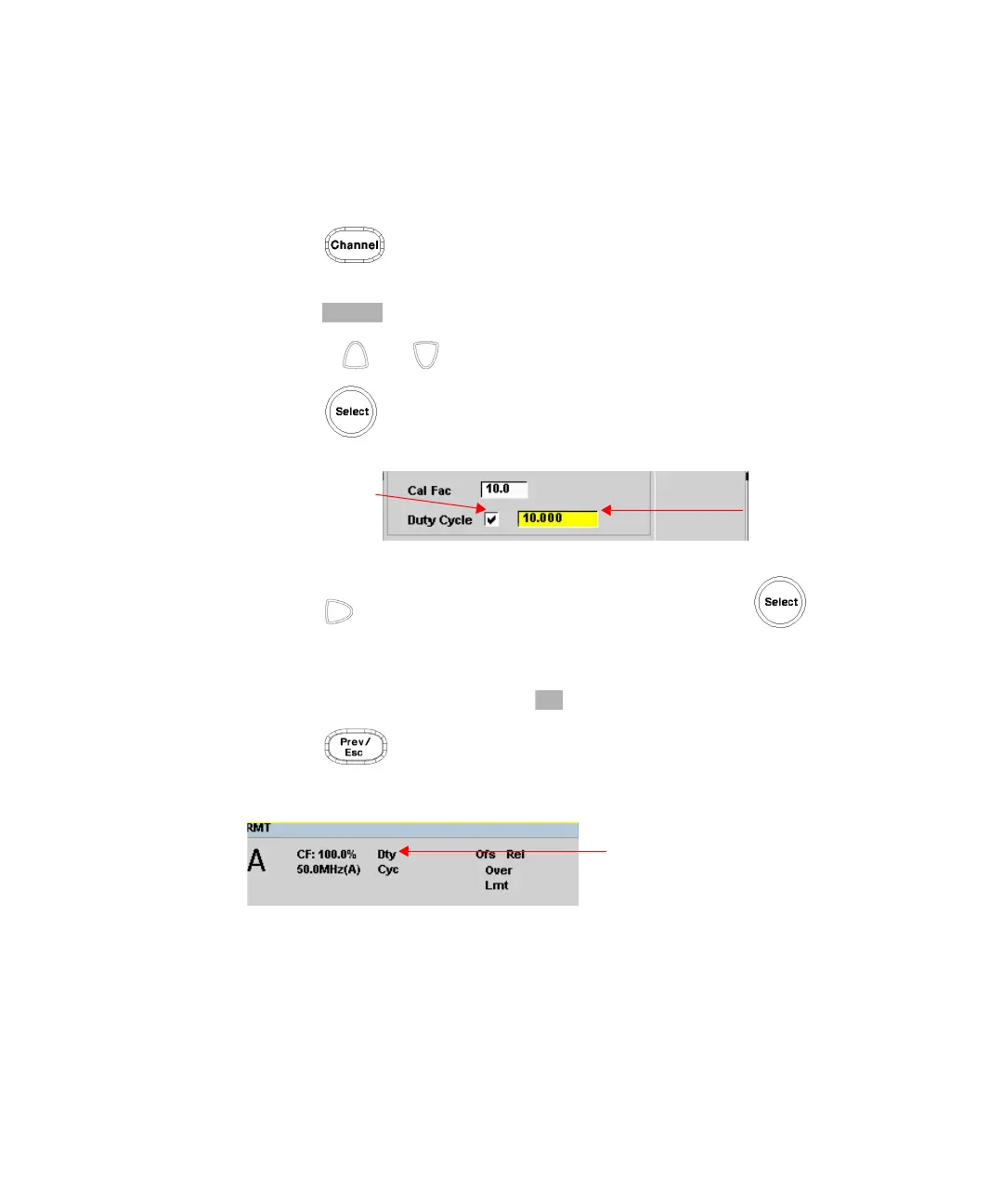
Set duty cycle as follows:
1 Press to display the Channel Setup screen. Confirm the channel
requiring setup is displayed.
2 Press to display the Offsets Setup.
3 Use the and keys to highlight the Duty Cycle setting field.
4 Press to check the Duty Cycle setting field.
Figure 2-17 Duty cycle setting
5 Press to highlight the Duty Cycle value field and press to display
the Duty Cycle pop-up. Use the numeric keypad to enter the required value in
the Duty Cycle pop-up window.
6 Confirm your choice by pressing .
7 Press key to complete the duty cycle entry. The Dty Cyc indicator is
displayed as shown in Figure 2-18.
Figure 2-18 Duty cycle indicator
Duty cycle
setting field
Duty cycle
value field



 To Next Page