Section 1 Basic Printer Functions 1-17
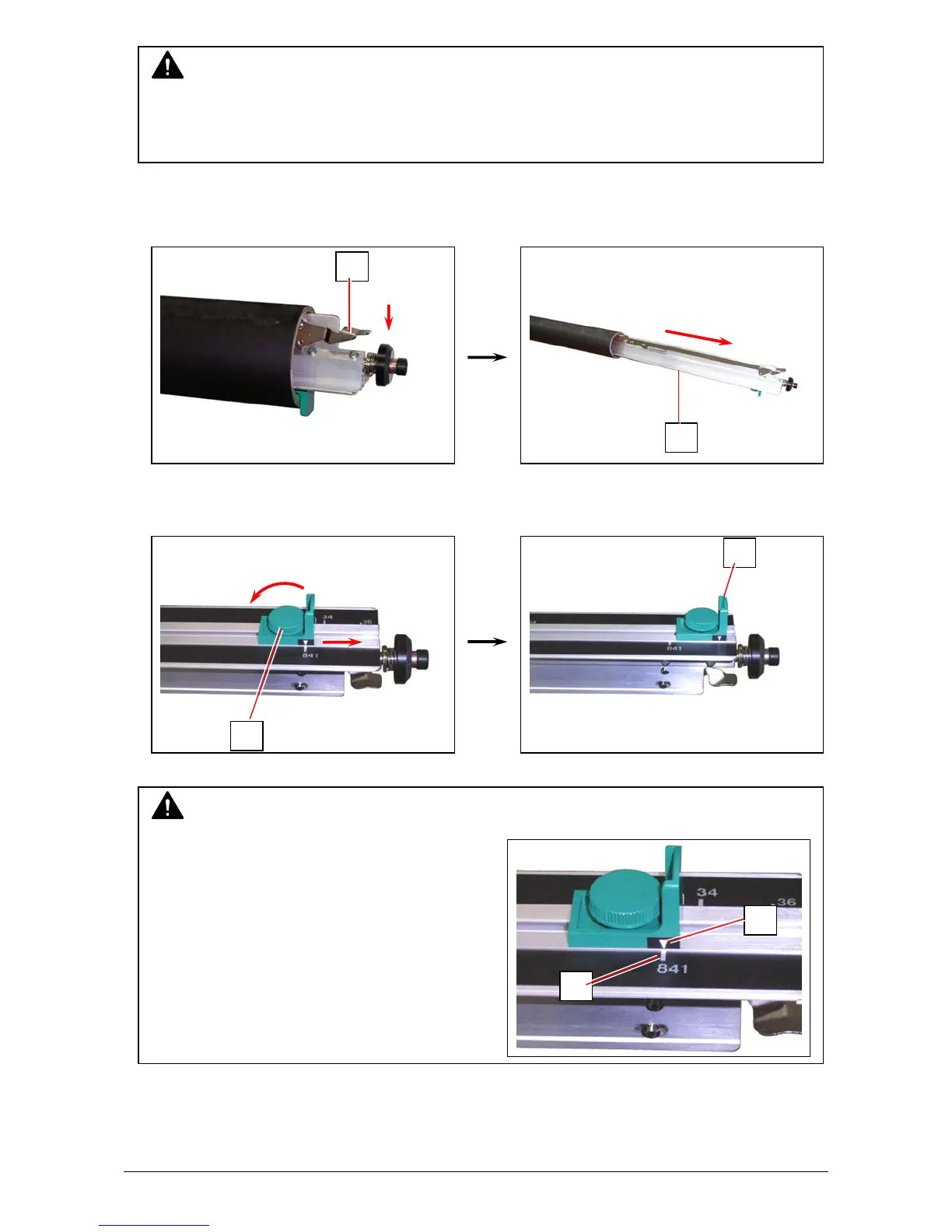
2. Press down the Lever (3) to release the paper core, and then pull out the Roll Spool (2) from
the paper core.
3. Loosen the knob (4), slide the position of Paper Guide (5) according to the width of roll paper
you will set the Paper Guide (5) tightening the knob (4).
3
2
NOTE
There are Size Guides (6) on the Roll Spool.
As the Paper Guide is provided with the
triangle mark (7), place the Paper Guide so that
the triangle meets the line of Size Guide.
4
5
6
7
NOTE
Please confirm that the machine has finished the printing completely before opening the Roll
Deck. If you open the deck while its is still printing, a paper mis-feed will occur.



 To Next Page