Section 1 Basic Printer Functions 1-30
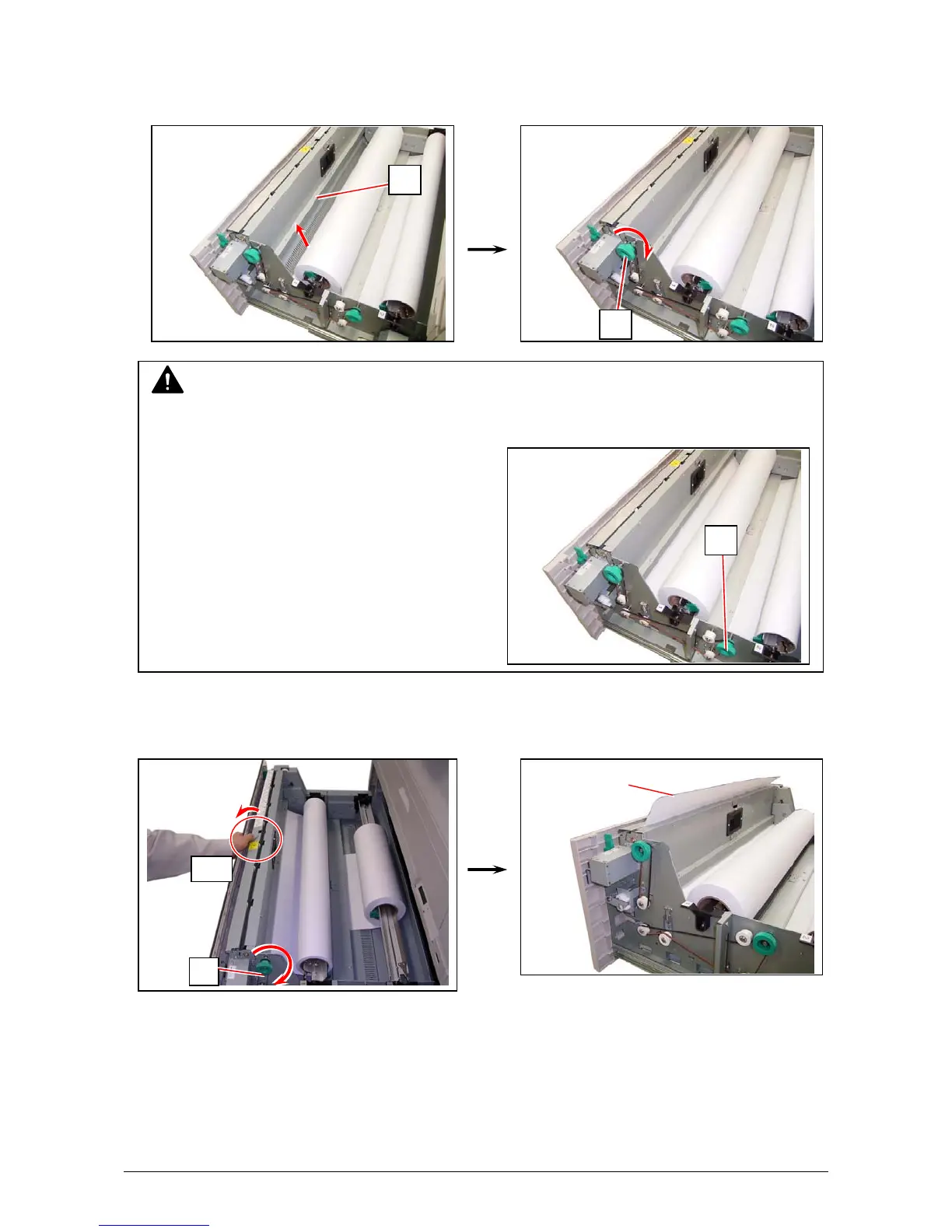
2. Insert the leading edge of roll paper under the under the Guide Plate (1) until the edge touches
the feeding roller.
Then rotate the Paper Feeding Knob (2) clockwise so that the feeding rollers catch the roll
paper.
7. When the feeding rollers catch the paper, fold the middle of the Guide Plate 6 (4) outside.
Rotate the Paper Feeding Knob (2) again until the leading edge comes out in 100 millimeters.
NOTE
The leading edge should be trimmed with a cutter in case of an extreme crease.
For Roll 2, rotate the Paper Feeding Knob
on the rear side (3).
Leading edge
of roll paper
4
2
1
2
3



 To Next Page