Section 1 Basic Printer Functions 1-31
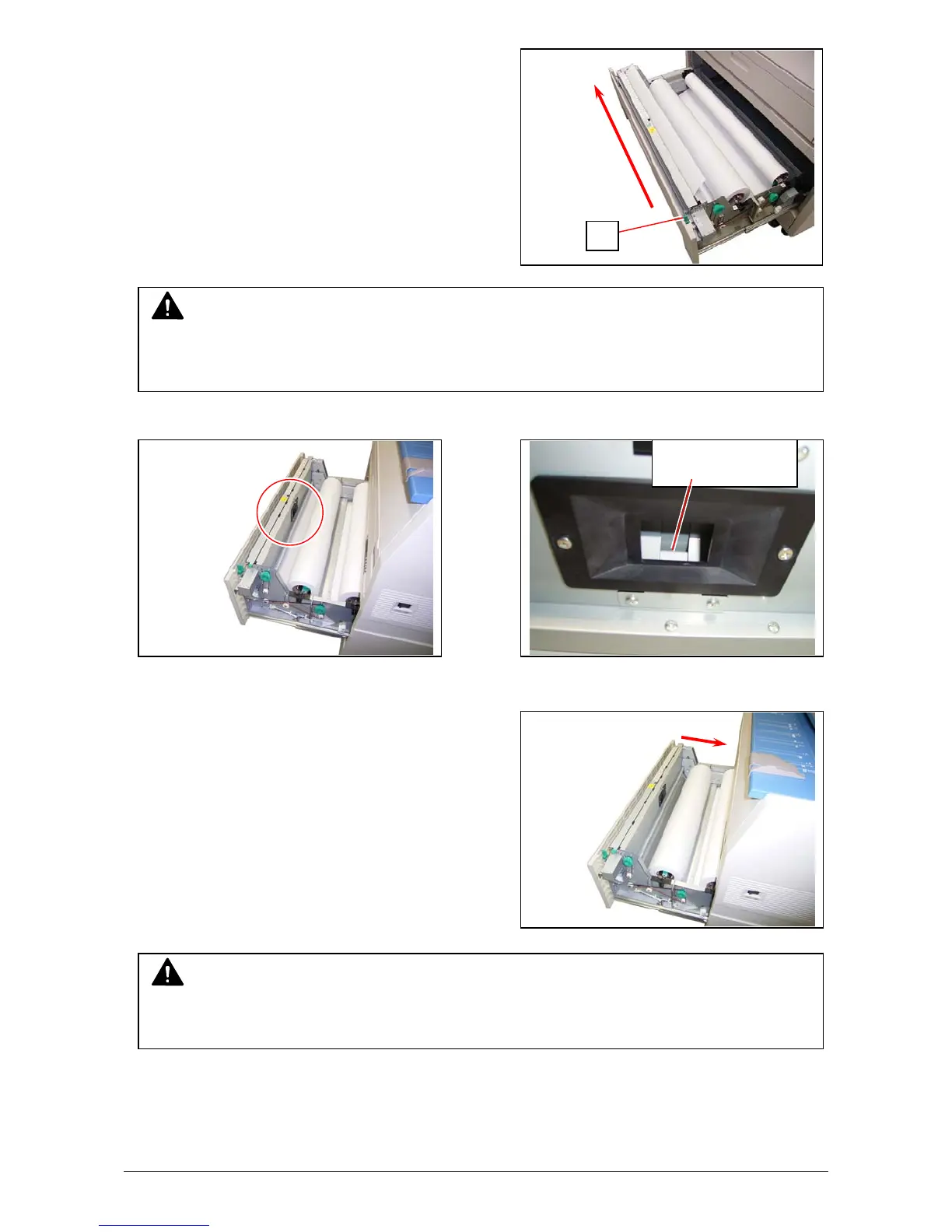
4. Slide the Cutter Knob (5) fully from one side to
another side to cut the leading edge.
Remove the paper portion.
5. Rewind the roll paper a little to place the leading edge as the following photo.
6. Close the Roll Deck.
Place the leading
edge here.
NOTE
Be sure to close the Roll Deck fully until it is locked at the correct position.
A paper jam may occur if it is not locked firmly.
NOTE
Slide the Cutter Knob completely until it is stopped at the right or left end.
If not there, a paper jam may occur.
5



 To Next Page