OPERATION DETAILED CONTROLS AND GAUGES
3-35
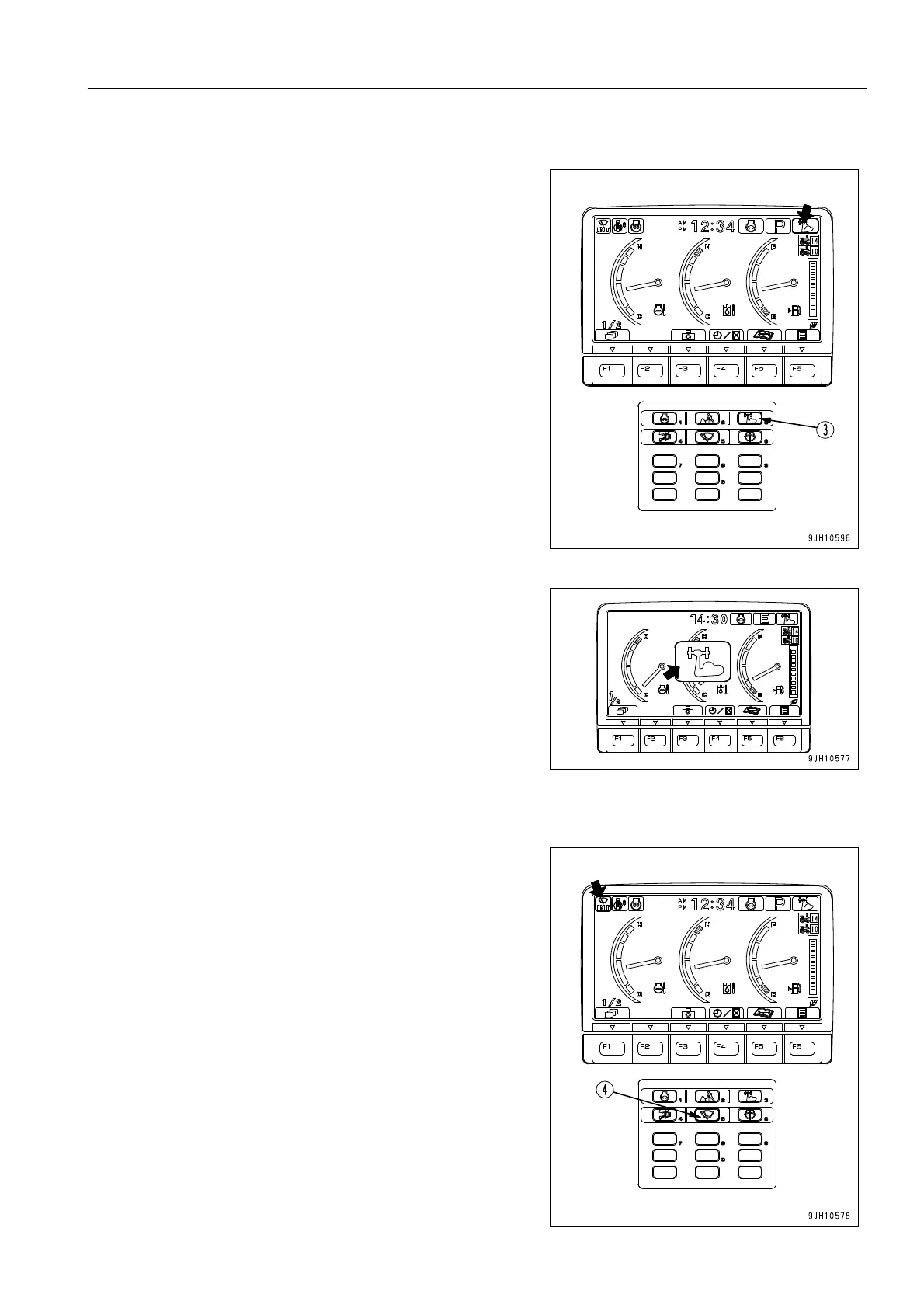
Heavy Lift Switch
Operate this switch (3) to increase the lifting power during
operations.
When the switch is turned ON, the boom lifting force is
increased when the boom RAISE is being operated indepen-
dently.
q When switch (3) is pressed to turn it ON, the mode is dis-
played in the center of the monitor display, and after 2 sec-
onds, the display returns to the standard screen.
Wiper Switch
This switch (4) actuates the front window wiper.
Each time the switch is pressed, the wiper switches INT (upper,
lower) J ON (upper, lower) J ON (upper only) J stop (goes
out).
Wiper monitor INT lighted up: Intermittent operation of wiper
(upper, lower) (A)
Wiper monitor ON lighted up: Continuous operation of wiper
(upper, lower) (B)
Wiper monitor ON lighted up: Continuous operation of wiper
(upper only) (C)
Wiper monitor OFF: Wiper stopped











 To Next Page