OPERATION DETAILED CONTROLS AND GAUGES
3-51
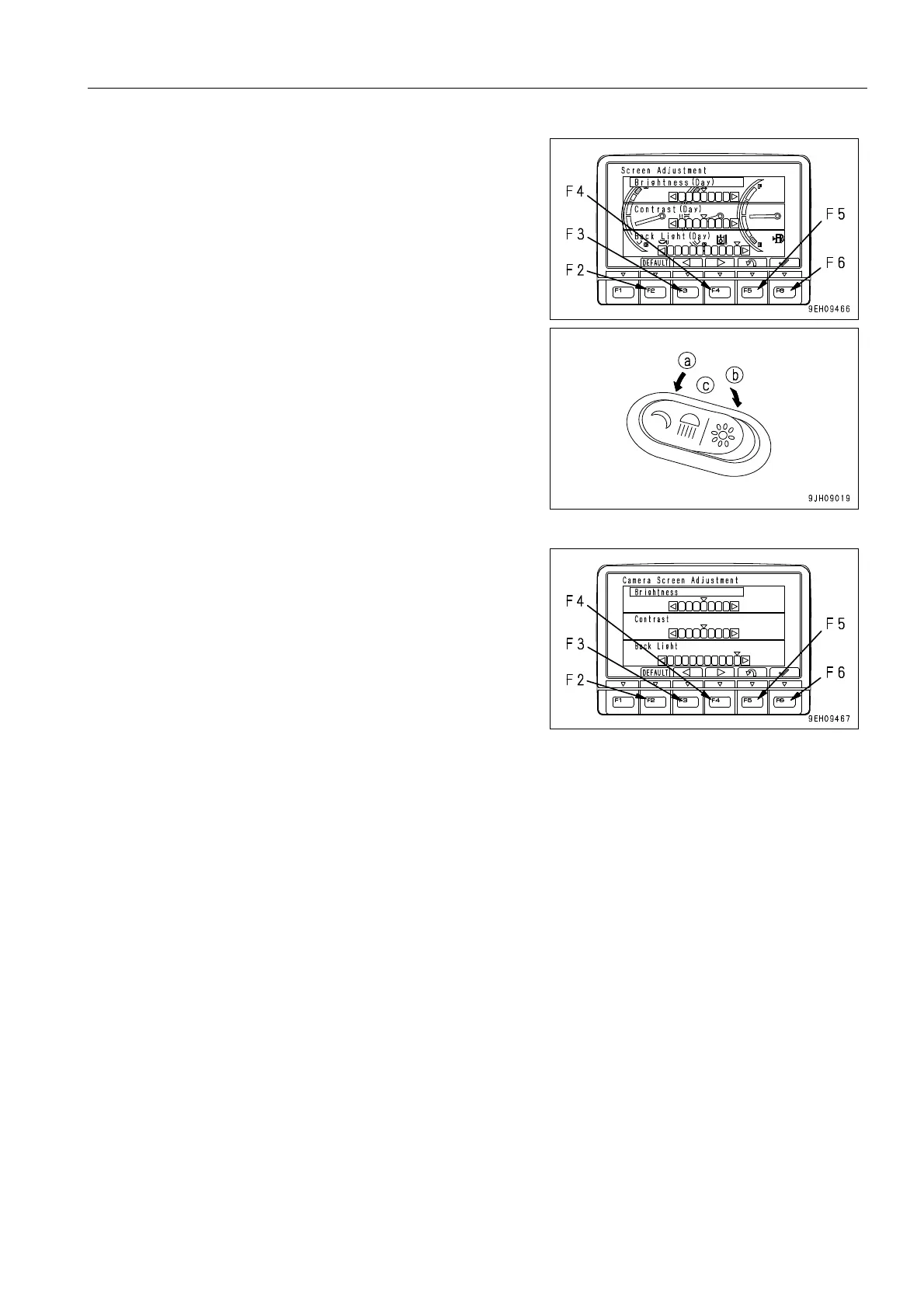
4. Use switches F2 to F6 to adjust the brightness, contrast,
and back light of the selected screen.
1) Adjusting the standard screen
q When the working lamp switch is in night position (a), if
the standard screen is adjusted, it is possible to adjust
the brightness of the monitor screen (night mode).
q When the working lamp switch is in day position (b) or
OFF position (c), if the standard screen is adjusted, it is
possible to adjust the brightness of the monitor screen
(day mode).
2) Adjusting camera screen
q The background when adjusting the camera image is
the image for the No. 1 camera.
q When displaying the camera screen, the screen may
become dark if the image is on snow. In such cases,
we recommend adjustment of the screen.











 To Next Page