DETAILED CONTROLS AND GAUGES OPERATION
3-50
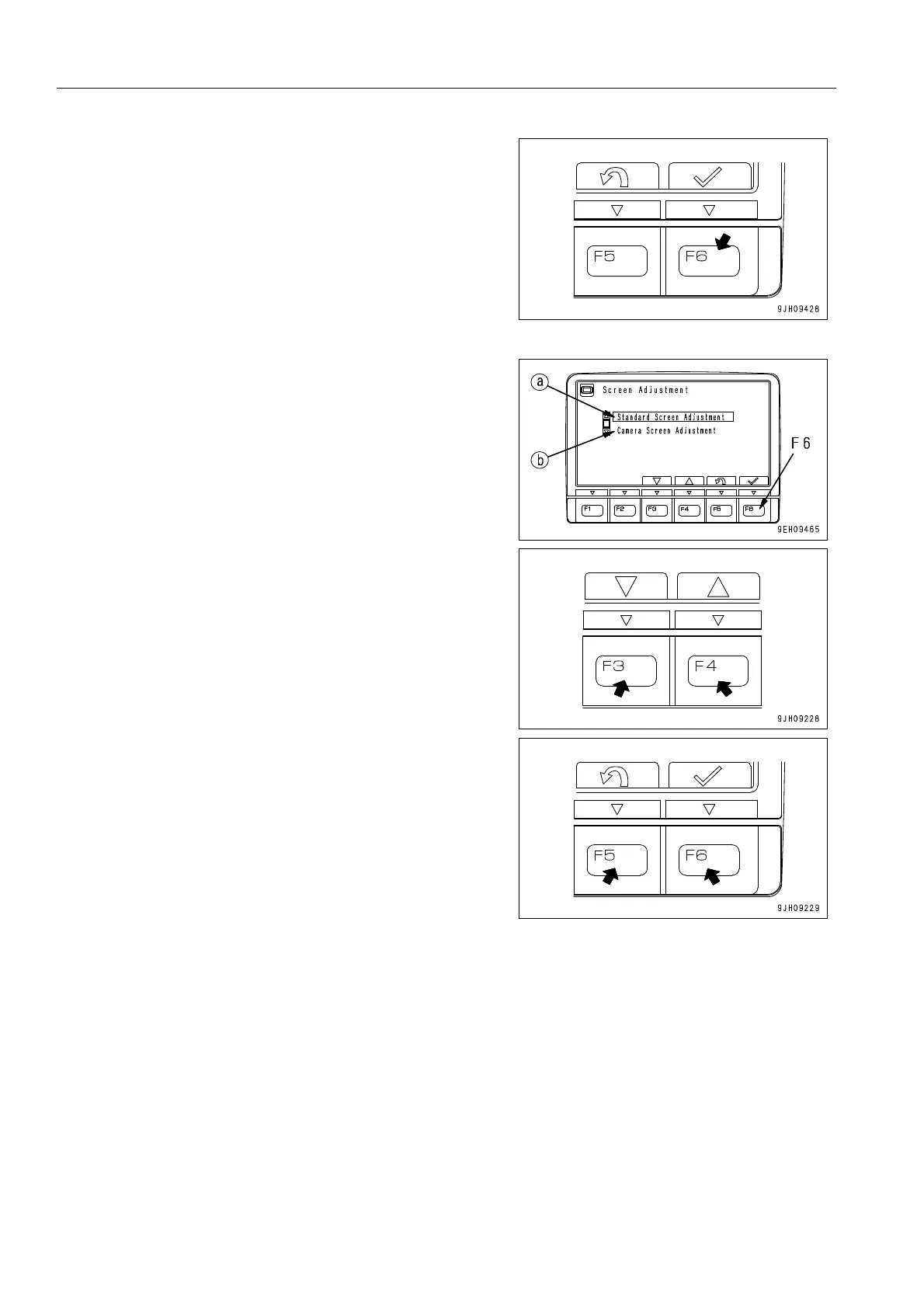
2. Select screen adjustment on the user menu, then press
switch F6. The screen switches to the selection menu
screen for screen adjustment.
q On machines equipped with cameras, it is possible to
adjust the brightness, contrast, and back light of the
cameras screen on this menu.
3. Select item to be adjusted (a) or (b) from the selection
menu screen for screen adjustment, then press switch F6.
The screen switches to the setting screen for the selected
item.
(a): Standard screen adjustment
(b): Camera screen adjustment (only machines equipped
with camera)
q On the mode selection screen shown on the right, it is
possible to carry out the following operations with
switches F3 to F6.
F3: Moves to next item (1 line down).
F4: Moves to previous item (1 line up).
F5: Returns to user menu screen.
F6: Switches to setting screen for selected item.
If the machine is not equipped with a camera, the selection
menu for screen adjustment is not displayed.
If screen adjustment is selected from the user menu, the
adjustment screen in Step 4 is displayed.











 To Next Page