OPERATION DETAILED CONTROLS AND GAUGES
3-53
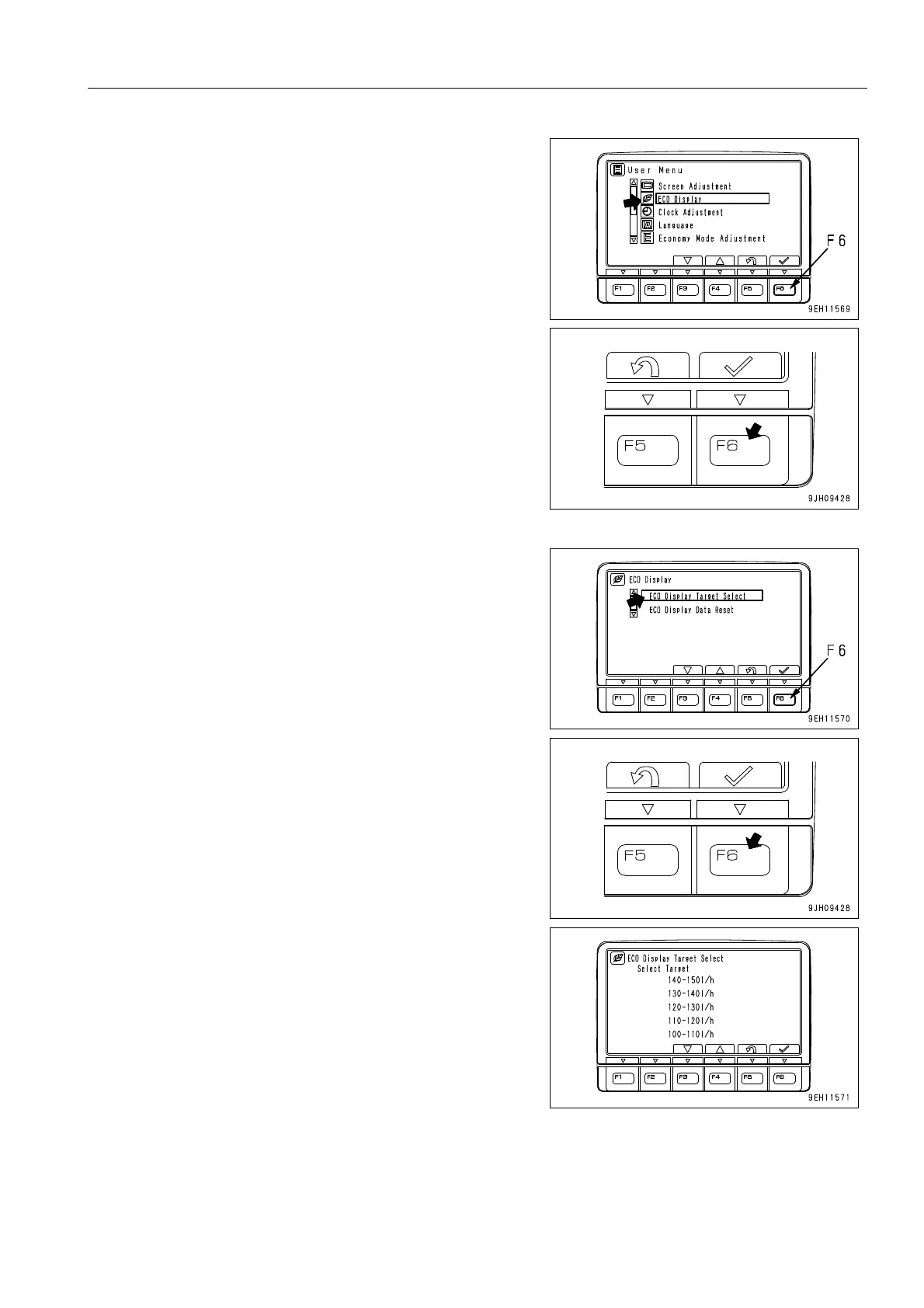
2. Select “ECO display selection“ on the user menu, then
press function switch F6. The screen switches to the tar-
get setting command screen.
3. Select “ECO Display Target Select“, then press function
switch F6 to display the target setting screen.






 To Next Page