DETAILED CONTROLS AND GAUGES OPERATION
3-54
4. From the target setting value screen, select the fuel con-
sumption that is to be the target when carrying out opera-
tions. Press function switch F6 to confirm the selection.
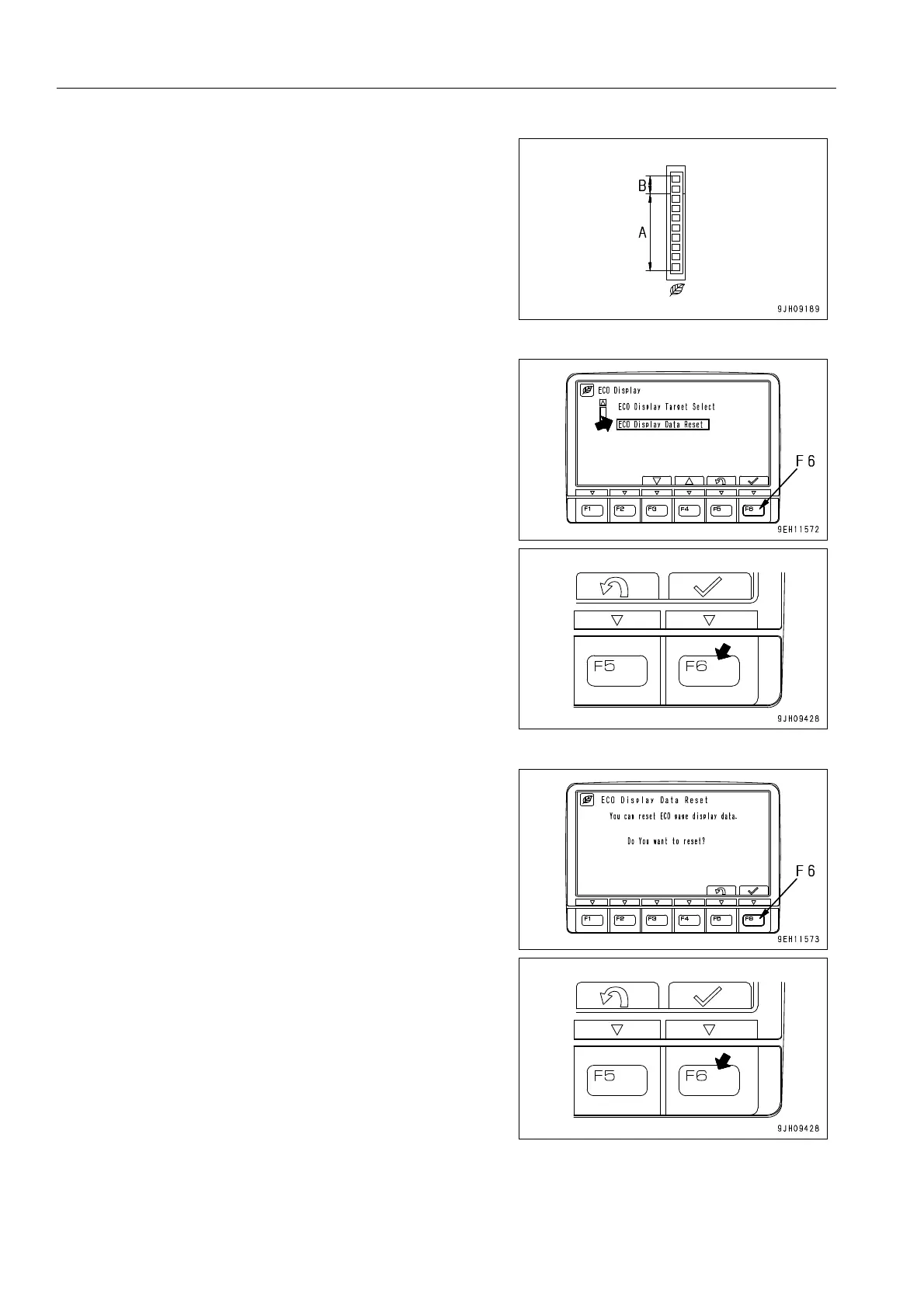
q When the gauge enters the orange range, there is no
abnormality on the machine, but to protect the environ-
ment, reduce the engine output to a point where there
is no adverse effect on the operation. Generally, carry
out energy-saving operations in the green range.
Reducing the frequency of travel also helps to save
energy. Consider the best way of saving energy.
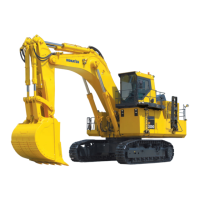
5. When resetting the past fuel consumption data and giving
a new display, select “ECO Display Data Reset“, then
press function switch F6. The reset screen is displayed.
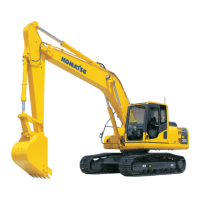
6. When the reset screen is displayed, press function switch
F6 to confirm that the value is to be reset.







 To Next Page