OPERATION DETAILED CONTROLS AND GAUGES
3-55
Clock Adjustment
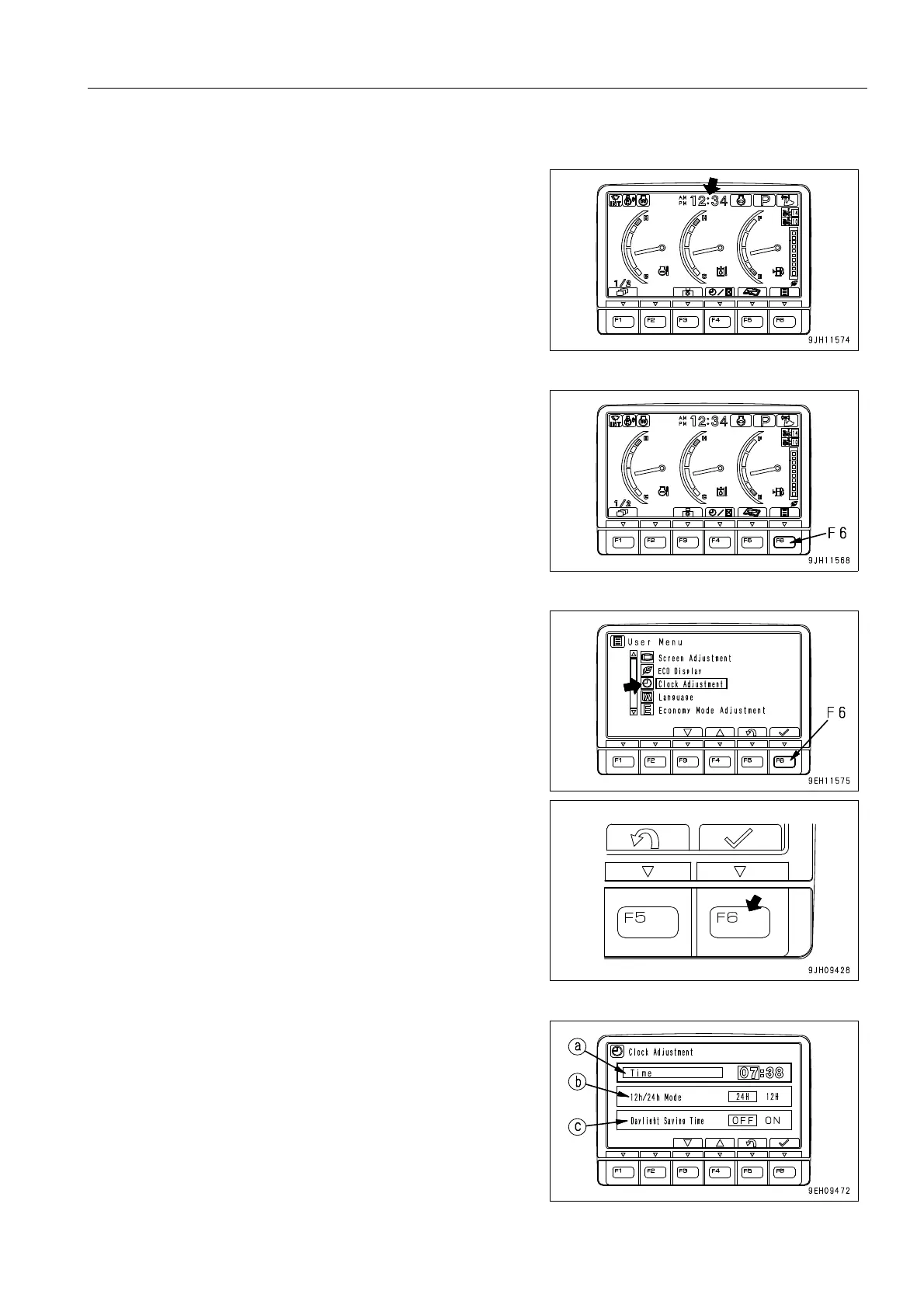
On this clock adjustment menu, it is possible to change the set-
ting of the clock displayed on the pilot monitor of the standard
display.
1. On the standard screen, press switch F6.
2. Select “Clock Adjustment“ on the user menu, then press
switch F6. The screen switches to the time adjustment
selection menu screen.
q The following three items can be changed.
(a) Clock setting
(b) 12/24 hour display mode
(c) Daylight saving time











 To Next Page