OPERATION DETAILED CONTROLS AND GAUGES
3-57
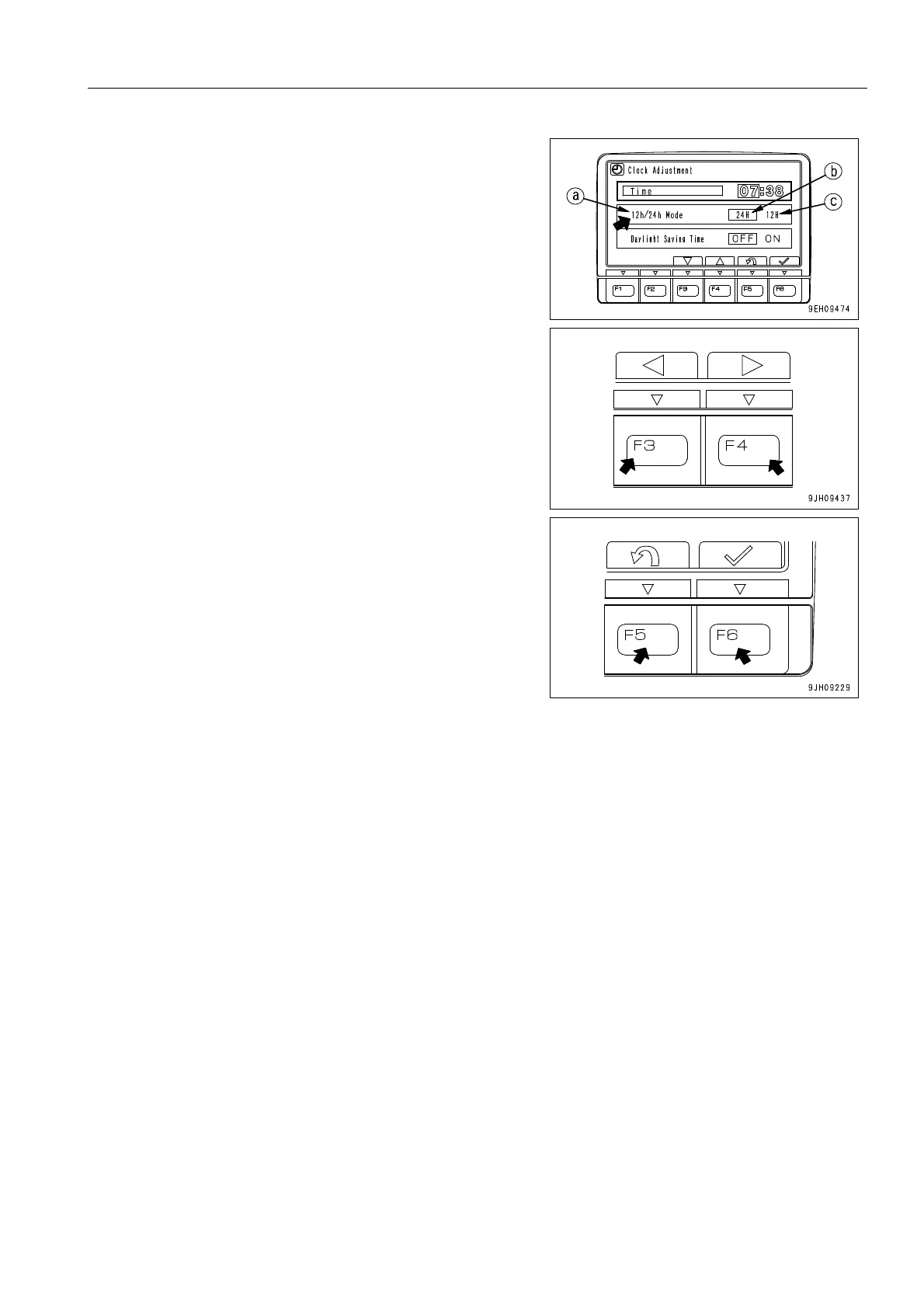
q 12h/24h Mode
Choose either a 12-hour display (am/pm) or a 24-hour dis-
play.
(b): 24-hour display
(c): 12-hour display (am/pm)
1) If “12h/24h Mode“ (a) is not highlighted in yellow, press
switch F6 to highlight “12h/24h Mode“ (a) in yellow.
2) Change the “12h/24h mode“ with the switches as follows.
The selected display mode (b) or (c) is highlighted in green.
F3: Moves 1 item to left.
F4: Moves 1 item to right.
F5: Cancels change and returns to user menu.
F6: Accepts change and goes to setting for “Daylight Saving
Time“.
If the setting has been changed, always press switch F6.











 To Next Page